

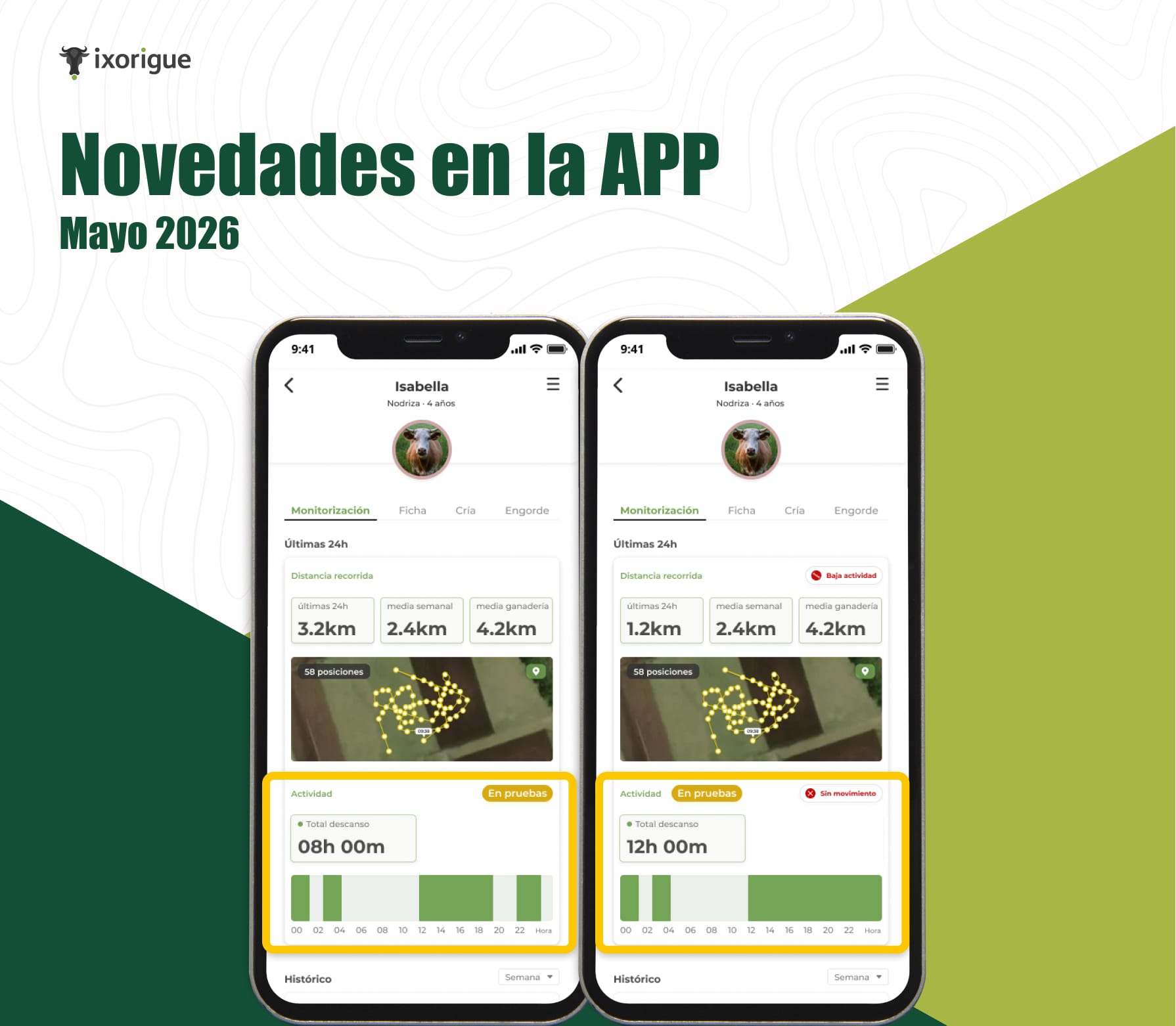
🐄 Activity and rest: know the real state of each animal
Knowing if an animal is getting enough rest—or too much—is a key sign of its well-being. With the new Activity section in the animal's listing, you have that information at a glance.
What does the Activity section show?
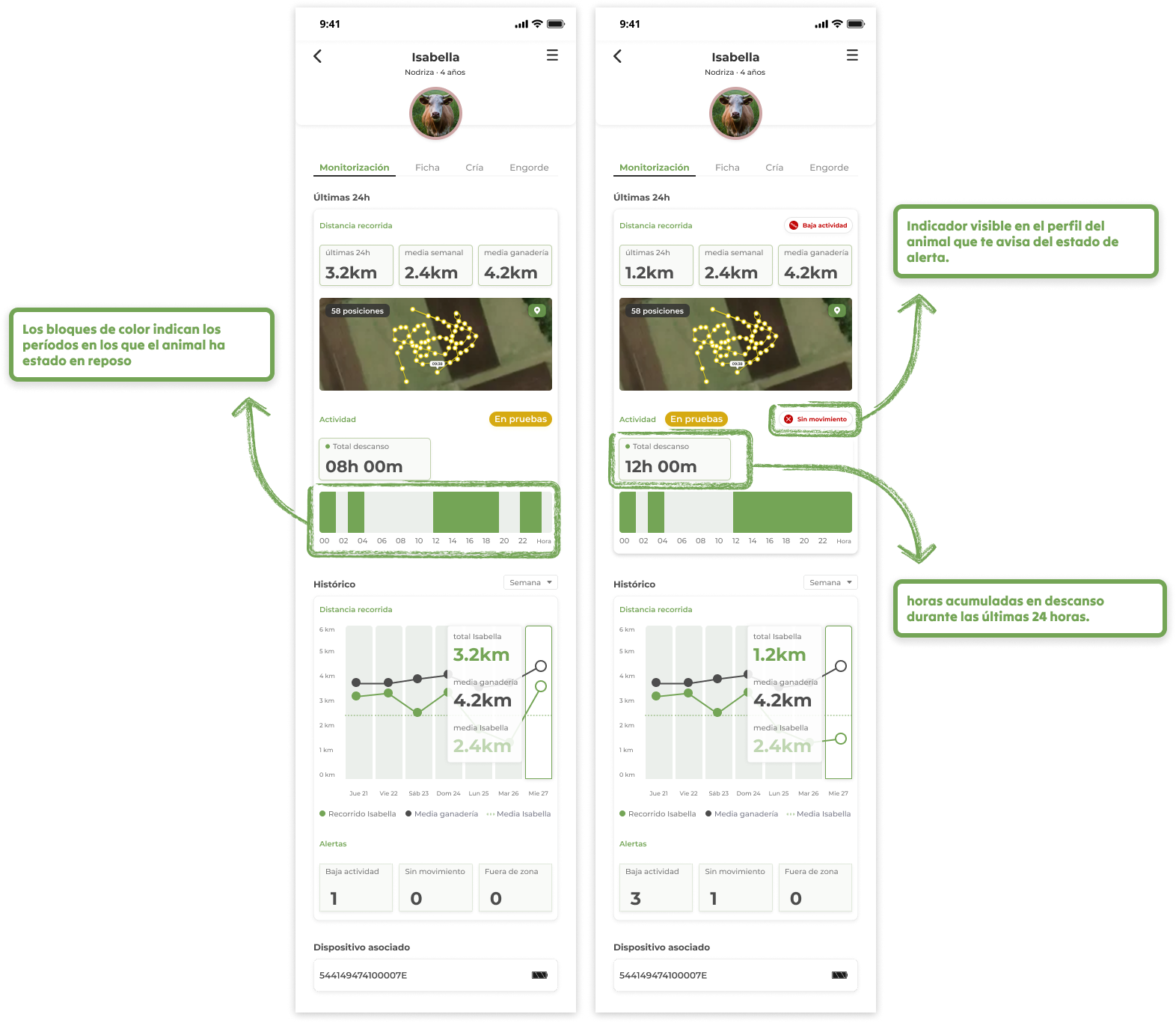
When you enter the file of any monitored animal, you will find:
Rest graph for the last 24 hours A horizontal bar divided by hours. The color blocks indicate the periods in which the animal has been at rest, giving you an immediate visual picture of how it has distributed its rest throughout the day.
Total Rest Time The number of hours accumulated at rest during the last 24 hours.
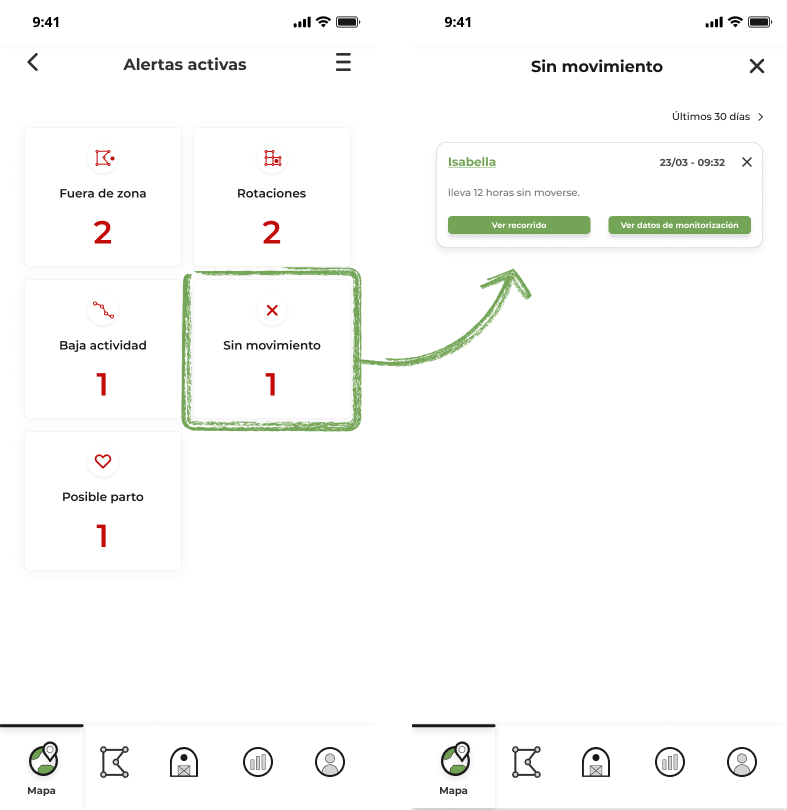
No Motion Alert
If an animal has not moved for more than 4 hours in a row (At rest), the app automatically launches a no movement alert. You will see a visible indicator on the animal's profile that alerts you to the alert status.
Where does this information come from?
Activity and rest data comes from the device's built-in accelerometer .
What is it used for on a day-to-day basis?
- Detect sick or troubled animals before they show visible external signs.
- Confirm that the rest pattern is normal after a batch or zone change.
- Have an objective record of animal behavior without the need for continuous observation.
🧪 This functionality is currently in testing. We are working together with a group of collaborating users to validate and refine the data to make it even more accurate. If you have any questions or detect something unexpected, do not hesitate to contact us.