

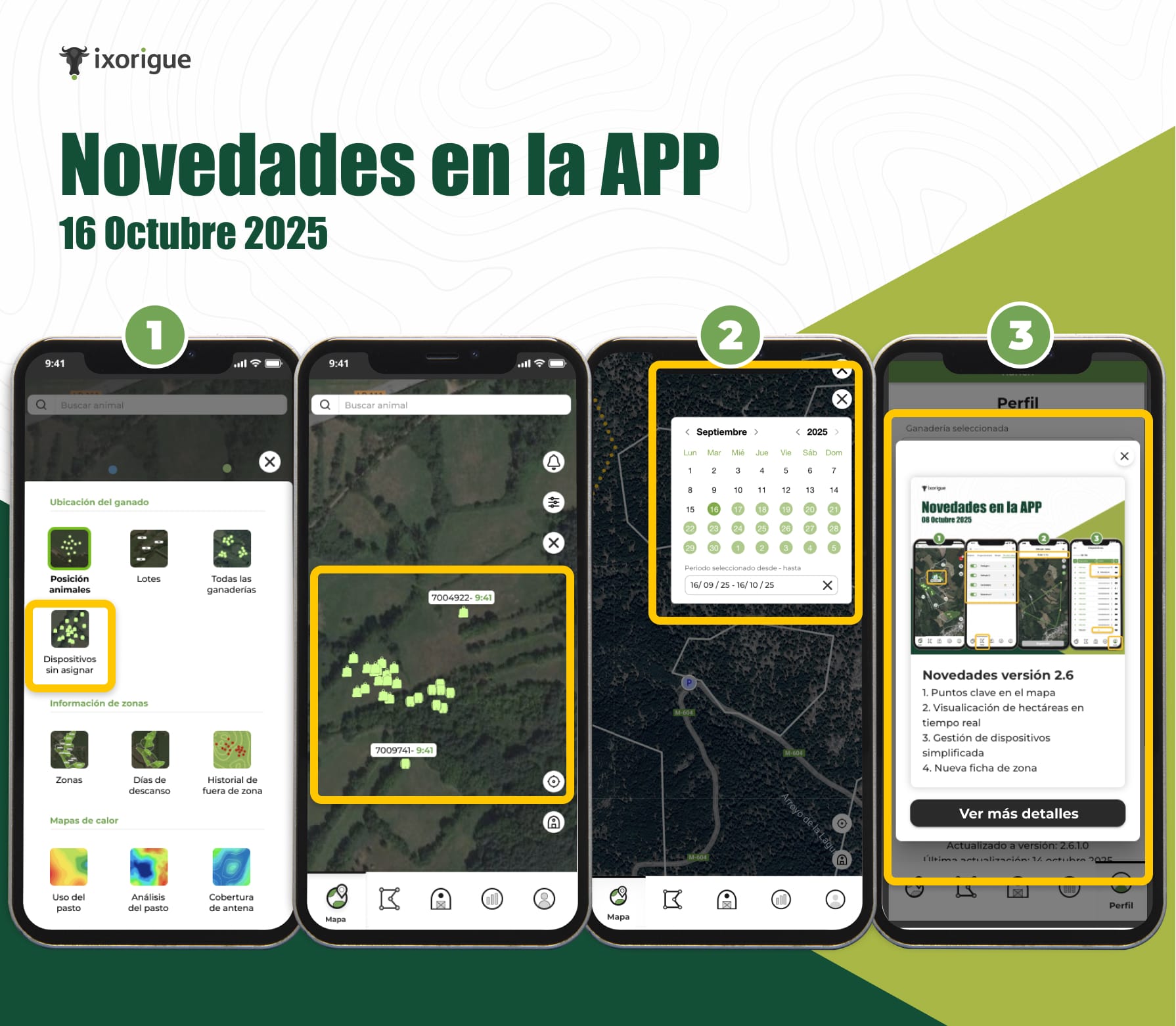
1. New Device Layer Not Assigned to Animals
You will now be able to view all the devices that are not yet linked to any animal. This new layer helps you have better control and management, allowing you to easily identify which devices are pending assignment and where they are located.
How to access?
- On the map, open the layers menu.
- Turn on the "Unassigned devices" option.
2. Improvement in the grass use layer
We've added an interactive calendar so you can choose the exact date range you want to check (up to 31 days).
This way you can analyze the use of the grass more accurately according to your needs.
How to use it?
- Enter the "Use of Grass" layer.
- Select the date range you want to analyze in the calendar.
3. Communication of news within the app
You won't miss any updates anymore!
From now on, every time we release improvements or new features, a notification will appear within the app with a summary and shortcut to this section, where you can see all the details and tutorials.