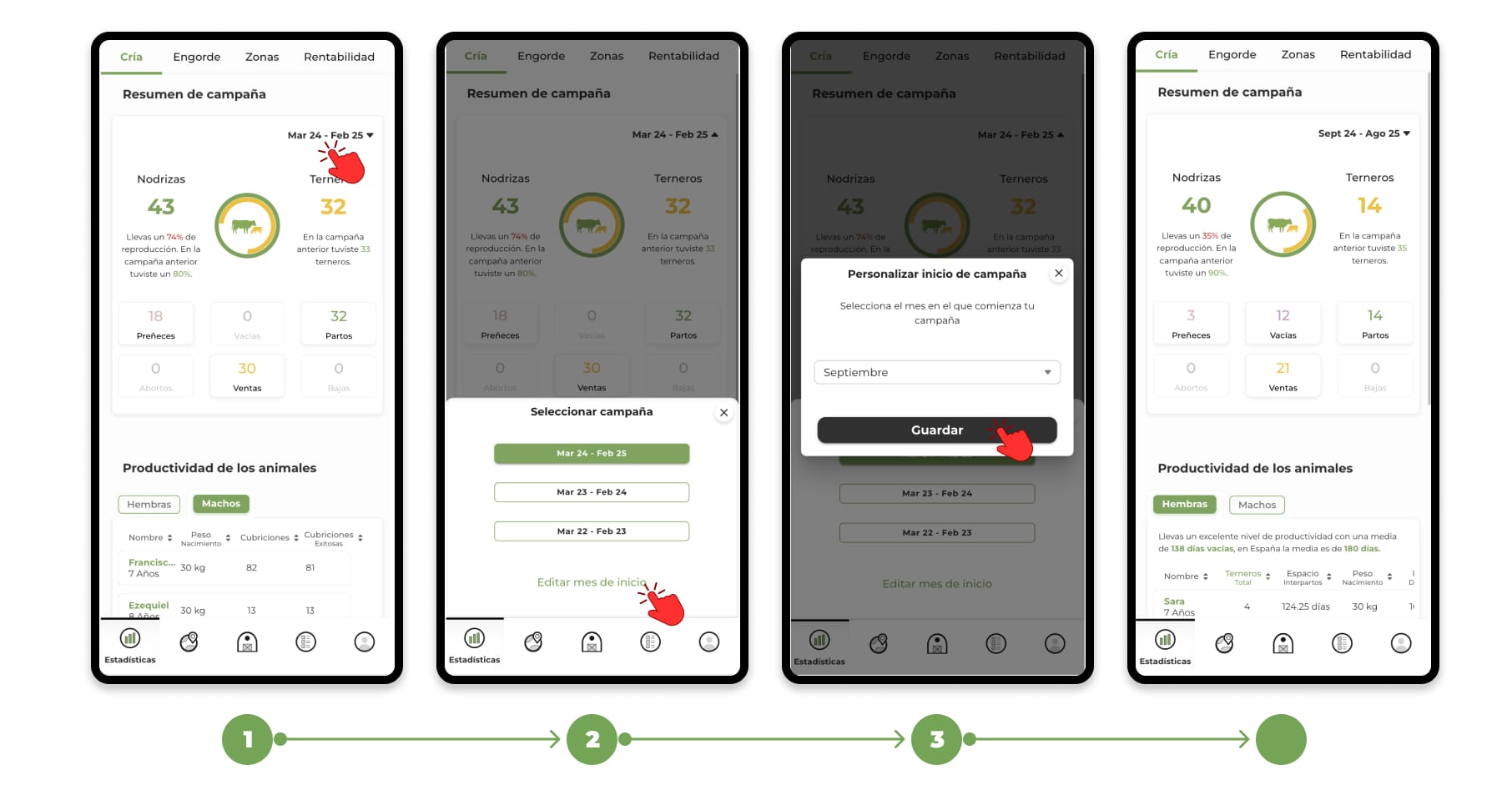
To change your campaign's start month:
- Tap the filter at the top right of the screen.
- Select the "Edit Start Month" option.
- Choose the month in which your campaign starts. and tap Save.
From the selected month, 12 months will be counted to define the duration period of the campaign.