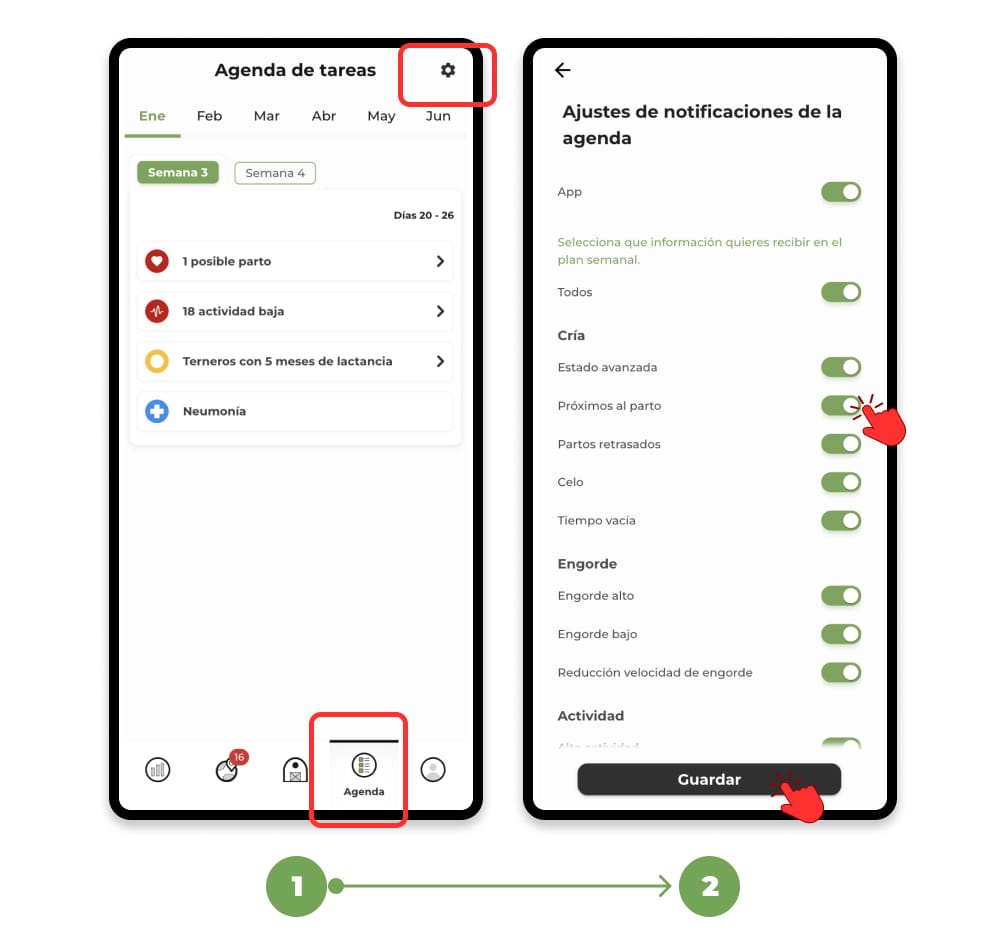
1. Access the "Agenda" section and click on the "screw" icon located in the upper right corner. This will open a menu to adjust the alerts you will receive for the breeding, fattening and health tasks of your livestock.
2. By clicking on the sliding buttons to the right of each title, you can activate (green) or deactivate (gray) the alerts you need. Once configured according to your preferences, click on Save to finish and apply the settings.