

Assigning or moving animals between zones can only be performed with animals that do not have a GPS device. Animals with a device are automatically assigned to zones based on their GPS location.
What happens if an animal without a device is in a lot with animals with a device?
Don't worry, if you have deviceless animals in a batch where there are device-based animals, those deviceless animals will be automatically assigned to the zones along with the batch, so they can't be manually moved in the app.
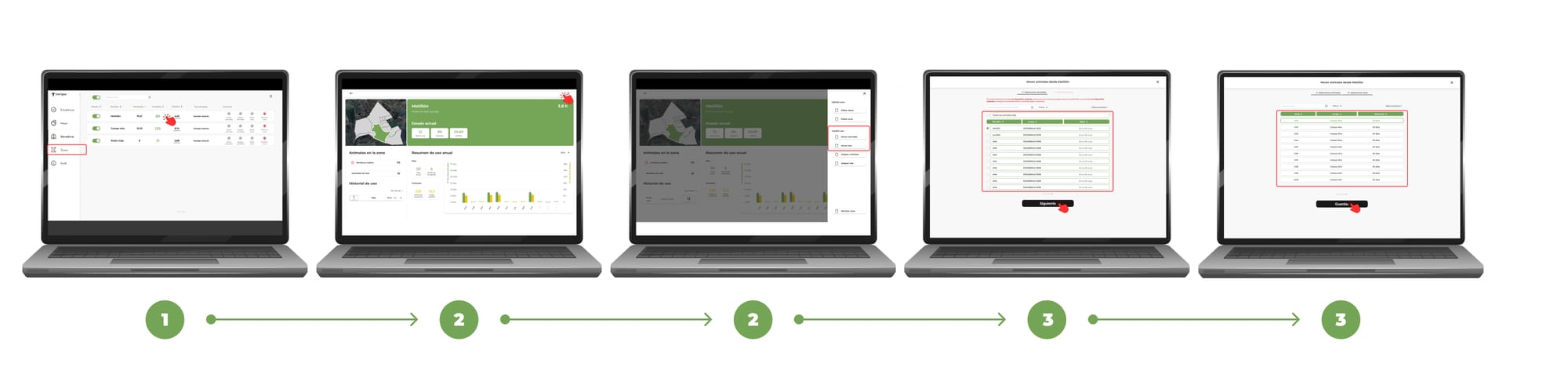
How to move animals or batches without a device from one zone to another
1. Open the Zones menu in the app and select the source zone.
2. On the zone tab, tap the three-dot menu (top right) and choose Move Animals or Move Batches, as appropriate.
3. A form will open in 2 steps:
- Step 1: Select the animals or batches without a device that you want to move, and tap Next.
- Step 2: Choose the destination zone. If you're using groups of zones, you can filter to see only those in that group. Finally, tap Save.
Upon completion of these steps, the selected animals or batches will be moved from the original zone to the new zone.
How to assign animals or batches without a device to a zone
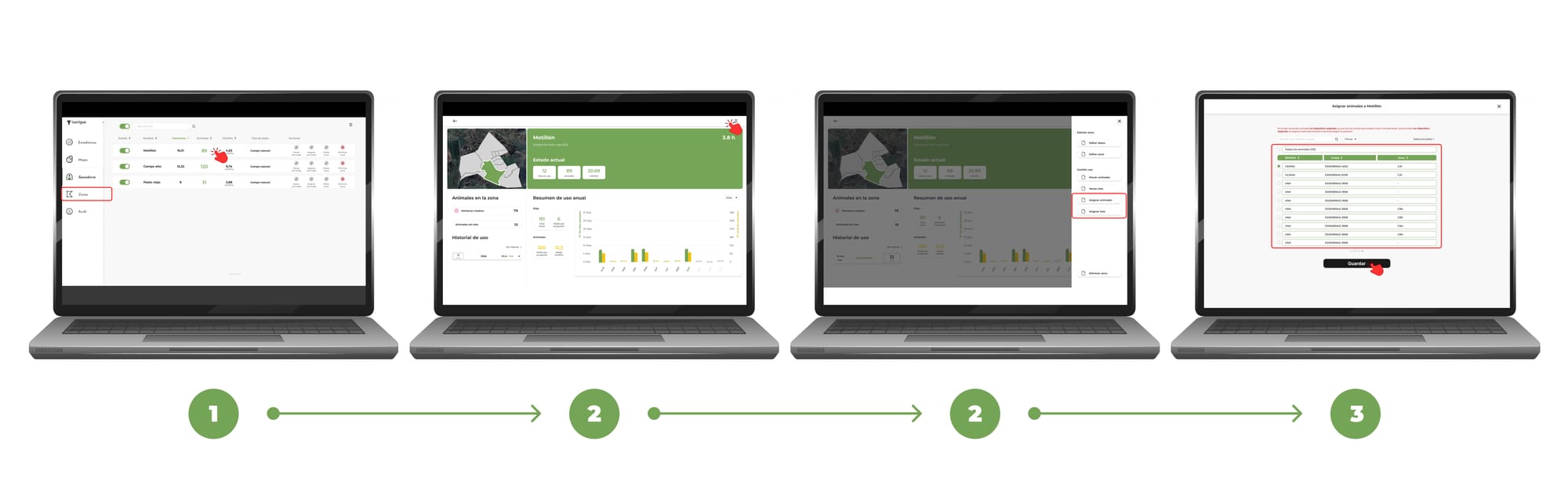
1. Open the Zones menu in the app and select the destination zone.
2. On the zone tab, tap the three-dot menu (top right) and choose to assign animals or assign batches, as appropriate.
3. Depending on the option chosen:
- Assign animals: the list of animals without a device will appear. You can use the filters and the search engine to make a faster search. Once you have selected the animals, press "Save".
- Assign Bundles: Select the non-device bundles you want to assign and tap "Save."
IMPORTANT: Only animals or batches without a device can be managed manually. Animals or batches with assigned devices are automatically assigned according to their GPS position. and cannot be managed manually.