

When you register an animal in the app, you can assign it a farm number along with the rest of its information.
This number will be automatically saved and available as a filter in the future, making it easier to assign new animals to the same farm.
Steps to assign the farm number when registering an animal
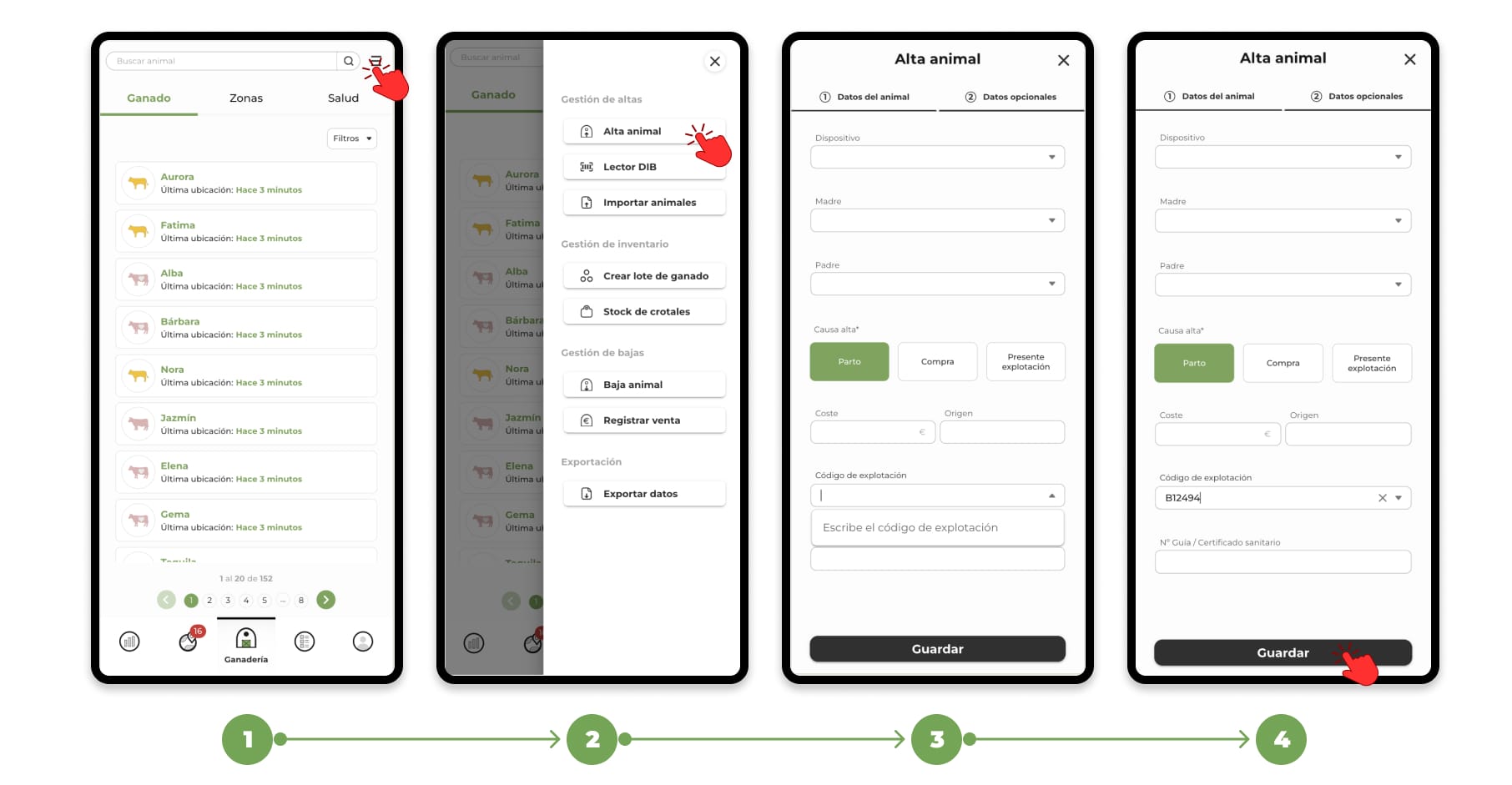
1. Go to the "Livestock" section and click on the "Menu" button in the top right corner.
2. Select the "Register animal" option.
3. A form divided into two sections will open:
- Animal data: Minimum fields required for registration.
- Additional data: Optional information for more detailed registration.
In the Additional Data section, you will find the "Farm Code" field.
4. You can manually enter the code or, if you have already registered an animal previously, select it from the drop-down menu as the farm codes are saved. Once the data has been completed, click on "Save".
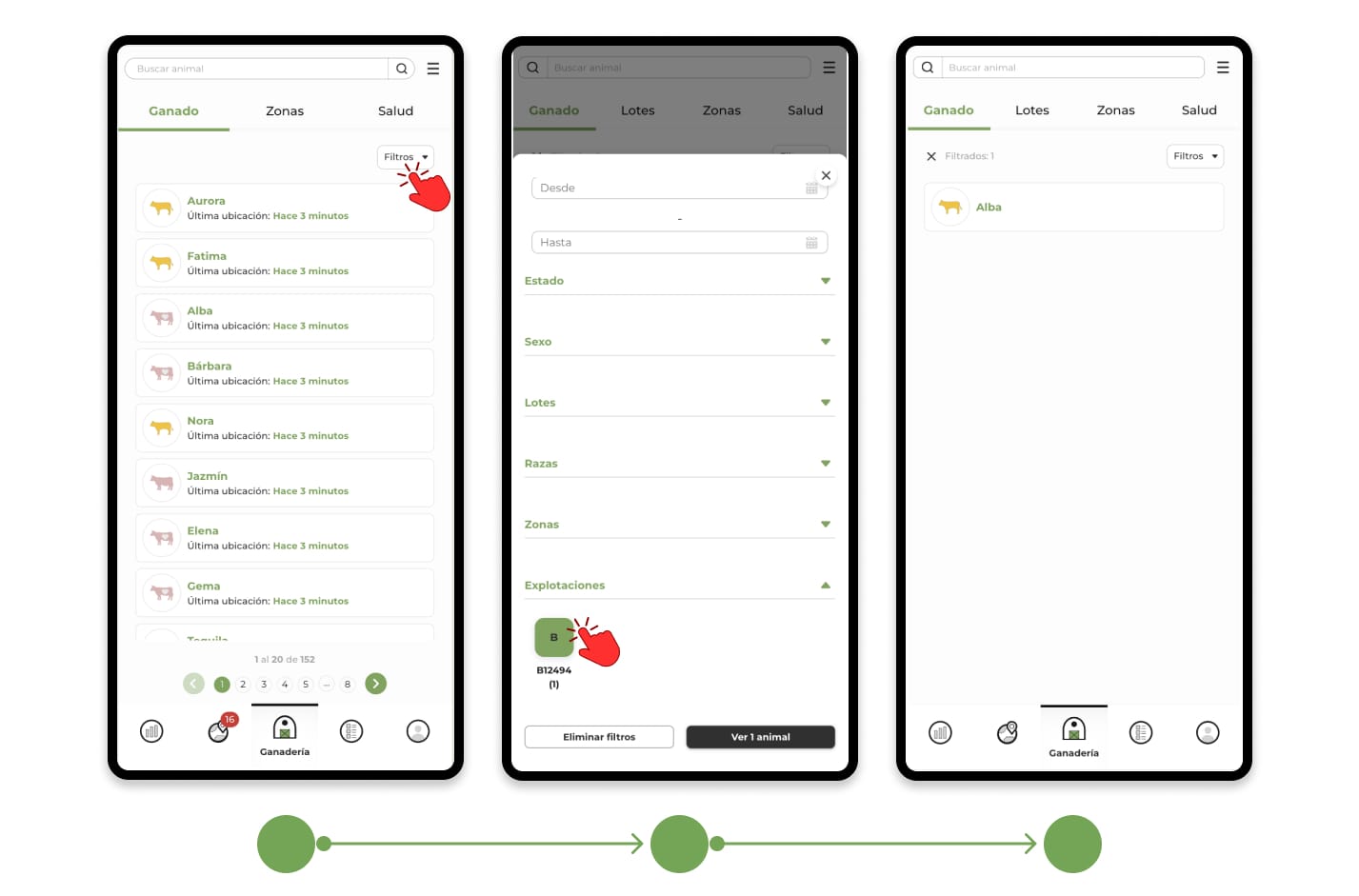
Now, you can filter the animals according to their farm number to organize your livestock more efficiently.
Adding or modifying the farm code on already registered animals
If you need to add or modify the farm code on an existing animal, you can do so by editing its file.
To learn how to edit an animal's file, click here.