1. Go to the "Livestock" section and click on "Health".
2. Then, tap on the three dots located in the top right corner. This will open a drop-down menu; choose the "Treatment" option.
3. When you click on Treatment, a form will open where you must select the animals you want to assign the treatment. To facilitate the search and selection, you can:
- Filter the list of animals by sex and date of birth.
- Use the search engine to find specific animals manually.
Select the animals you want.
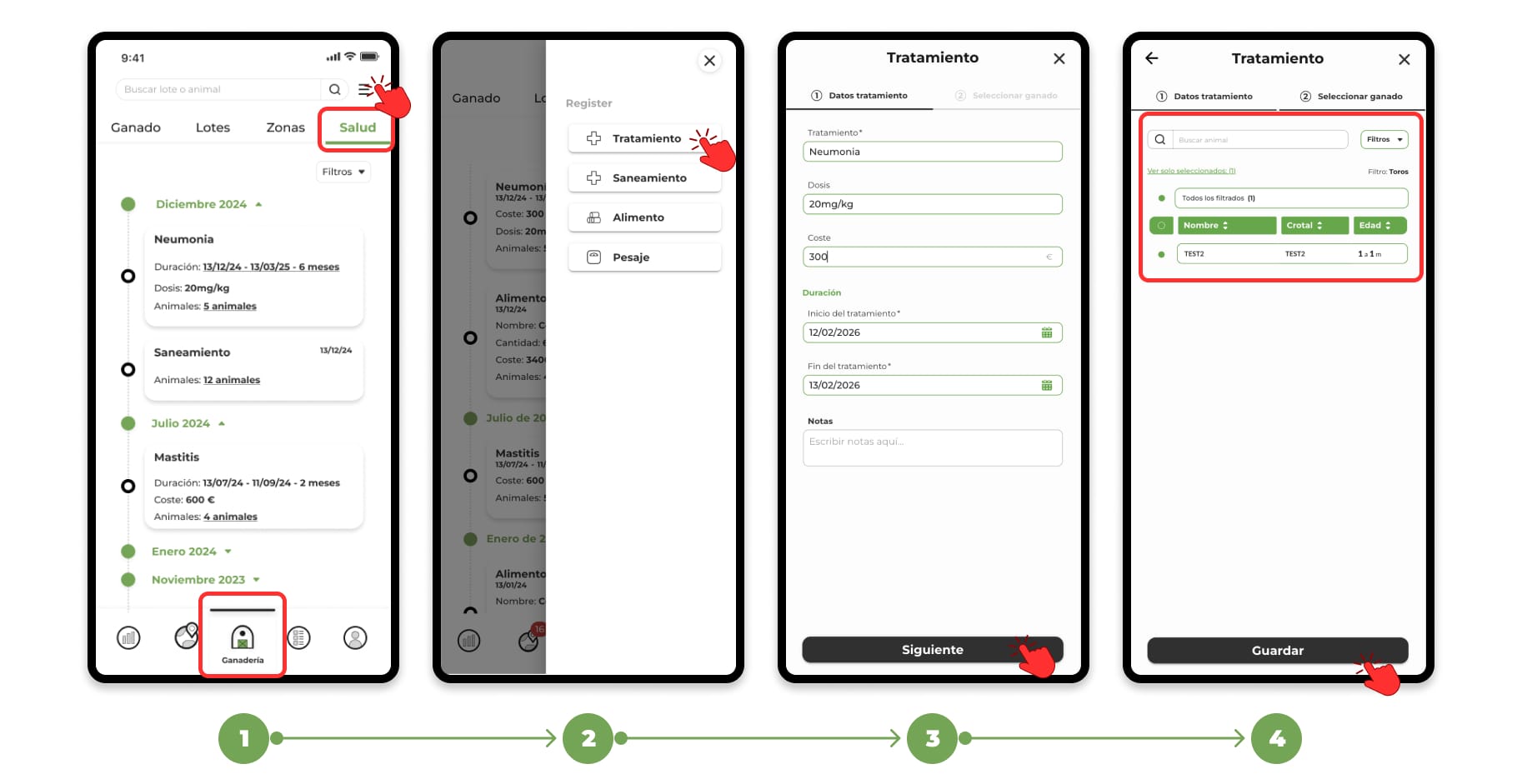
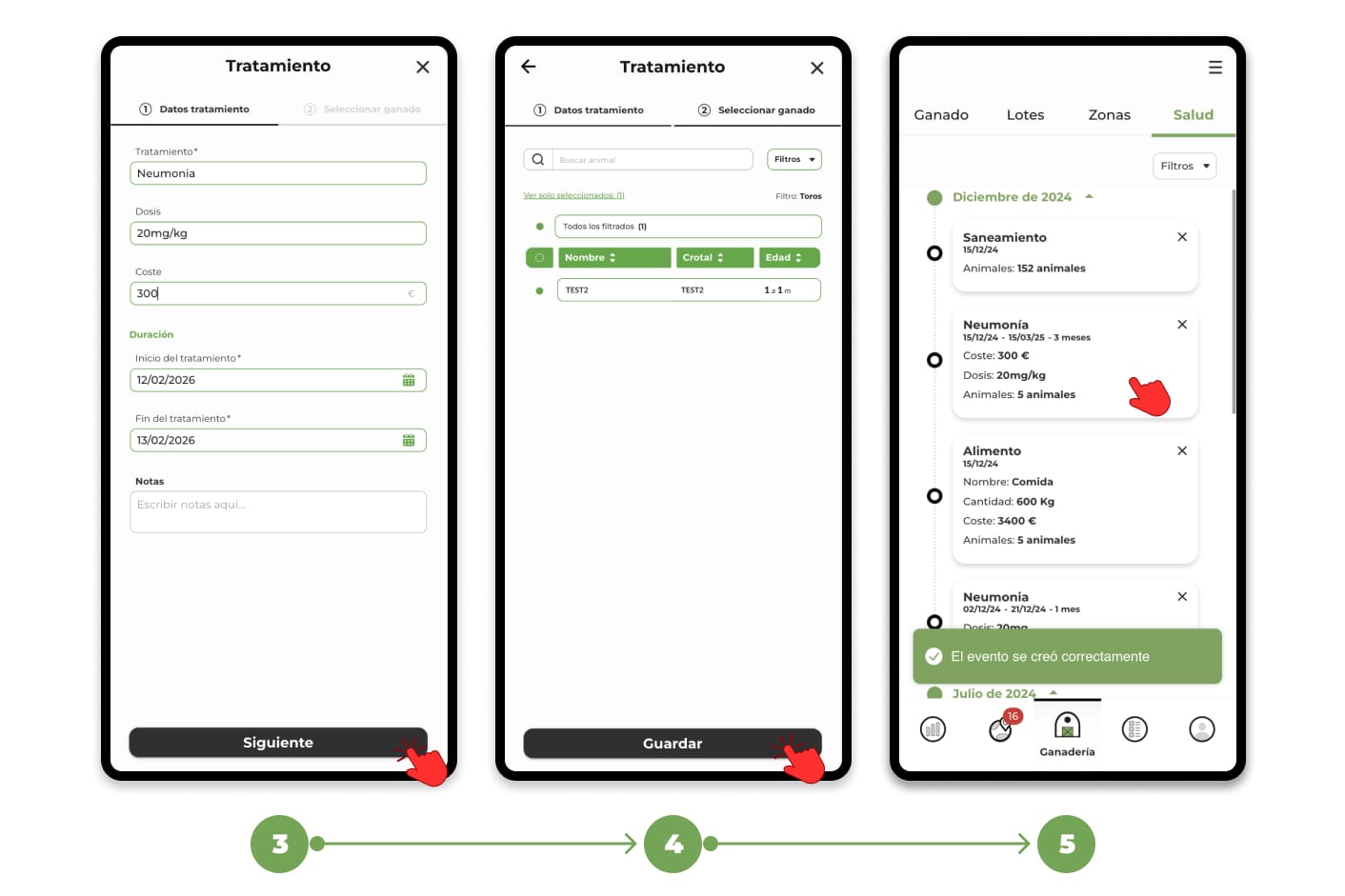
4. Once the selection of animals has been completed, click on next and register the data related to the treatment. When you complete the form, click on "Save" to finish the registration.
5. You will be able to see the sanitation event recorded in the "Health" section.