In the forms of the application where you need to select several animals, you have options to do it quickly, comfortably and efficiently. Here's how:
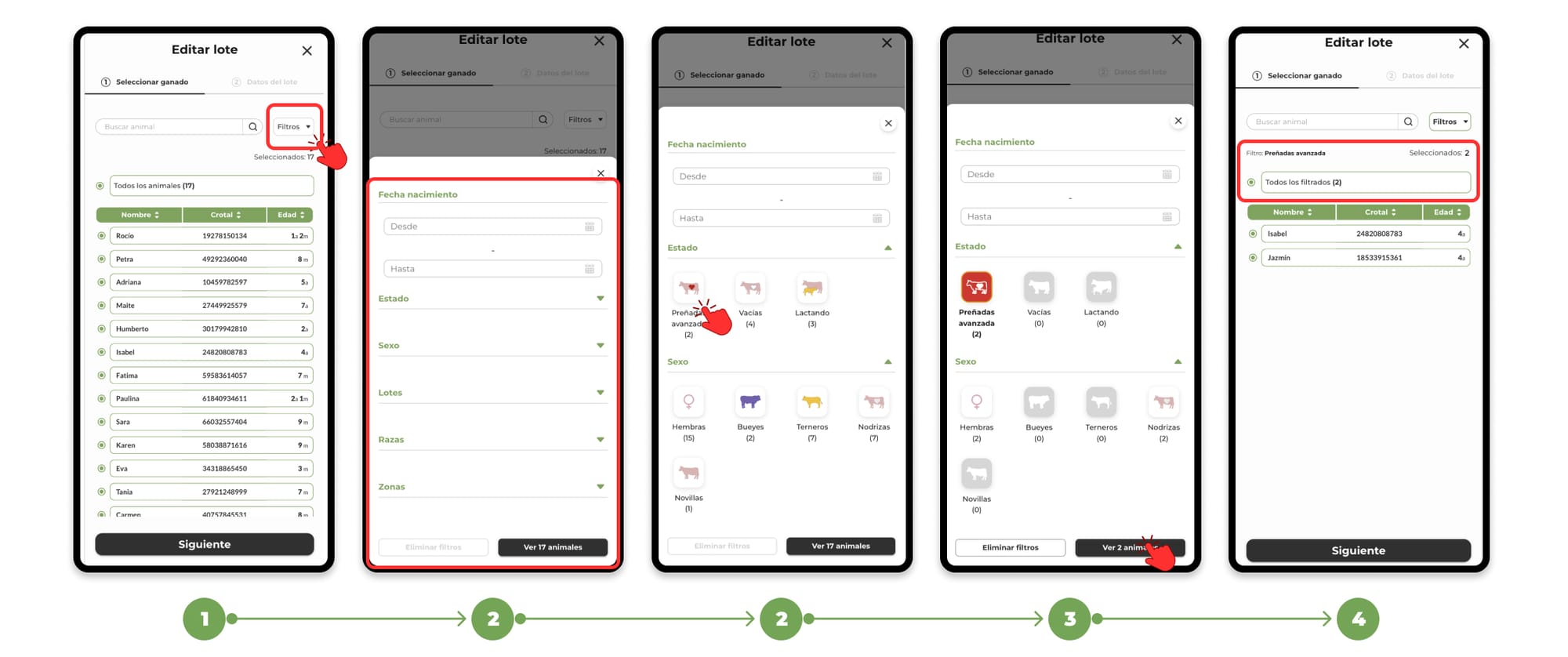
Filter the animals
1. You can use the available filters such as in the livestock list or on the map to select the animals more easily.
2. Filters include options such as:
- Birth Period
- Status (e.g., pregnant, in heat, with treatment, etc.)
- Sex
- Bundles you've created
- Breeds
- Areas in which they are located (Animals with devices)
3. You can combine multiple filters at once and the list will be updated with animals that meet those criteria.
4. Once the list has been filtered, by clicking on "view animals" to apply the filters, you can select the animals manually or click on the "All filters" button to automatically select all the animals that appear in that filtered list.
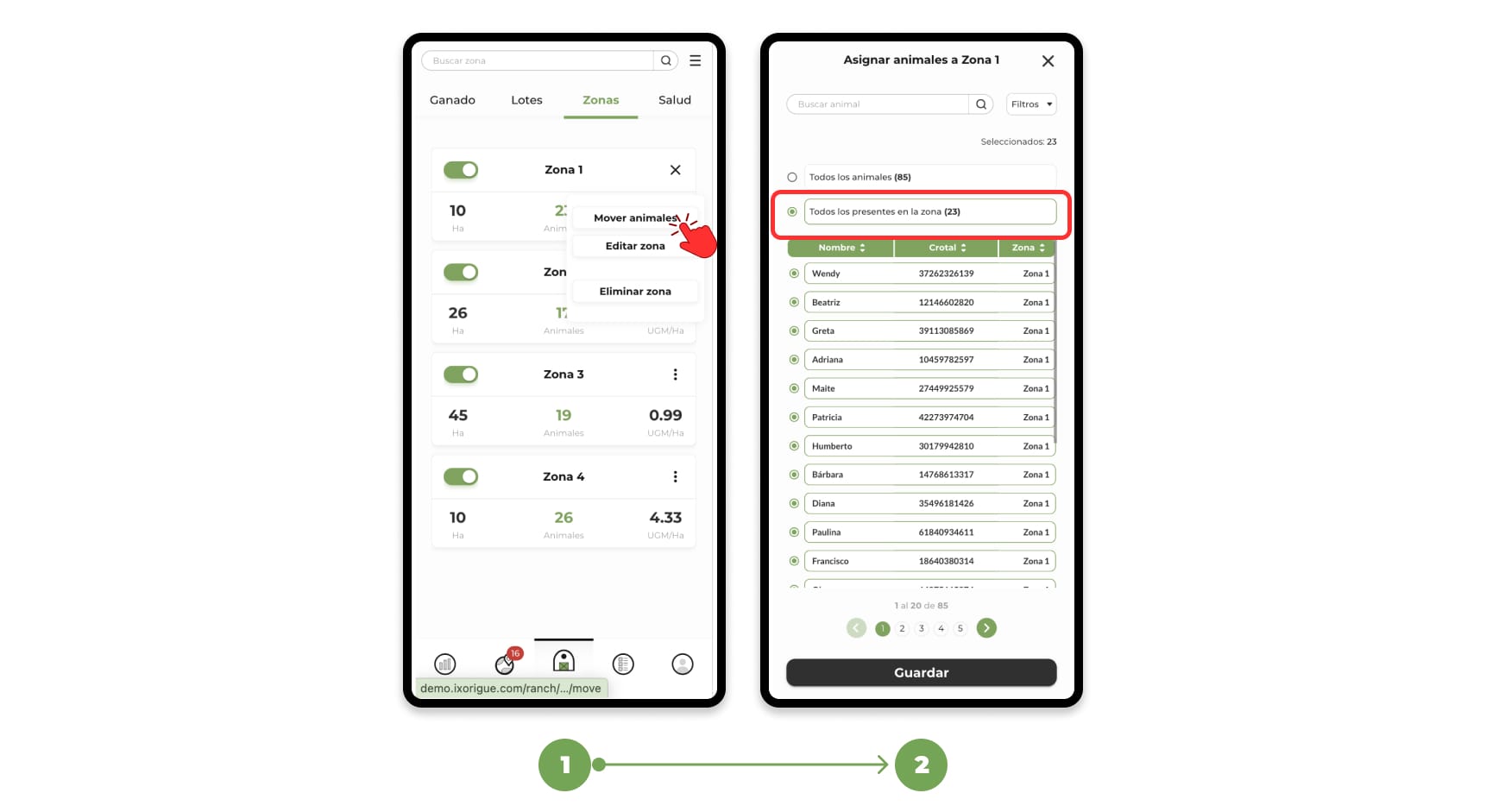
"Everyone present in the zone" quick selector:
1. On the forms for assigning animals to zones, you also have a second quick selector: "Select all animals present in the zone".
2. This selector automatically chooses all animals with GPS device that are in the area where you are assigning animals at the moment.