

Users with a Master (administrator) profile can manage and supervise several farms from the same account, without the need to log out or log in with different users.
Changing livestock
To consult the information of a specific farm:
- Go to the Profile section.
- At the top, select the name of the farm you want to consult.
- The application will display the information corresponding to the selected livestock farm.
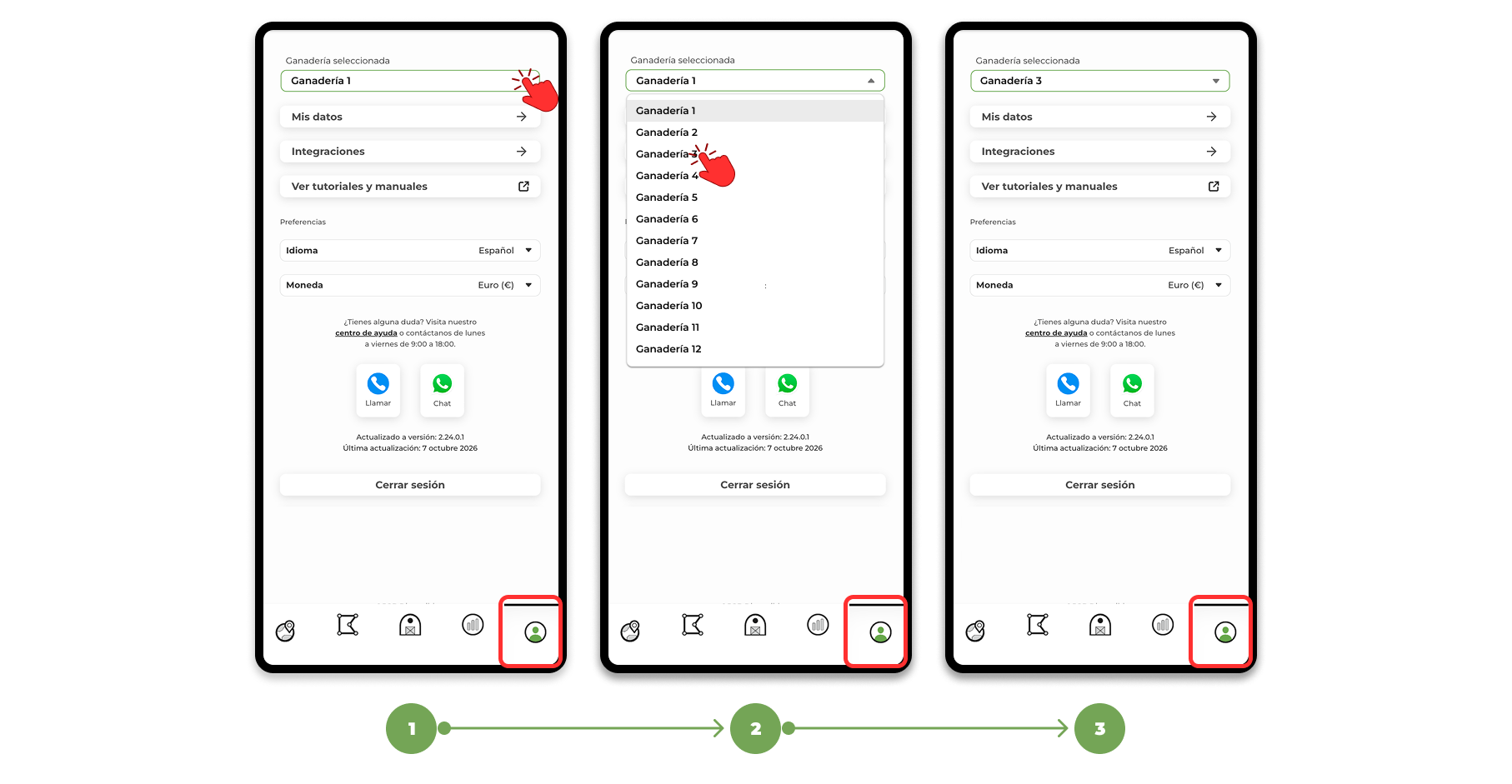
In this way, you can easily switch from one farm to another while always maintaining the same user account.
Display all farms on the map
If you need to have a global view of all the farms at the same time, you can do so from the map.
Activate the "All farms" layer to simultaneously show the location of the animals belonging to all the farms you have associated with it on the map.
This is particularly useful for getting an overview of the distribution of the animals without having to change livestock.
Selection Tool
The Pen tool allows you to easily select a group of animals directly on the map.
To use it:
- Activate the "All Farms" layer.
- Select the Pencil tool.
- Draw a circle over the area of the map you want to analyze.
- The application will show the animals included in the selection and to which farms they belong.
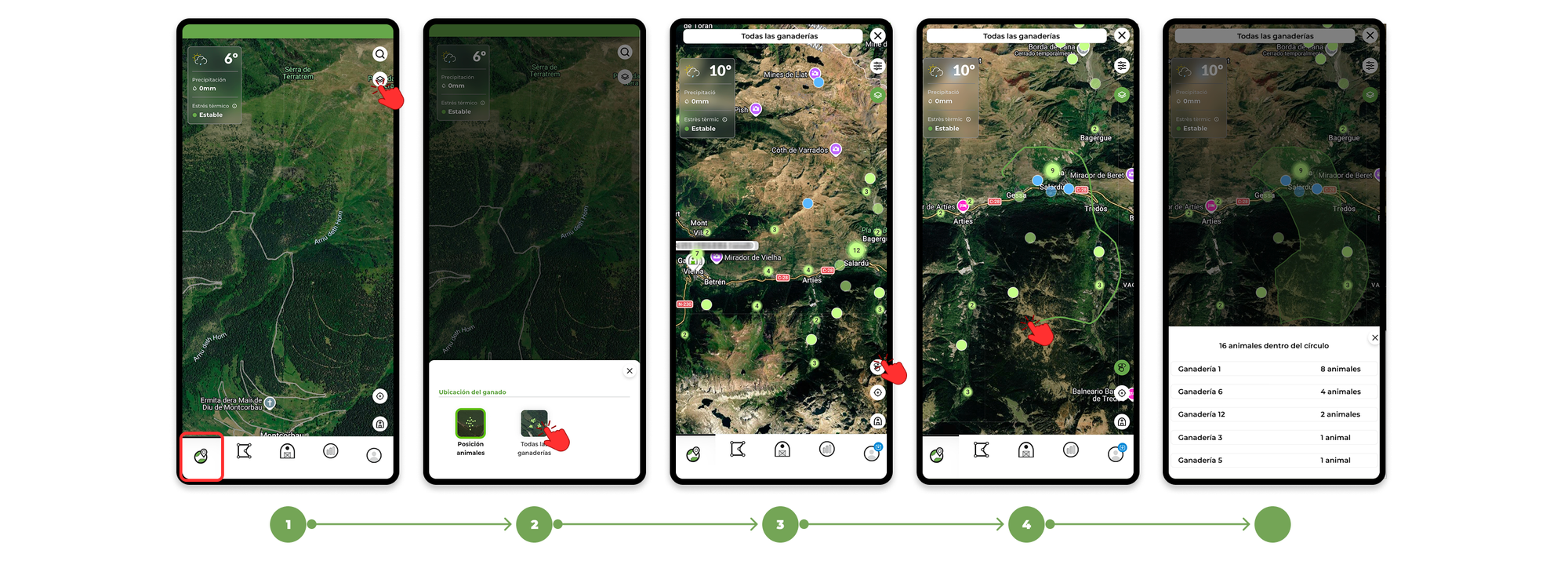
This way you can quickly identify which farms have animals within a certain area, without having to check each farm individually.