

If you want to better organize your zones, you can group them into a single group. This is especially useful if you work with grazing circuits or have a lot of zones to manage.
Steps to group zones:
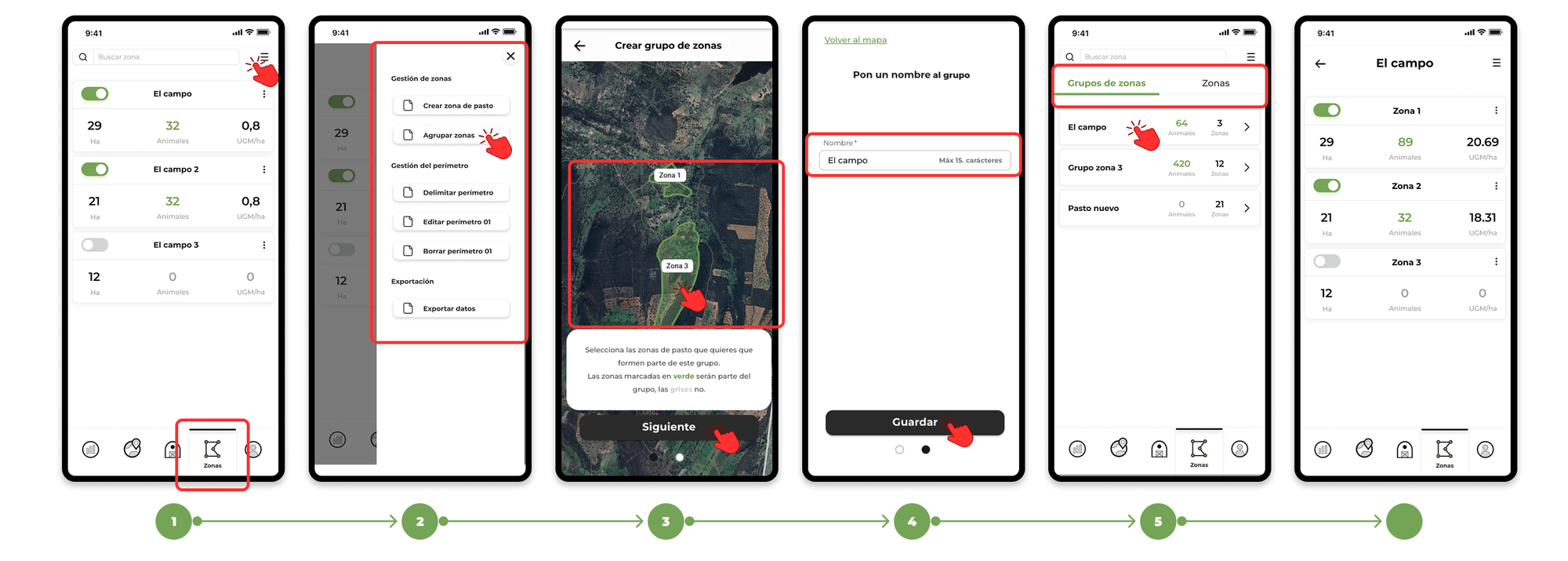
- Go to the "Zones" section in the app.
- Tap on the menu and select "Group Zones".
- A map will be displayed with all the areas you have drawn. Select the areas you want to group and press "Next".
- Type in a name for the group and tap "Save" to finish.
- On the zones screen, if you have both grouped zones and ungrouped zones, you can toggle between them by selecting "Zone Group" or "Zones" at the top.
If you want to know more about how the zones work. Click here.