

The functionality to record a pregnancy event in the app helps you keep an efficient control of the reproductive status of your animals, making it easier to track and calculate key dates such as wet nurses who are pregnant right now, those who move to advanced status and notifications of possible calvings. Below, we explain step by step how to record it and how it works.
Record a pregnancy event from the animal file
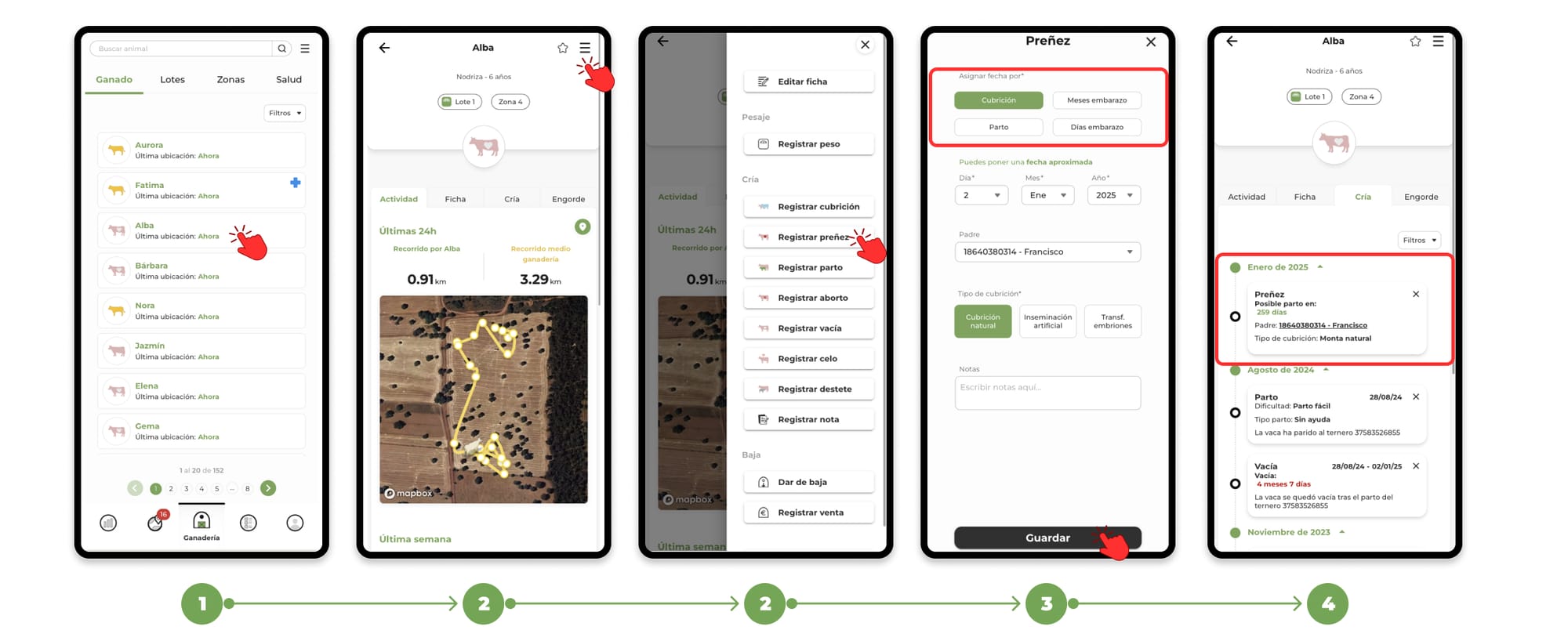
1. Go to the "Livestock" section and Search for the animal you want to register the event for and select its file.
2. Within the animal's file, click on the menu located in the upper right corner. In the drop-down menu, select the option "Register pregnancy".
3. Clicking on register pregnancy will open the form to add the event.
In the form you have four different options to write down the date, select the one that best suits your needs in "Assign date by:"
- Covering: Enter the approximate date of when the mating was performed.
- Months of pregnancy: Select how many months you have been pregnant.
- Delivery: select the month in which you estimate the female will give birth.
- Days of pregnancy: Enter approximately how many days you have been pregnant.
4. Fill in the necessary data and press "Save" to finish the registration. You will be able to see the events recorded in the "Breeding" section of the animal's file
How the pregnancy event works
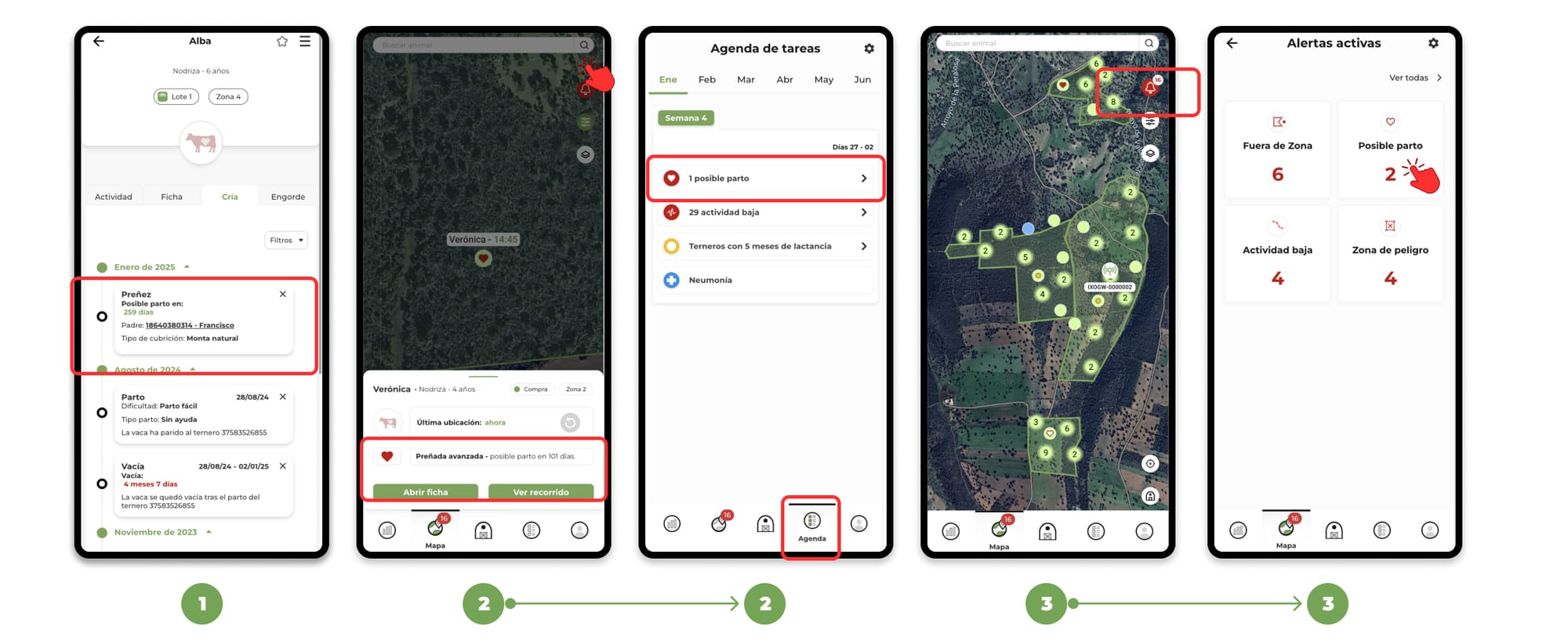
- Once the event is registered , the animal will automatically go to the Pregnant status, the application will calculate a countdown to the estimated date of delivery, which will be visible in the animal's file.
- Pregnant animals will be marked with a heart icon. When the pregnancy moves to the advanced state, the heart icon will be filled in red, and you will receive a notification in the task schedule.
- If the animal has a GPS device, you will receive alerts of possible birth in the map notifications.
Shortcuts to record pregnancies
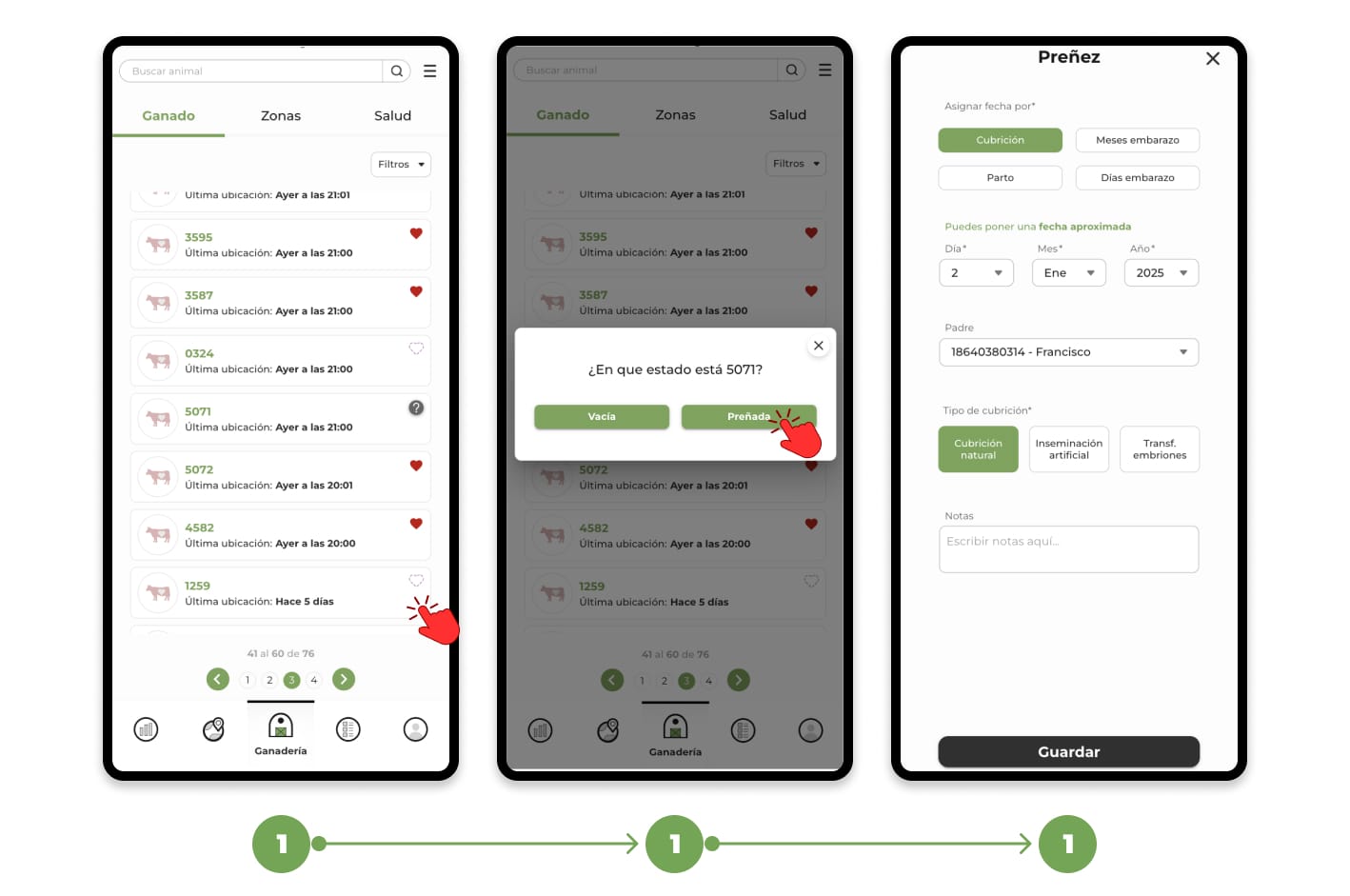
1. From the animal list (Question mark or Empty): In the livestock list, empty or stateless animals will be marked with an empty heart icon or a question mark to the right of their name. Click on the icon to directly open the Register Pregnancy form.
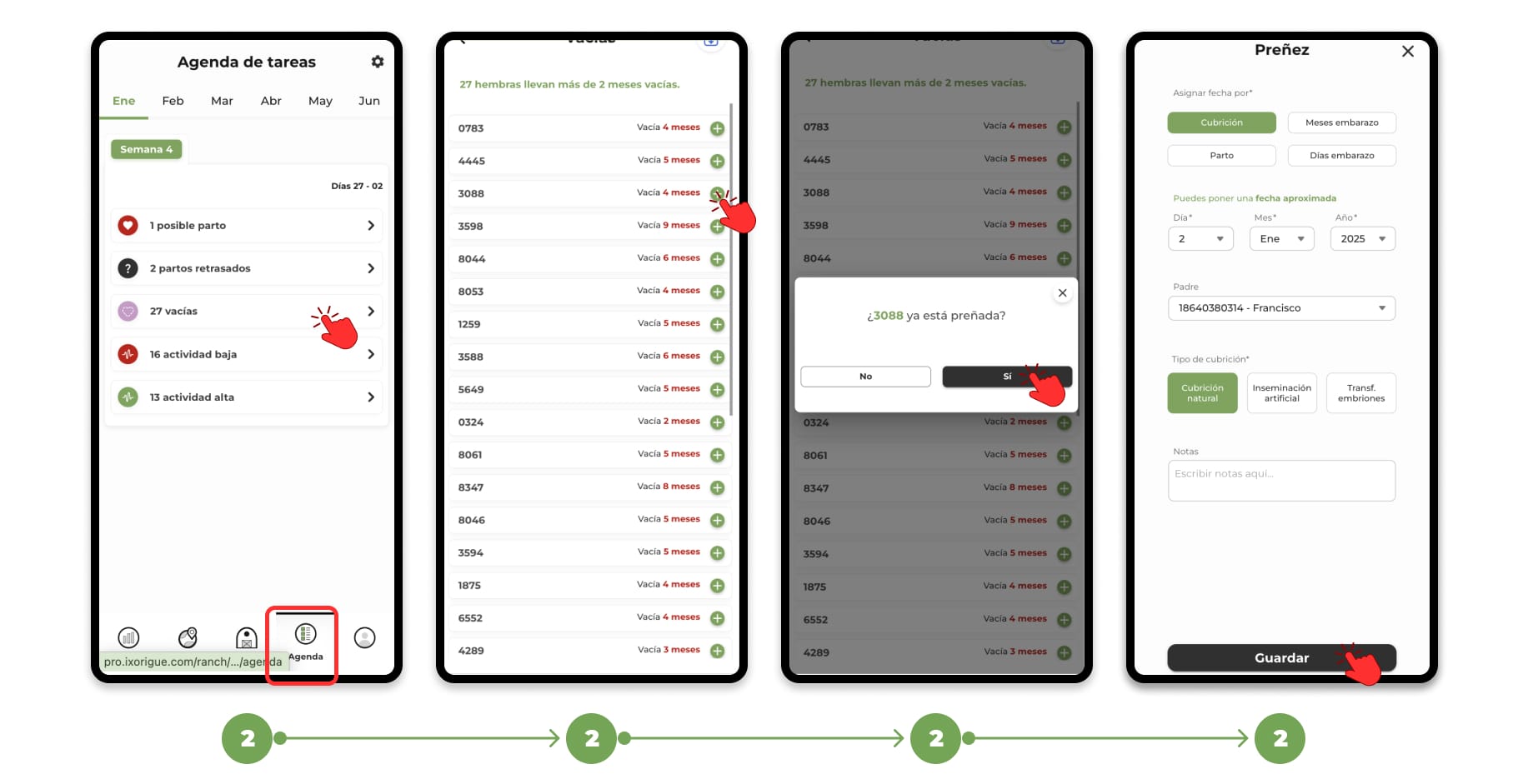
2. From the task agenda:
- In the Task Schedule, animals with an advanced or late farrowing date will be listed.
Click on the + icon and select the Abortion option to access the Abortion form.
To learn more about the task schedule, click here.