

In the Ixorigue app, you can register animals using three different methods:
- Individual animal registration
- Registration via DIB reader (Click here to watch this tutorial)
- Registration by import (Click here to watch this tutorial)
1. Individual animal registration
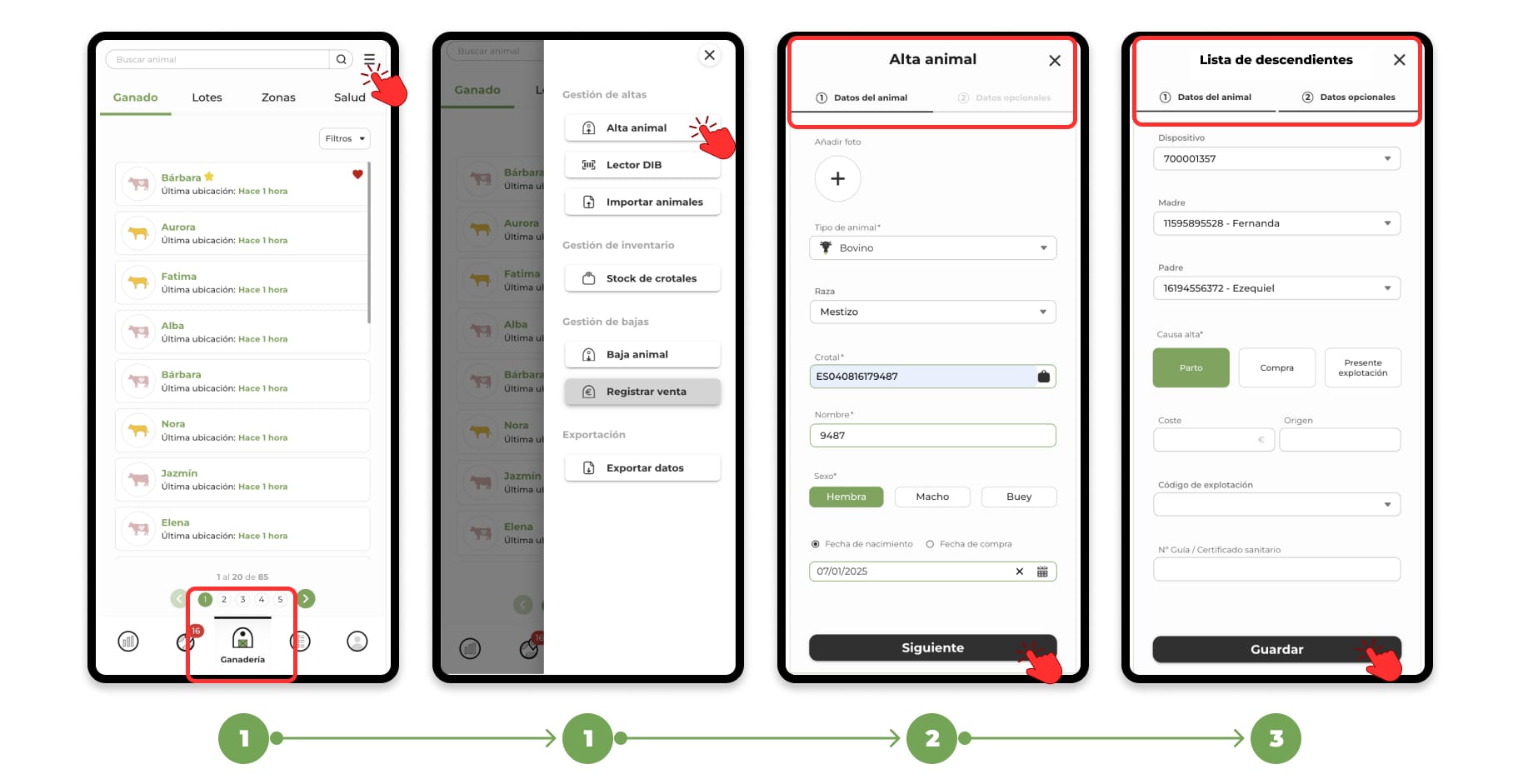
- Go to the "Livestock" section and click on the menu located in the upper right corner. This will open a drop-down menu; select the "Animal registration" option.
- When you click on Register animal, a form divided into two sections will open:
- Animal data: Includes the minimum mandatory fields necessary for registration.
- Additional OPTIONAL data: Allows you to add optional information for more detailed recording.
- Once you have filled in all the necessary data, click on "Save" to finish.
The animal will be registered and will appear in the census of your livestock.
For alternative methods, you can follow the links indicated to learn how to register using a DIB reader or data import.