

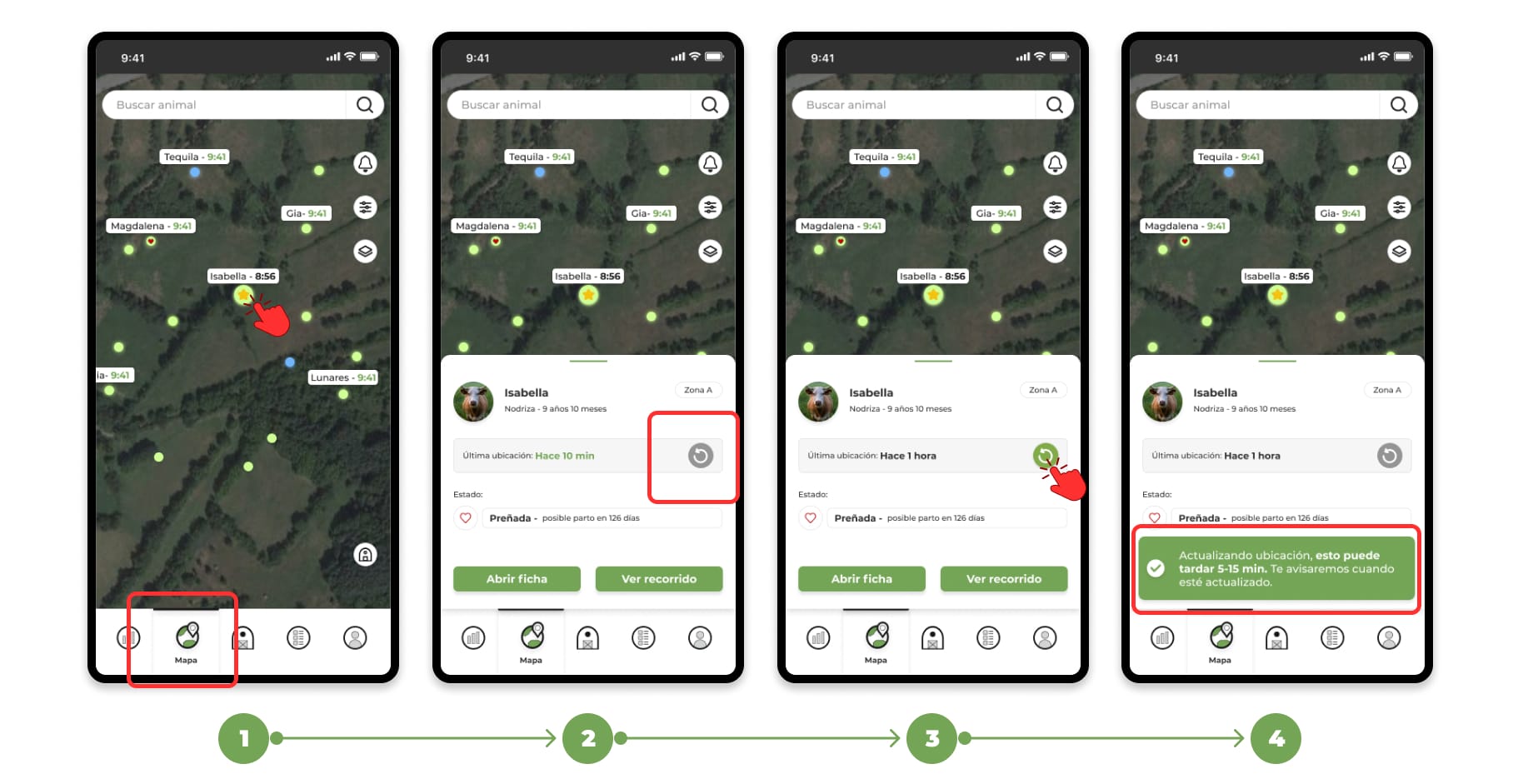
1. Access the map andthe file of the animal whose location you want to update.
2. Locate the circular arrow button on the animal's card on the map, next to the time of the last location.
3. It can have 2 aspects:
- Green arrow: Indicates that the location can be updated. Tap the button to request the update.
- Gray arrow: It means that the location cannot be updated at this time due to:
- Location already updated: The location is recent and does not require changes.
- Technical problems: Failures such as insufficient coverage, low battery, or problems with the animal's device.
4. Once you request the update, wait 5-15 minutes for the process to complete.
5. You will receive a notification when the location has been updated successfully, either by WhatsApp or in the app.
6. Error Classification
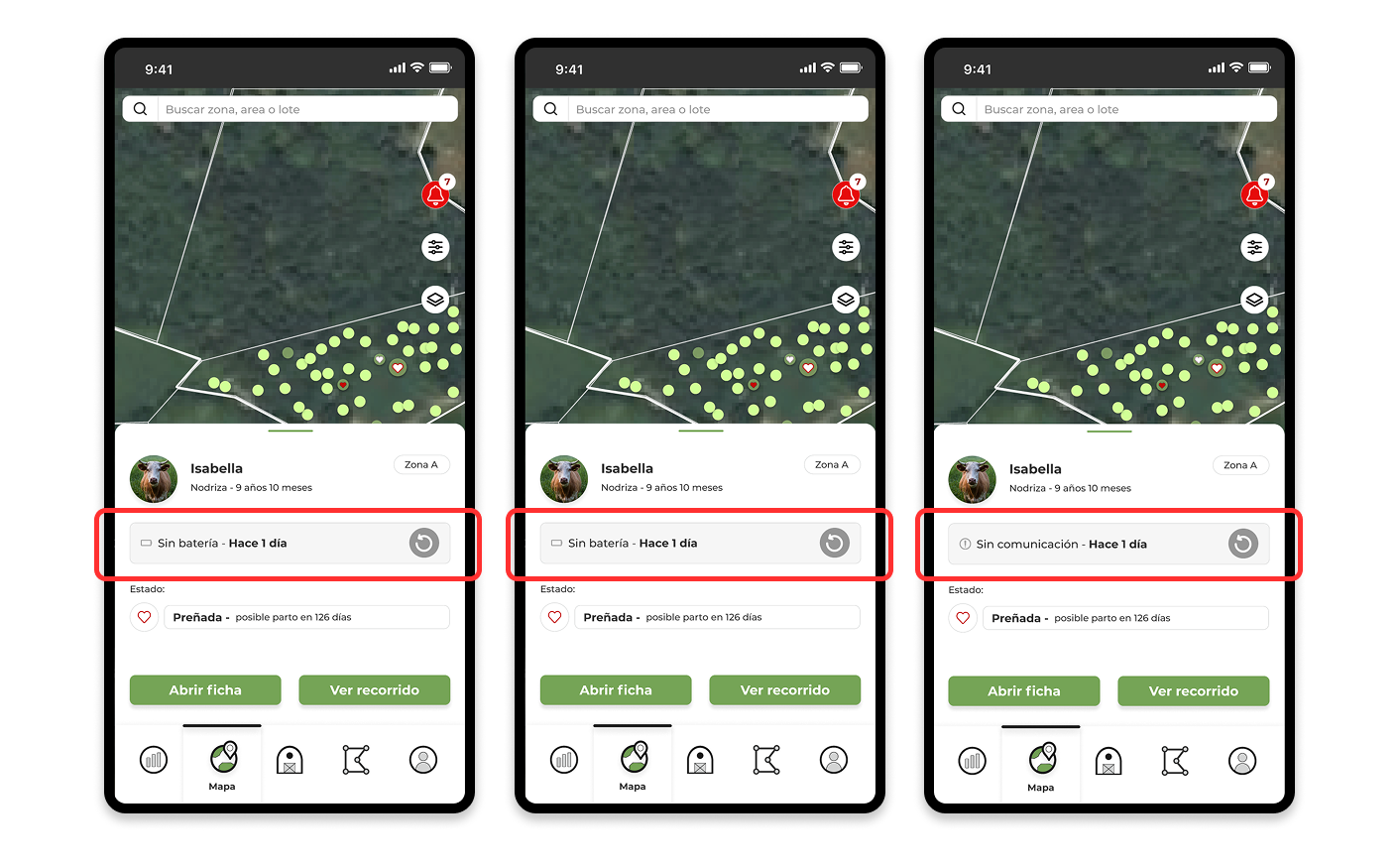
If a device doesn't update its location, an error will appear. Possible errors include:
- Without Battery: Device without charge.
- No Coverage: Outside the coverage area.
- No Communication: Other communication failures.
📚 Access to related tutorials
➡ How to view device status and what they mean
➡ How to see my antenna coverage