

In this tutorial we explain how the lactation and weaning flow works within the app, and how it affects both wet nurses and pups.
Breastfeeding activates itself
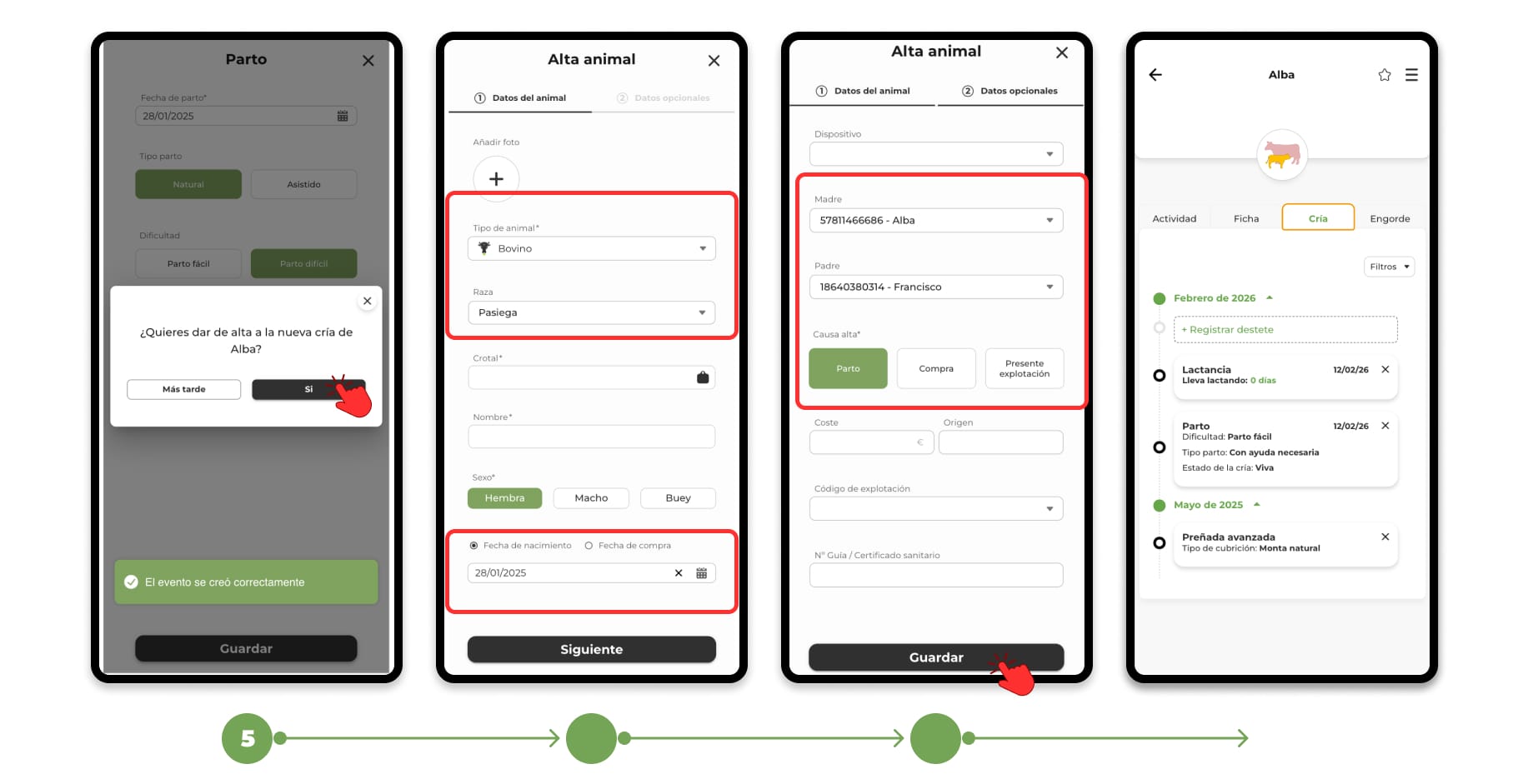
Breastfeeding starts automatically when:
- You discharge a calf indicating its mother, or
- You register a birth with a live calf.
From that moment, the system begins to count the breastfeeding time from the date of birth.
When does breastfeeding end?
Breastfeeding can end in two ways:
● Option A — Do nothing (automatic)
If you do not record any weaning, the system will automatically close it when the estimated time according to species is reached:
- Cows → 8 months
- Sheep → 4 months
- Goats → 4 months
- Horses → 7 months
This ensures that the agenda is always up to date.
● Option B — You record a Weaning (manual)
The Weaning event serves to indicate that the calf stops suckling earlier (or on a specific date).
It is useful when:
- You do an early weaning.
- You want to record the exact actual date.
- You need to keep more precise control.
How to register a Weaning
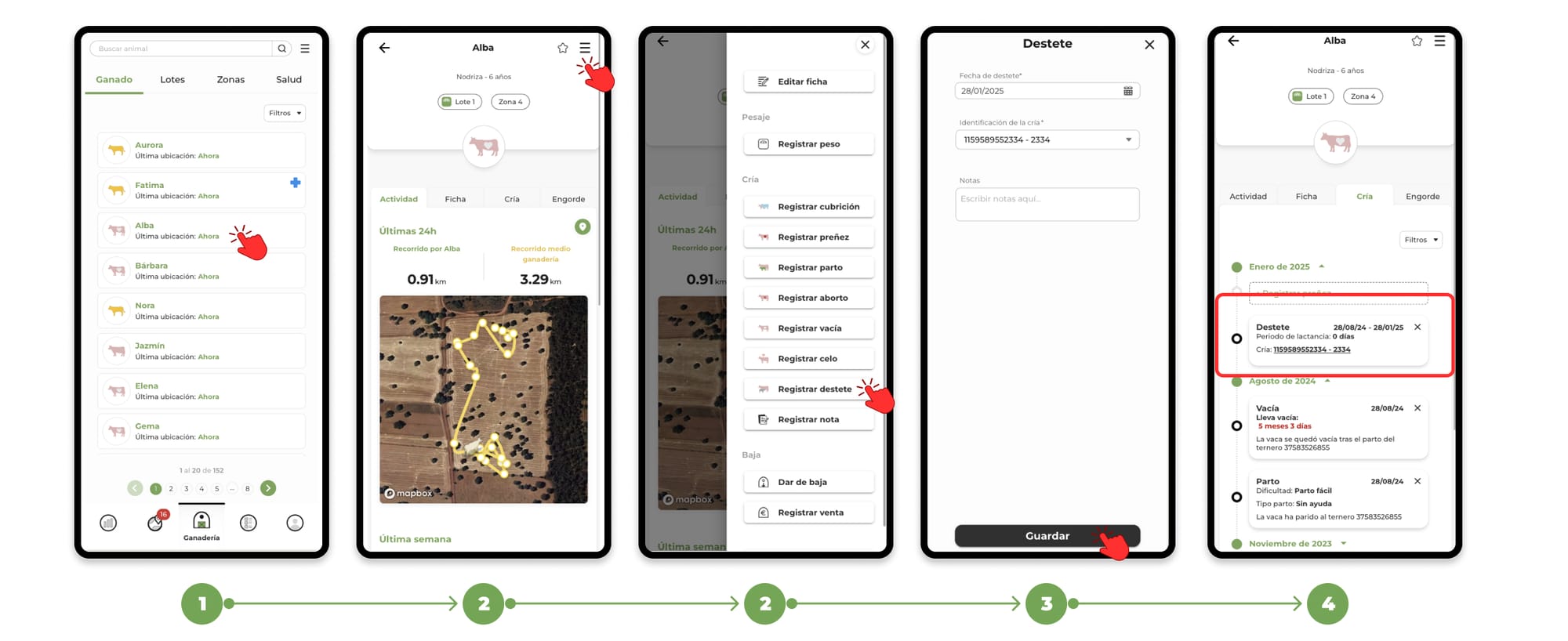
You can do this from the mother's file or from the calf's file.
Steps:
- He enters Livestock.
- Open the animal's file.
- Tap the menu (top right).
- Select Record Weaning.
- Enter the date.
- Guard.
The event will appear in the Breeding section.
Weaning weight (optional)
If you record it from the calf card, you can add the weight.
If you do:
- A weighing event is automatically created.
- You don't need to register it separately.
Reminders in the Task Agenda
The Task Schedule will automatically display animals that have been lactating for more than 5 months, helping you identify potential pending weanings.
In addition, from that same agenda you will be able to:
- Directly record the Calf Weaning .
- Manage lactation without having to enter the animal's file.
This way, you can control and execute weaners quickly and orderly from a single place.
To learn more about the task schedule, click here.