

The app offers two ways to check an animal's location: from its file or directly from the map. Below, we explain each method step by step.
Directly from the map
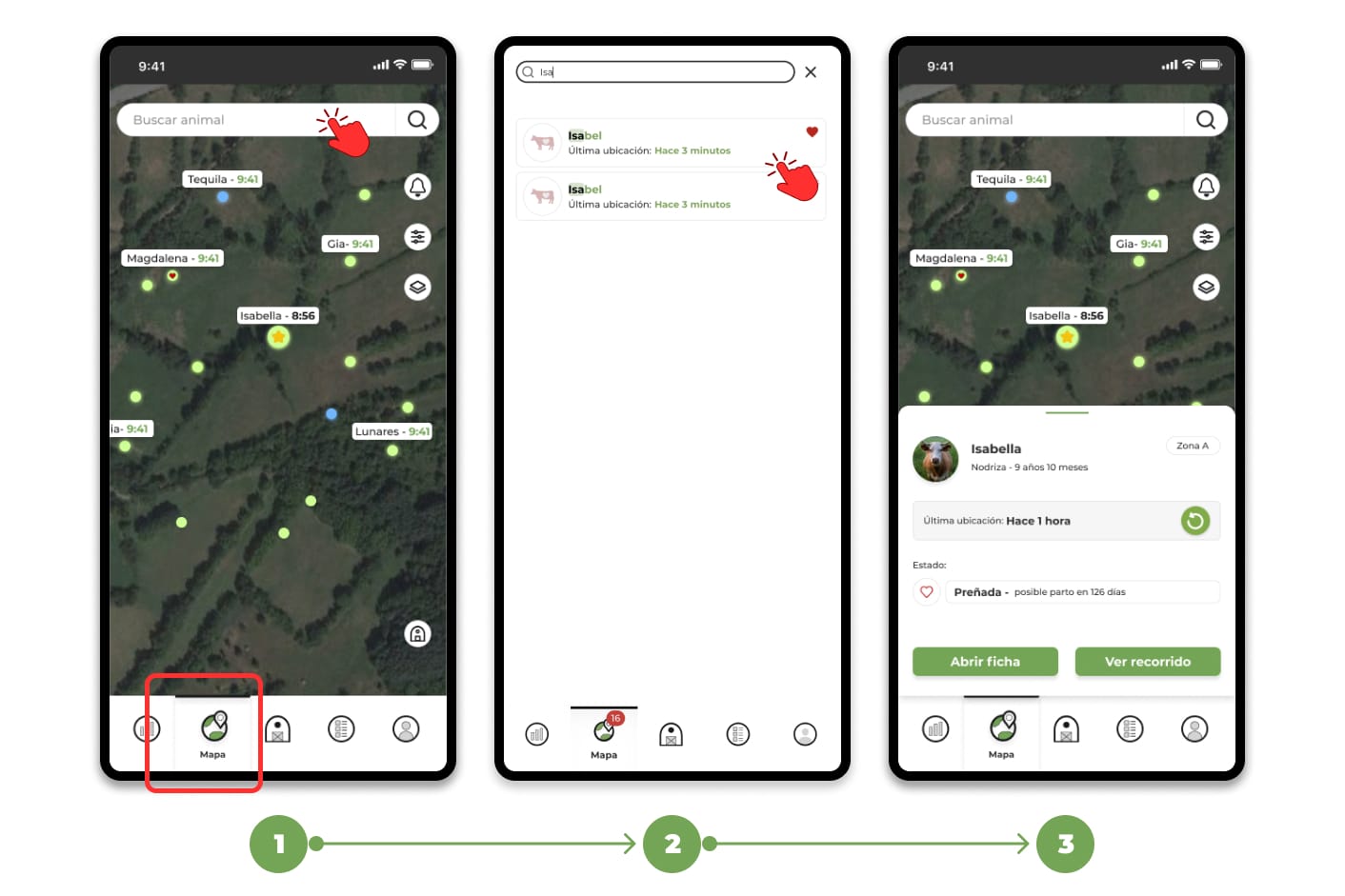
1. Go to the "Map" section
2. Search for the animal on the map, you can search for it manually or use the search engine at the top to filter by ear tag or name.
3. Tap on the animal you want to check and the app will take you directly to the animal's location .
from the animal's file
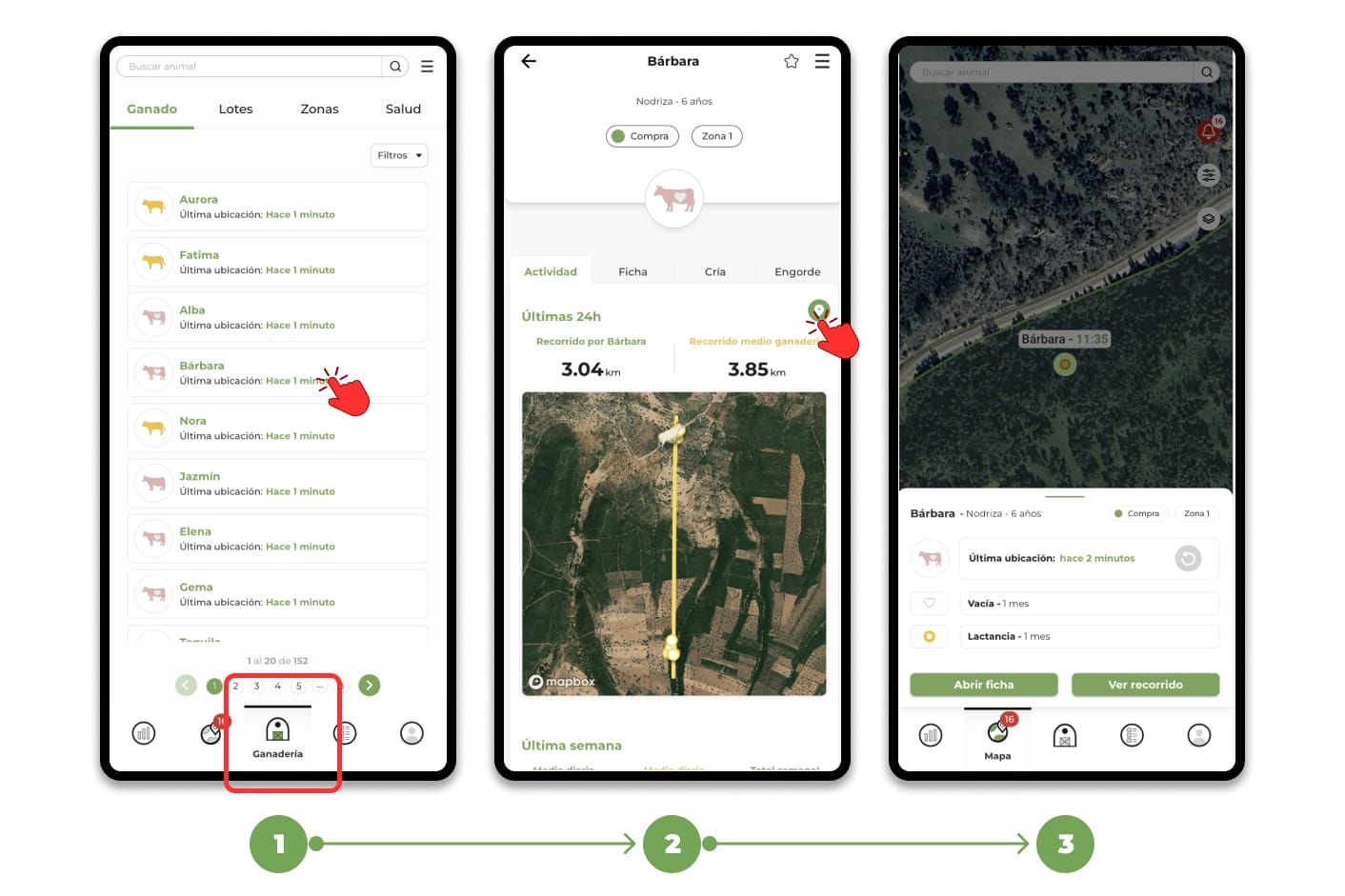
1. Go to the "Livestock" section and select the animal, you can search for it manually in the list or use the search engine at the top to filter by ear tag or name.
2. Once inside the animal file, click on the "position" icon.
3. The app will automatically redirect you to the map, showing the animal's location.
If the last location is more than 30 minutes old, you can request an update Click here to see: How to request a more up-to-date location of an animal?