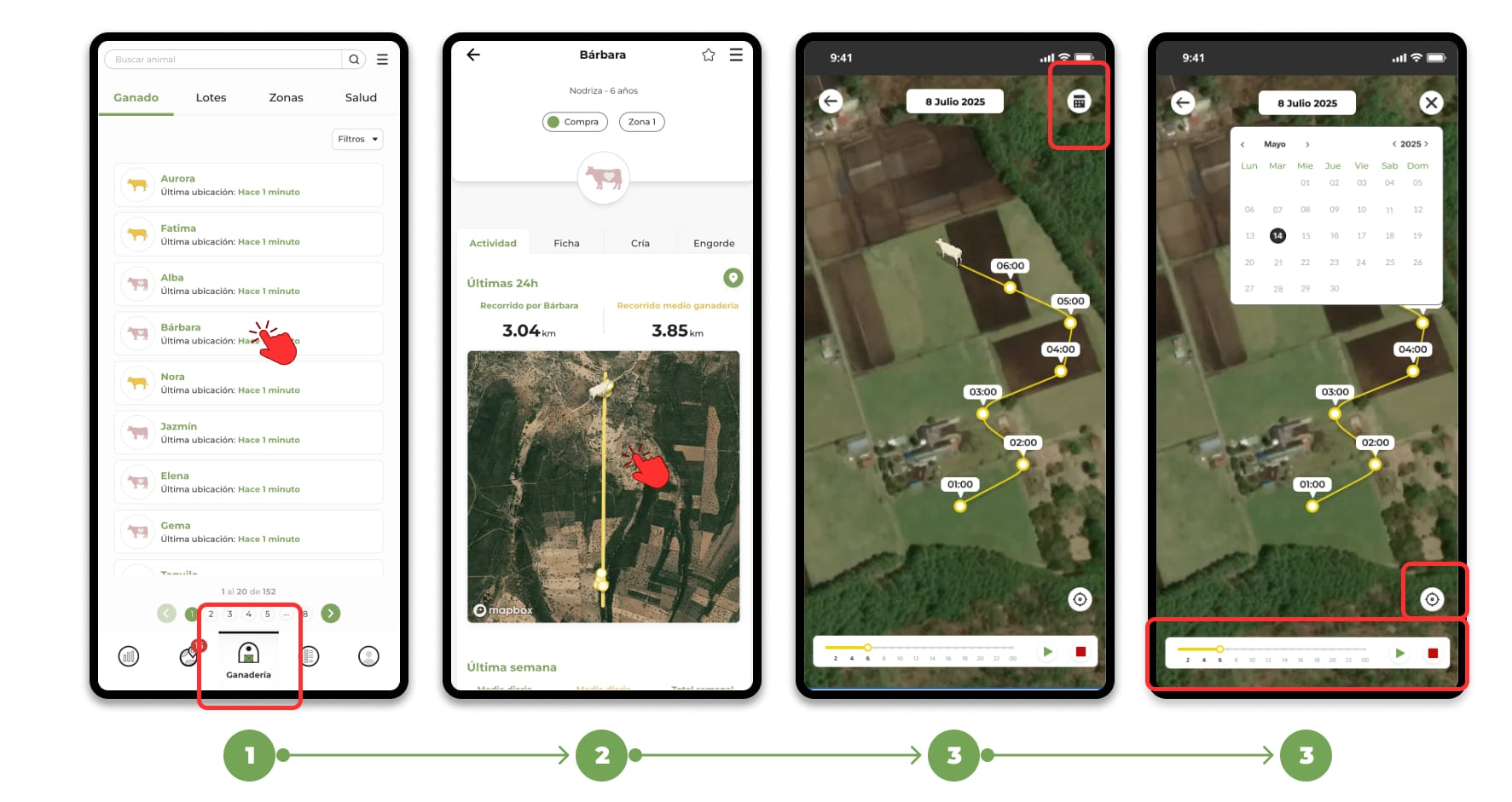
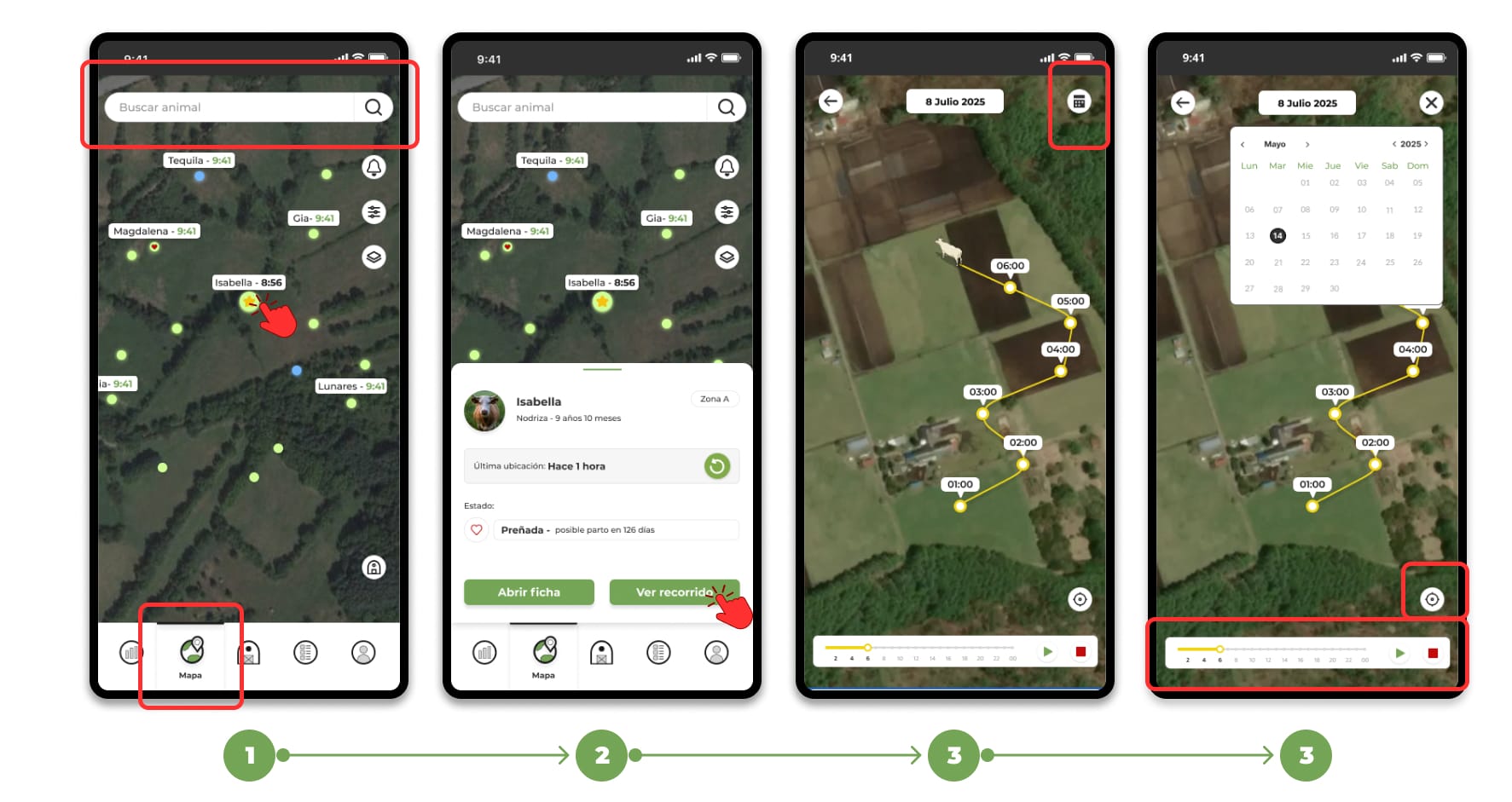
The application allows you to see the route of an animal in two ways: directly from the map or from the animal's file.
Directly from the map
- Open the Map section and select the animal.
- The animal's file will open on the map; click on the "View route" button.
- In the tour viewer you will find:
- Calendar icon: choose the date you want to check (by default the current day is selected).
- Controls (bottom bar):
- 🟥 Red square: End the animation and place the viewer at the end point of the course.
- ▶️ Green Triangle: Resume the animation from wherever it is.
- ⏸️ Two lines (pause): Pauses the animation.
- Yellow bar: Allows you to manually move forward/backward along the route timeline.
- ⊙ Circle with dot — Center/unleashes the display of your position (useful if you want to compare your location with the animal's).
From the animal file
- Go to Livestock → select the animal in question.
- Inside your file, click on the map.