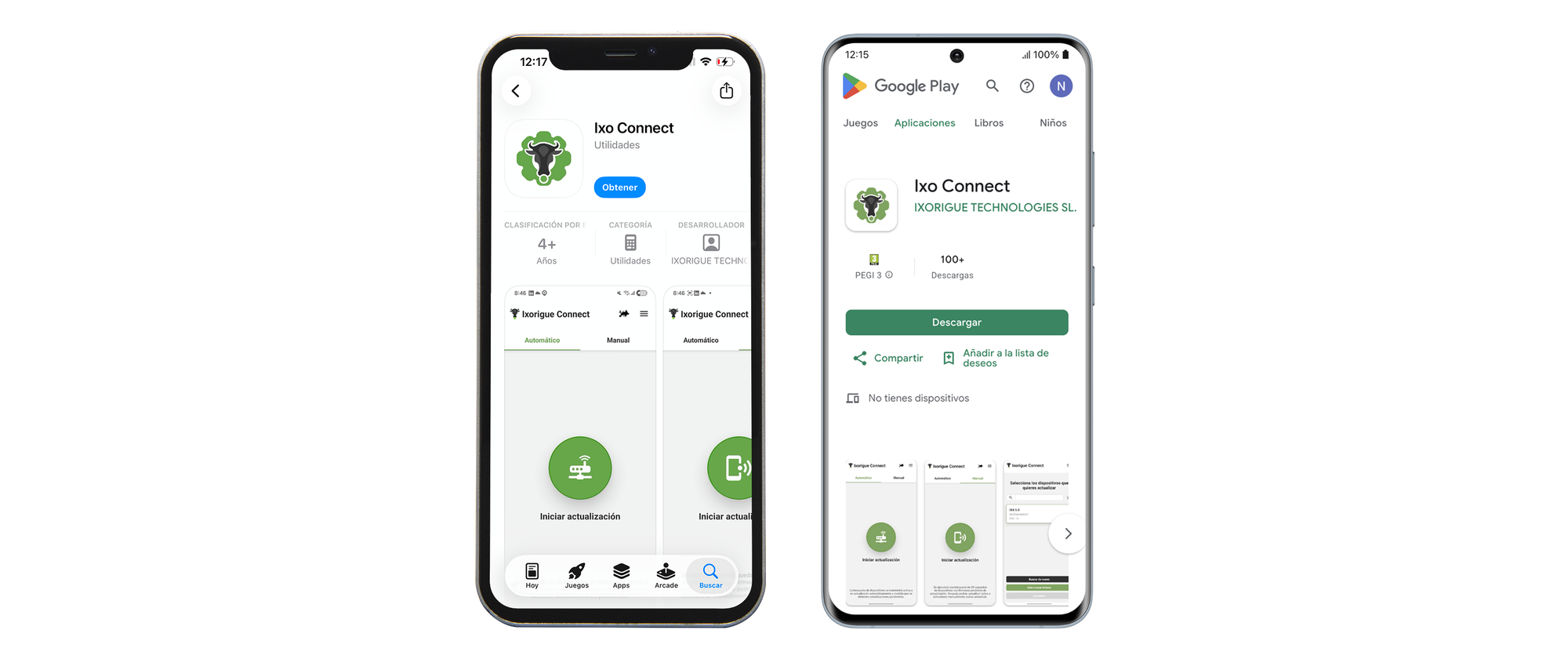
You can install this app from:
Google Play (Android) / App Store (iPhone)
Update devices
1. Once installed, open the app and select the corresponding region. Next. Accept any permission notifications that may appear for its proper functioning.
2. Click on the "Start update" button and then it will start looking for outdated devices nearby. It will indicate the progress of the process by counting how many have been updated out of the total detected.
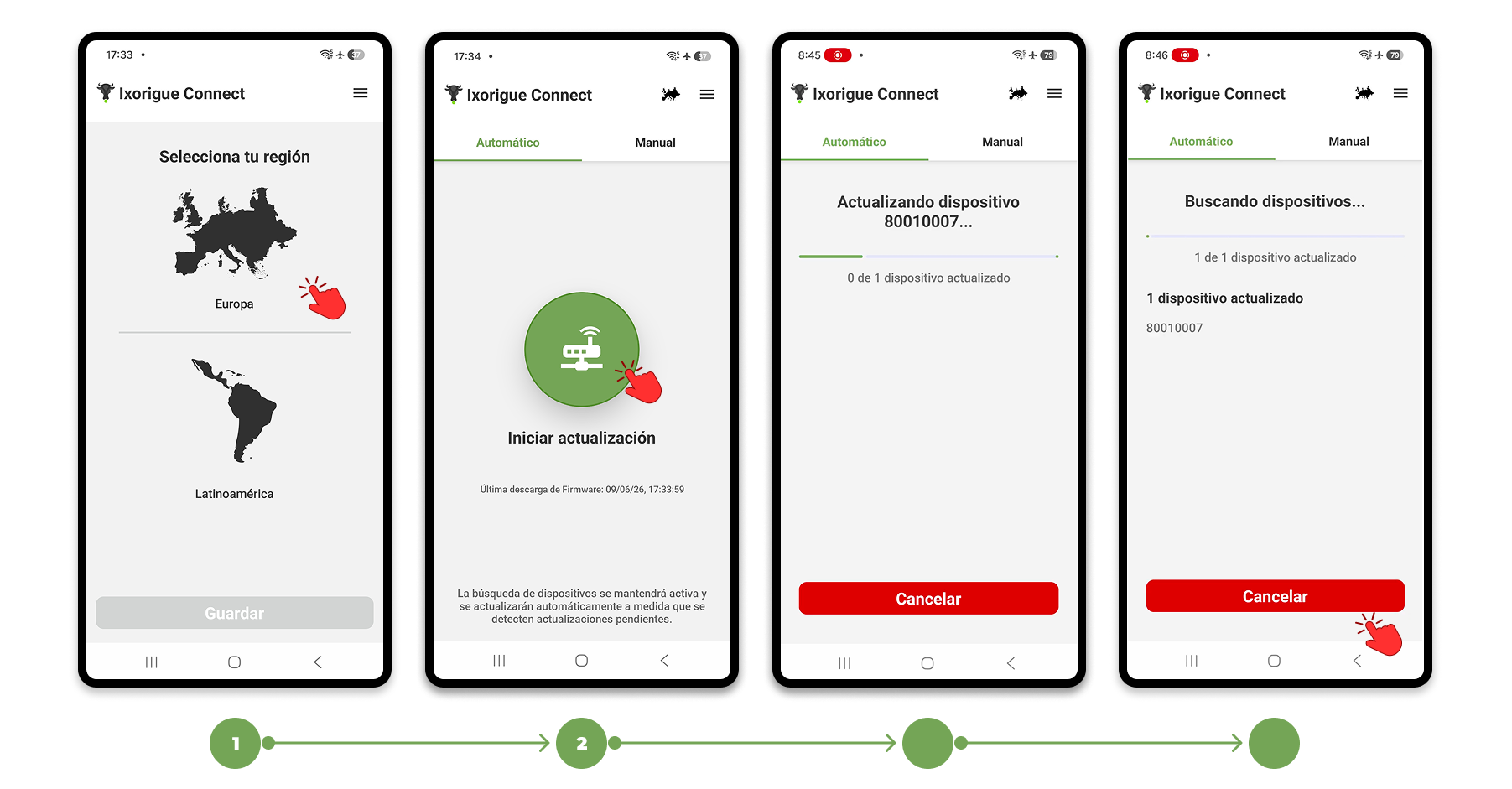
* If you see that the total number of detected devices is lower than expected or that the process does not continue after 5 minutes, try closing the app and launching it again as close as you can to the device in question
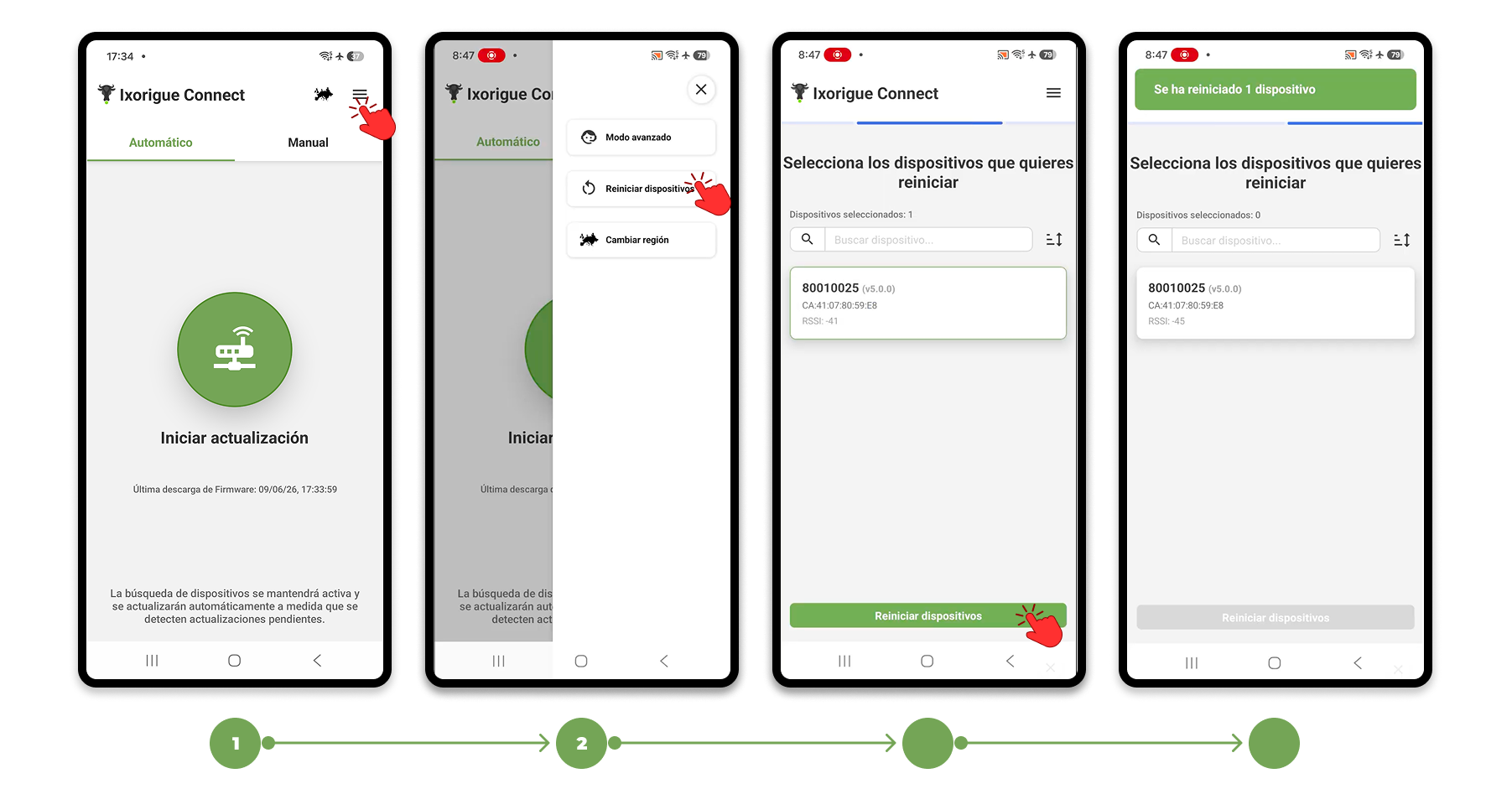
Restart devices
1. If you don't want to update, but to restart a device that isn't working properly, you have the "Restart devices" section in the menu (≡) in the top right corner.
2. Choose the device to be reset from the list and confirm with the bottom button.