

The farrowing registration functionality allows you to manage the reproductive history of the animals, register the pups and automatically control the lactation and emptying periods. Below, we explain step by step how to register it and how it works.
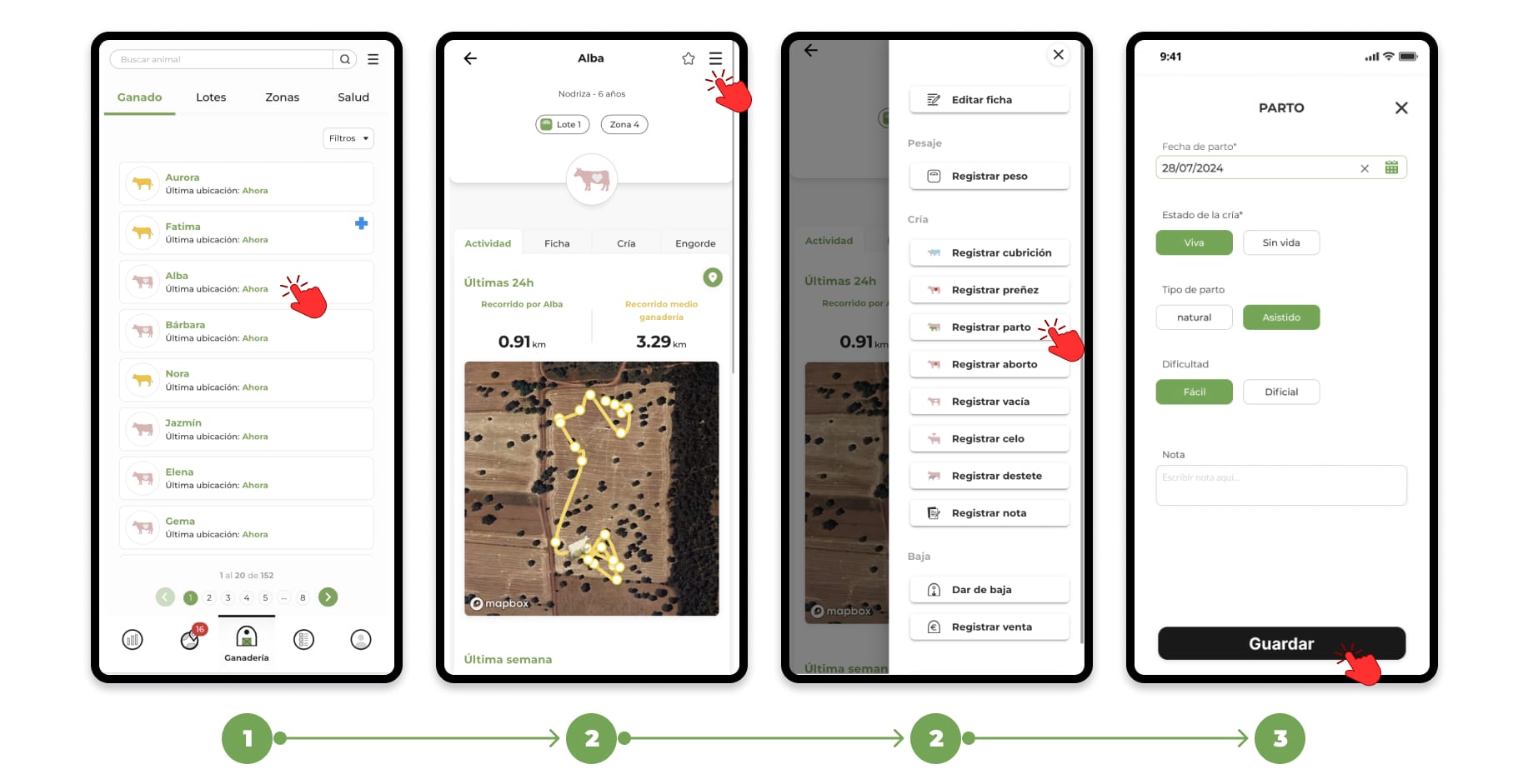
1. How to register a birth from the animal's file
- Go to the "Livestock" section and search for the animal you want to register the event for and select its file.
- Within the animal's file, click on the menu located in the upper right corner. In the drop-down menu, select the option "Register calving".
- When you click on register delivery, the form to add the event will open, fill in the necessary data:
- Date of delivery.
- Indicate the status of the calf:
- Viva
- Lifeless
- Add observations.
and tap "Save" to record the event.
2. What happens automatically when you register childbirth
The app acts differently depending on the state of the breeding.
🟢 If the calf is born alive
The app automatically:
- Assigns lactation status to mother and calf
- The days until weaning begin to be counted.
- It allows you to discharge the calf at that time.
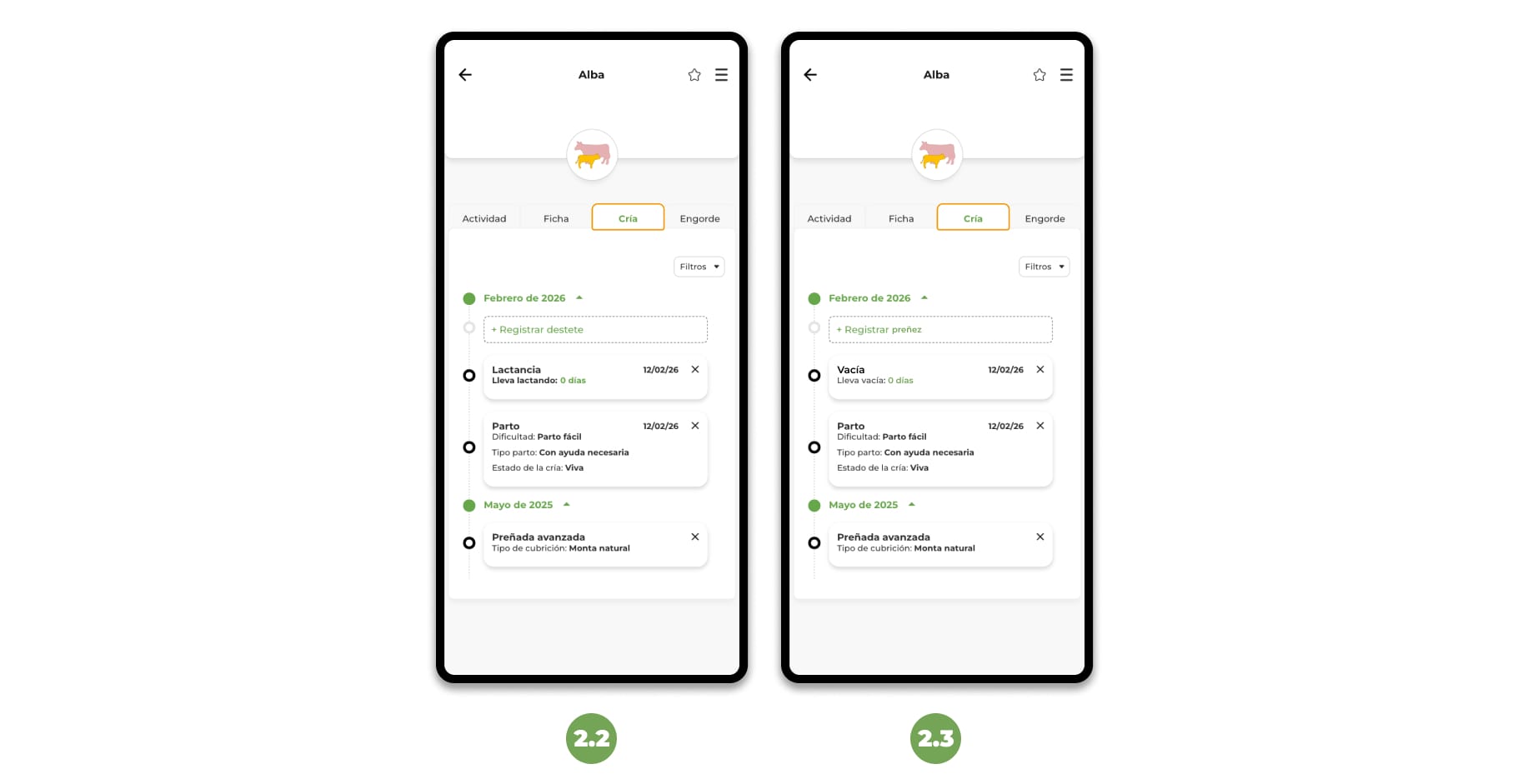
2.2 Automatic breastfeeding management
Breastfeeding will be closed:
- Manual: when you record a weaning.
- Automatic: when the estimated time according to species is exceeded:
- Cows → 8 months
- Sheep → 4 months
- Goats → 4 months
- Horses → 7 months
In addition, the agenda will notify you when an animal has been nursing for more than 5 months, helping you plan weaning.
⚫ If the calf is born Lifeless
The app automatically:
- The mother passes to the Empty state.
- It does not create a breastfeeding period.
- It does not offer to register the breeding.
2.3 Automatic Empty Status Management
When a mother goes to Empty state:
- The days until the next pregnancy/delivery/abortion begin to be counted.
- The diary will notify you when it has been empty for more than 3 months, helping you to manage wet nurses, inseminations or matings.
You can also record the emptying status of an animal manually from the animal's breeding schedule if you need to.
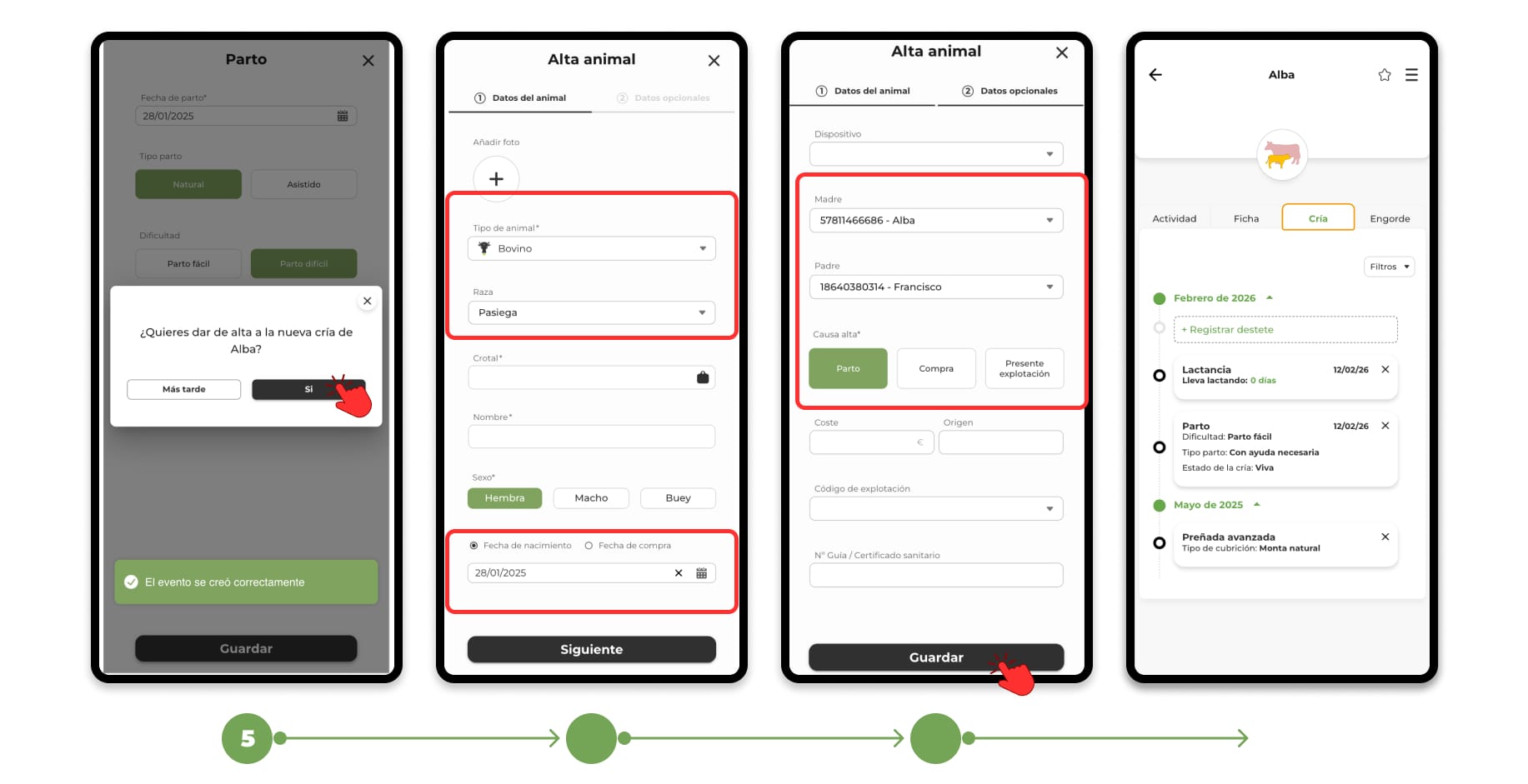
3. Discharge the calf (optional) after registering the birth
After registering the birth (if the calf is alive), the app will ask you if you want to discharge it.
If you select "Yes":
The "Animal registration" form will open with these fields already completed:
- Type of animal
- Race
- Date of birth
- Mother
- Cause of discharge (Childbirth)
You will only have to fill in the remaining data (name, ear tag, etc.) and save.
If you select "Later":
- The birth is registered.
- You can register the breeding later.
The events will be visible in the "Breeding" section within the mother's file.
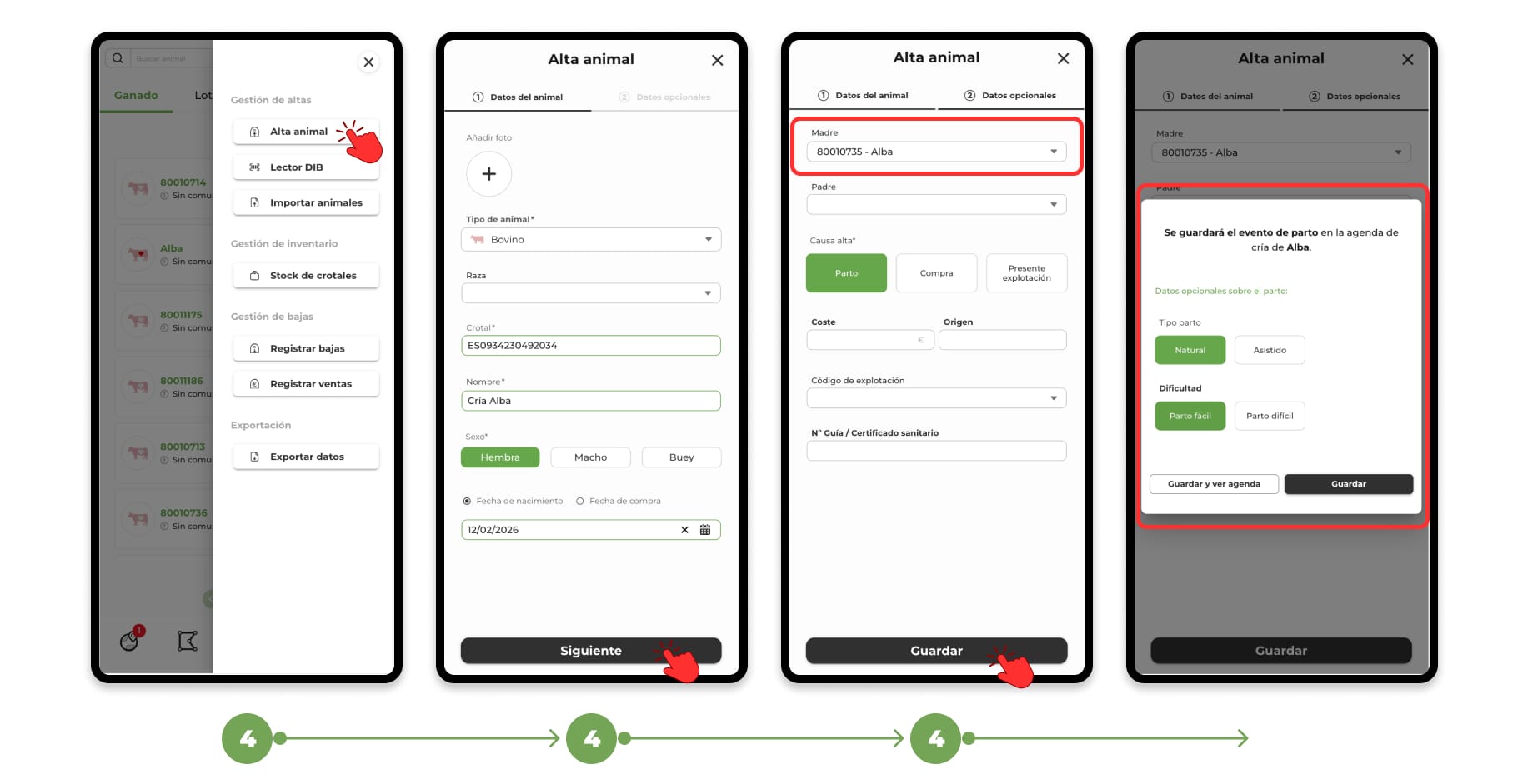
4. Direct discharge of brood with associated mother
You can also start with the discharge of the calf.
If you register a new animal indicating its mother:
- The app automatically records the birth event in the mother's schedule.
- It is not necessary to register the birth separately.
5. Quick access to register deliveries
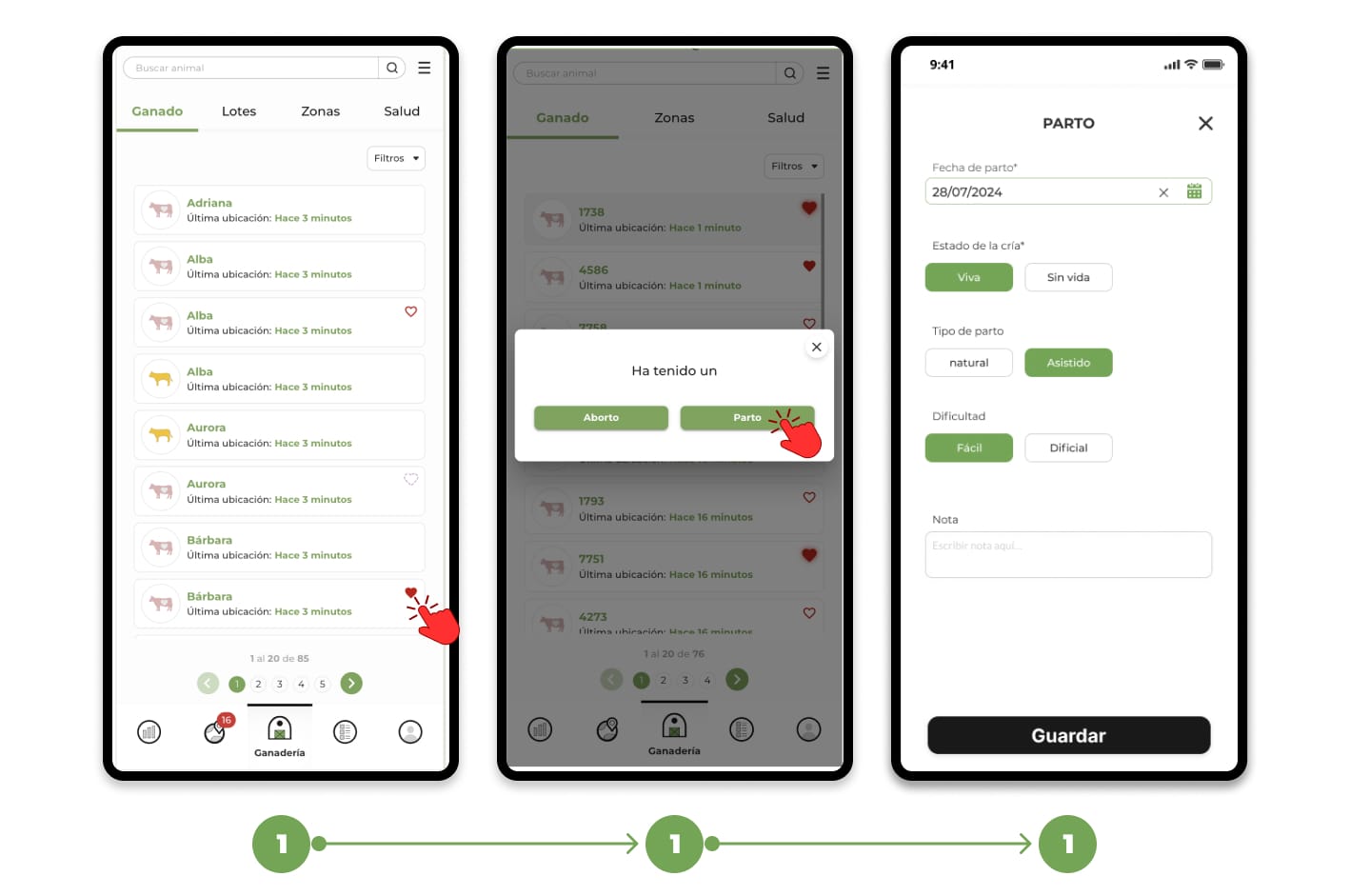
1. From the list of animals (Beating Heart):
- On the livestock list, animals close to calving will be marked with a beating heart icon to the right of their name.
- Tap on the heart (Beating) and select the Childbirth option to open the Register Childbirth form.
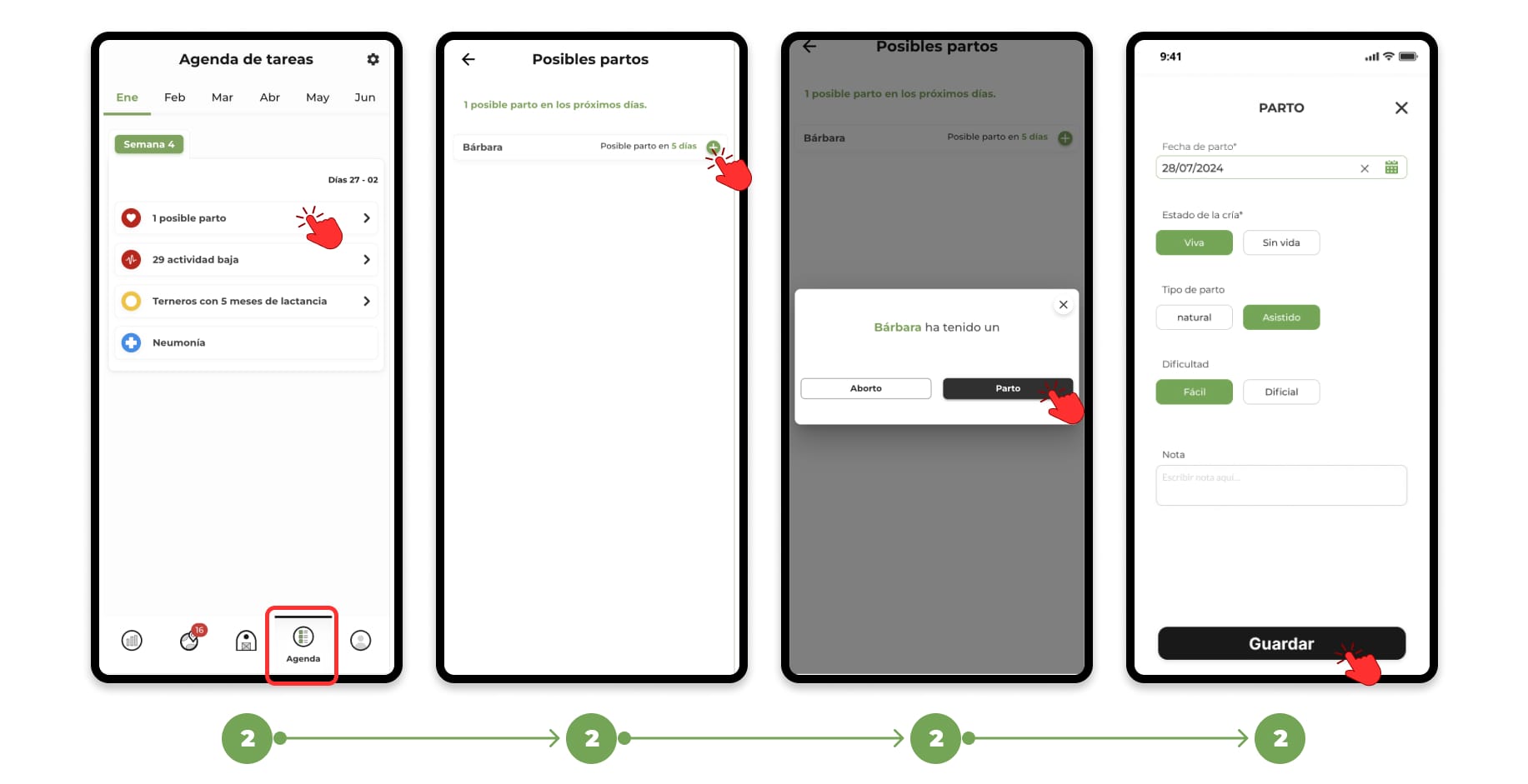
2. From the task agenda:
- In the Task Schedule, animals with an advanced or late farrowing date will be listed.
Tap on the + icon and select the Childbirth option to access the delivery form.
To learn more about the task schedule, click here.