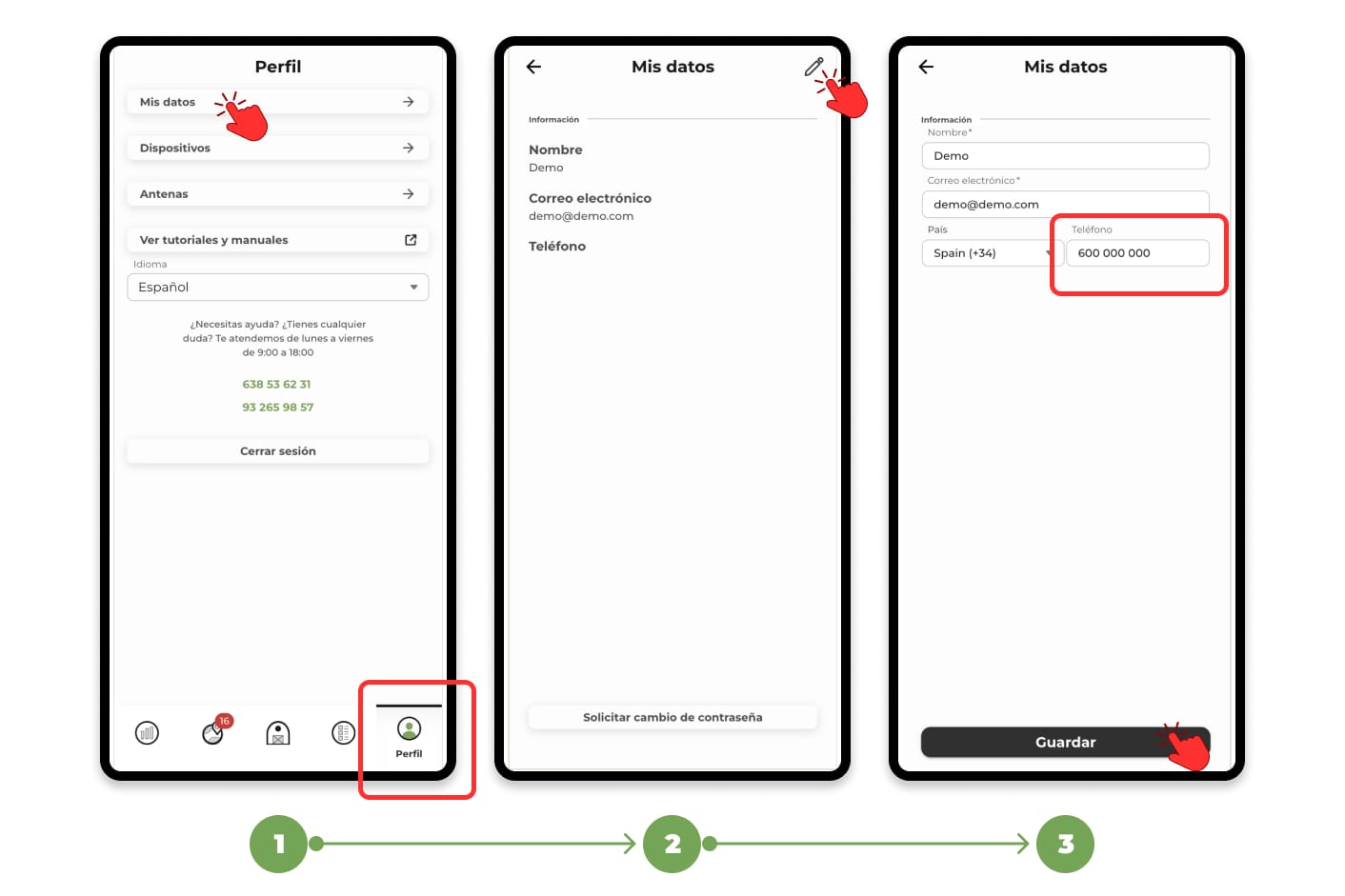
1. Go to the "Profile" section and click on "My data" to view your personal information.
2. Tap on the pencil icon located in the top right corner. This will activate the editor, allowing you to modify your data.
3. Change the number in the corresponding field and, once you have made the modification, click on Save to finish and update the information.
Remember that not all alerts from the app can be received by WhatsApp, you can check this in the settings menu of the notifications.