The perimeter defines the boundaries of your property.
- Everything that remains inside will be considered a "safe" space.
- When an animal leaves the perimeter, the app will notify you with an "out of perimeter" alert.
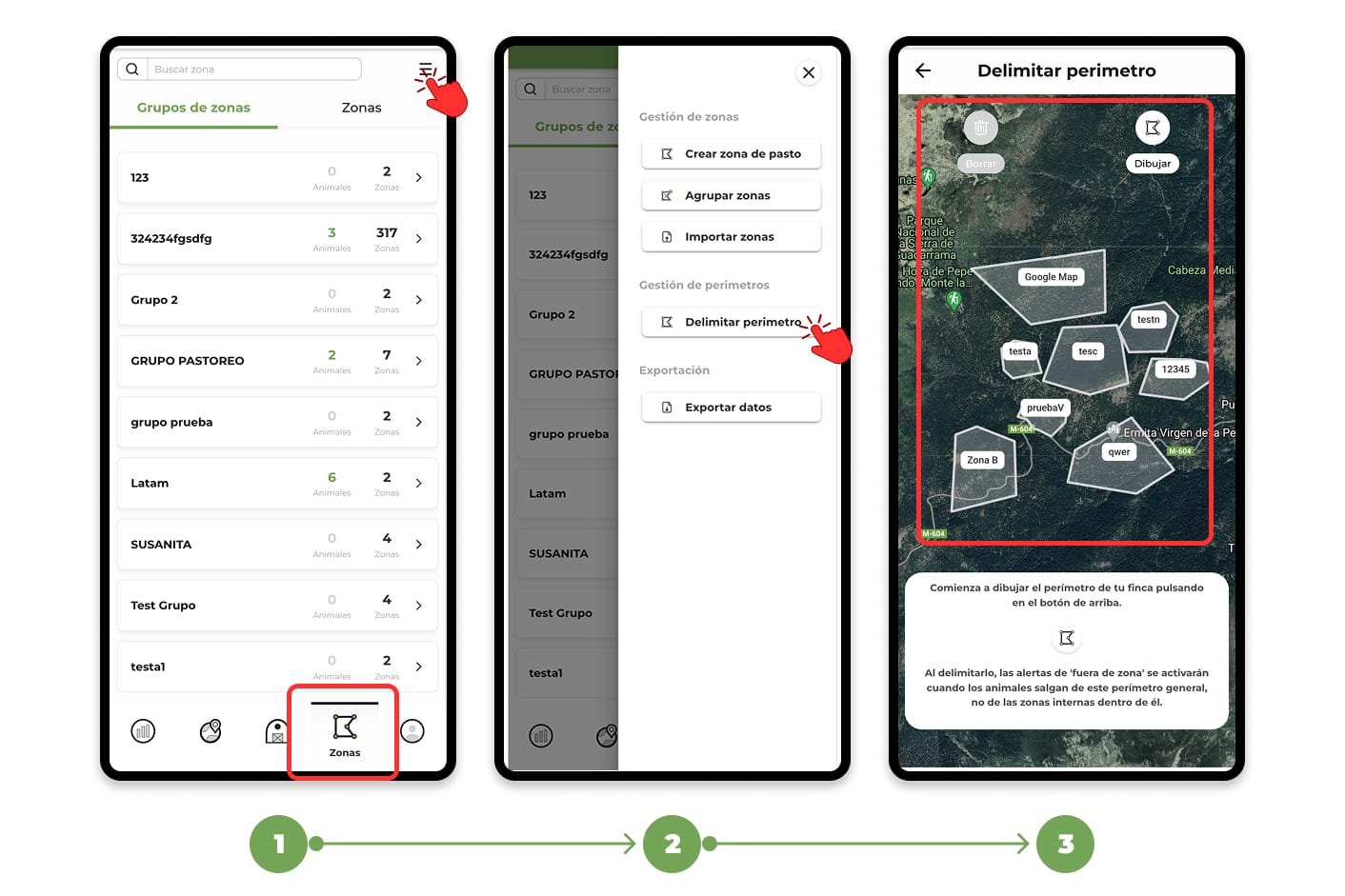
To create a perimeter, follow these steps:
- Go to the "Zones" menu.
- Tap on the "Menu" button, located in the top right corner.
- From the drop-down menu, select the "Delimit perimeter" option.
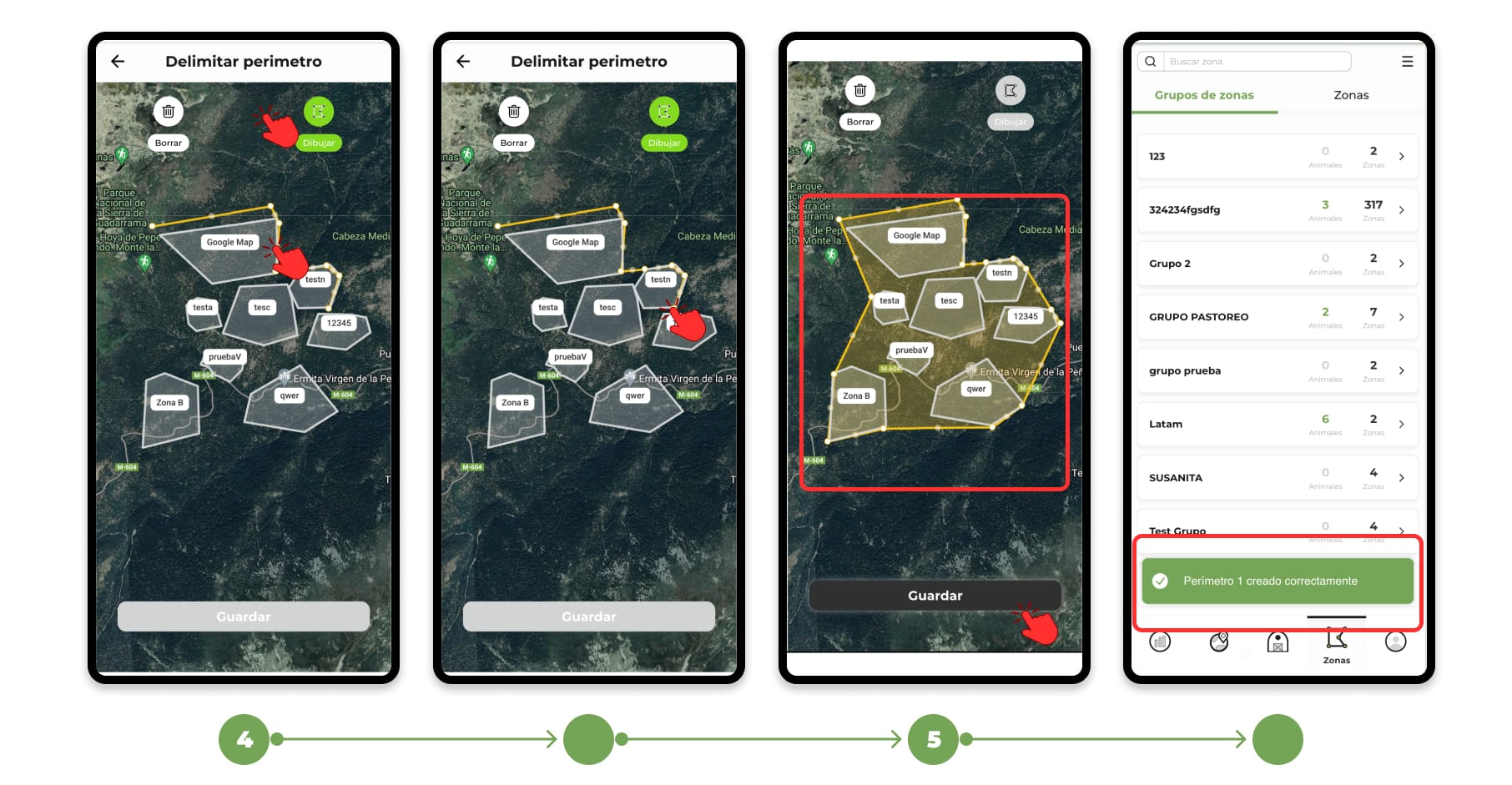
4. The map will open. Press the "Draw" button to start adding points. Mark the points on the map that will define the boundaries of your farm.
5. To finish, close the polygon by tapping on the first dot (it will flash orange). Adjust the dots if necessary and press "Save" to complete the process.
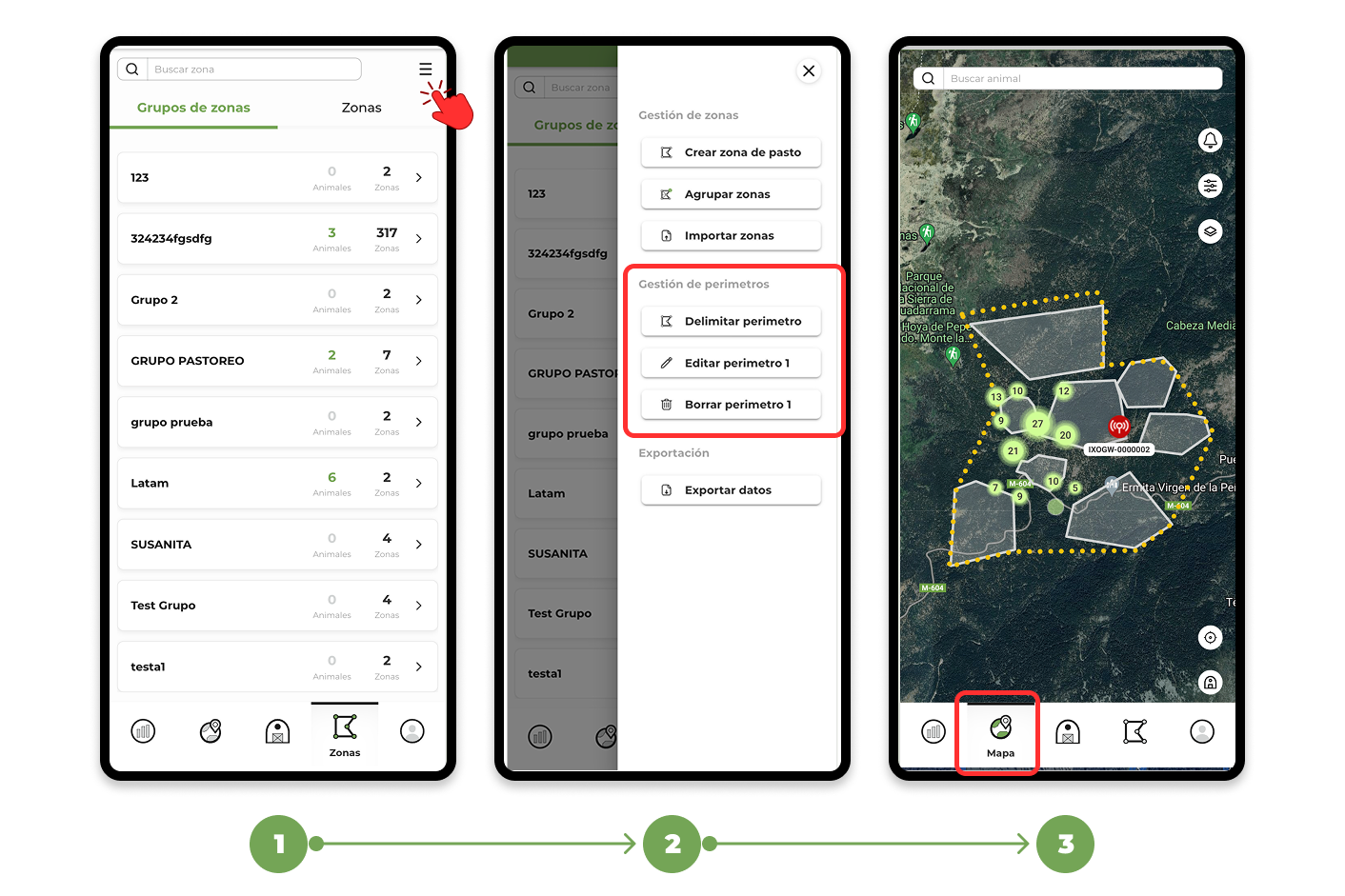
Edit and view a perimeter:
Go back to the "Zones" menu in the top right corner.
From there you can:
- Create new perimeters.
- Edit existing ones.
- Delete the ones you no longer need.
On the map, the perimeter will be drawn with a yellow dashed line.
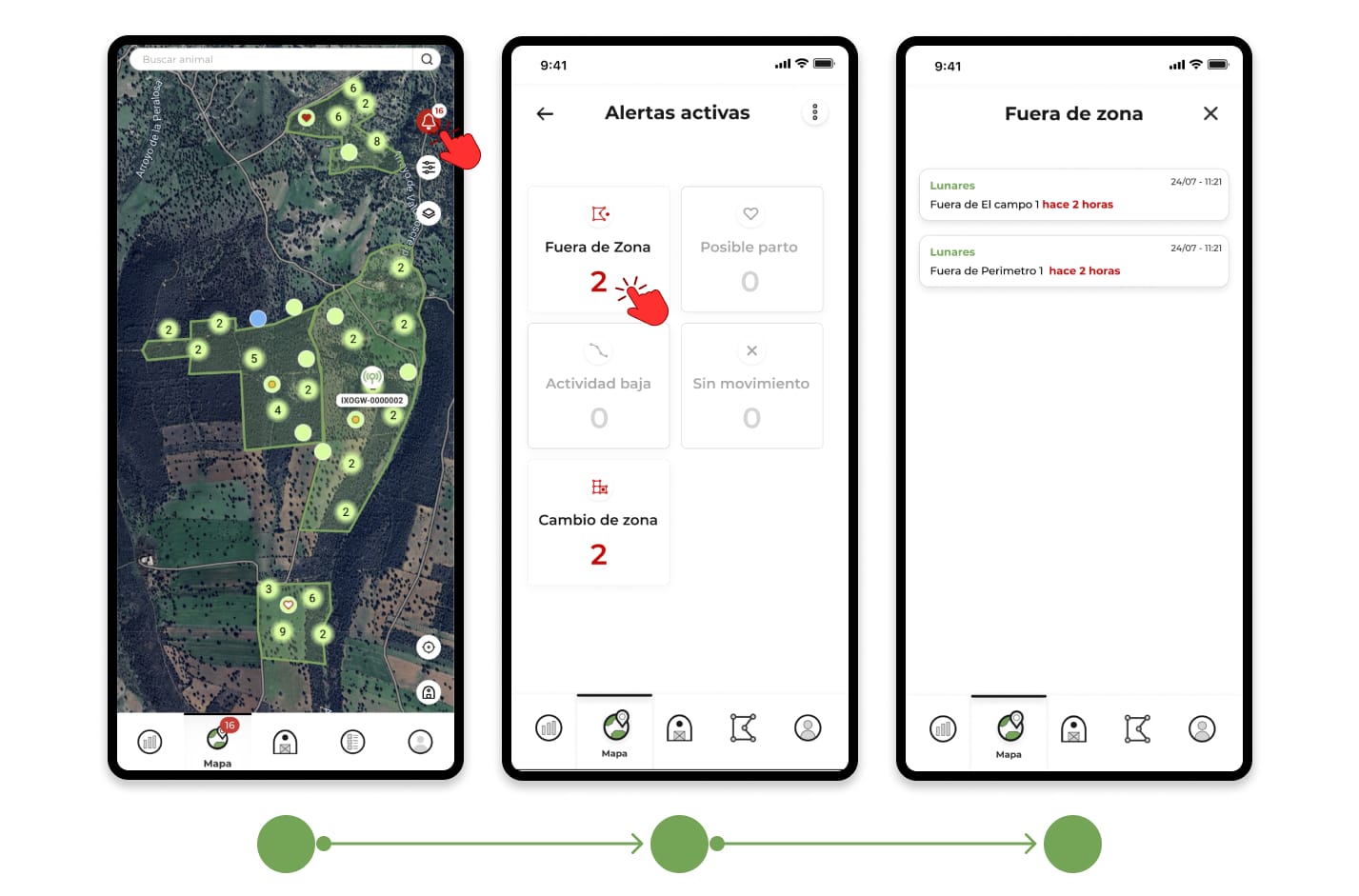
"Out of Perimeter" Alerts
When an animal leaves the perimeter you have delimited:
- You will receive an "Out of Perimeter" alert.
- These notifications will appear on the same screen where the "Out of Zone" alerts are also displayed.