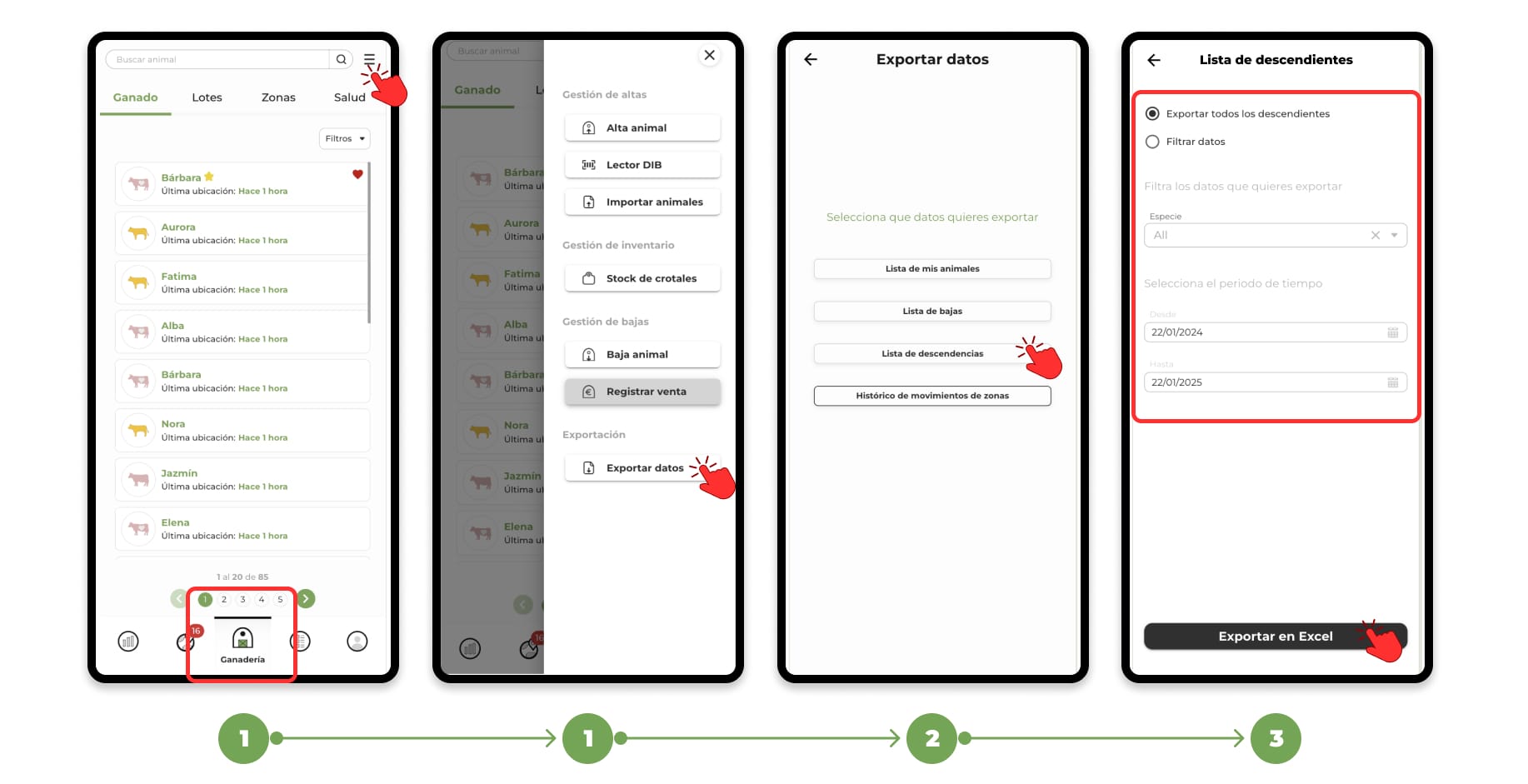
1. Go to the "Livestock" section and click on the menu located in the upper right corner.
2. This will open a drop-down menu; select the "Export Data" option.
When you click on Export data, a screen will open with the different data options you can export, such as:
- Complete census list
- Casualty List
- List of offspring
- History of animal rotation between the areas drawn in the application
3. Select an option, such as Offspring List. Additional options will appear to adjust the data you want to download, such as:
- Filter by a specific species
- Filter Animals Born in a Specific Time Period
- Download the full list or customize the selection
Once you have configured the filters according to your needs, click on the "Export Excel" button.
The file will be saved in the downloads folder of your mobile device or computer.