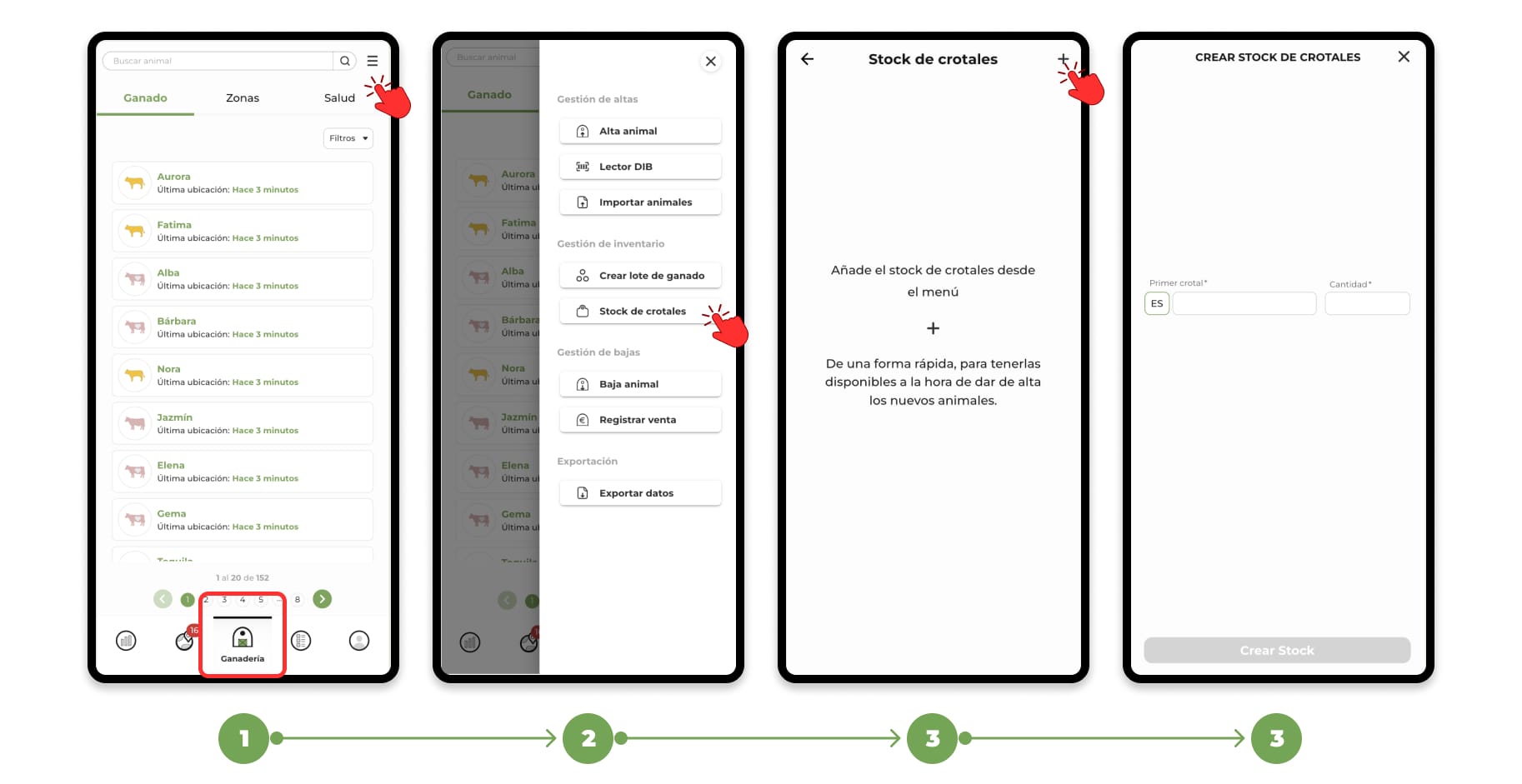
1. Go to the "Livestock" section. Click on the menu located in the upper right corner and select the "Stock of ear tags" option from the drop-down menu.
2. Selecting "Stock of ear tags" will open a screen where you can see your current stock of ear tags, if you have already created it, and you will also find the option to register a new stock.
3. Click on the "+" symbol in the upper right corner to open the registration form for a new stock.
Enter the necessary data:
- First ear tag: Type the number of the first ear tag you want to register.
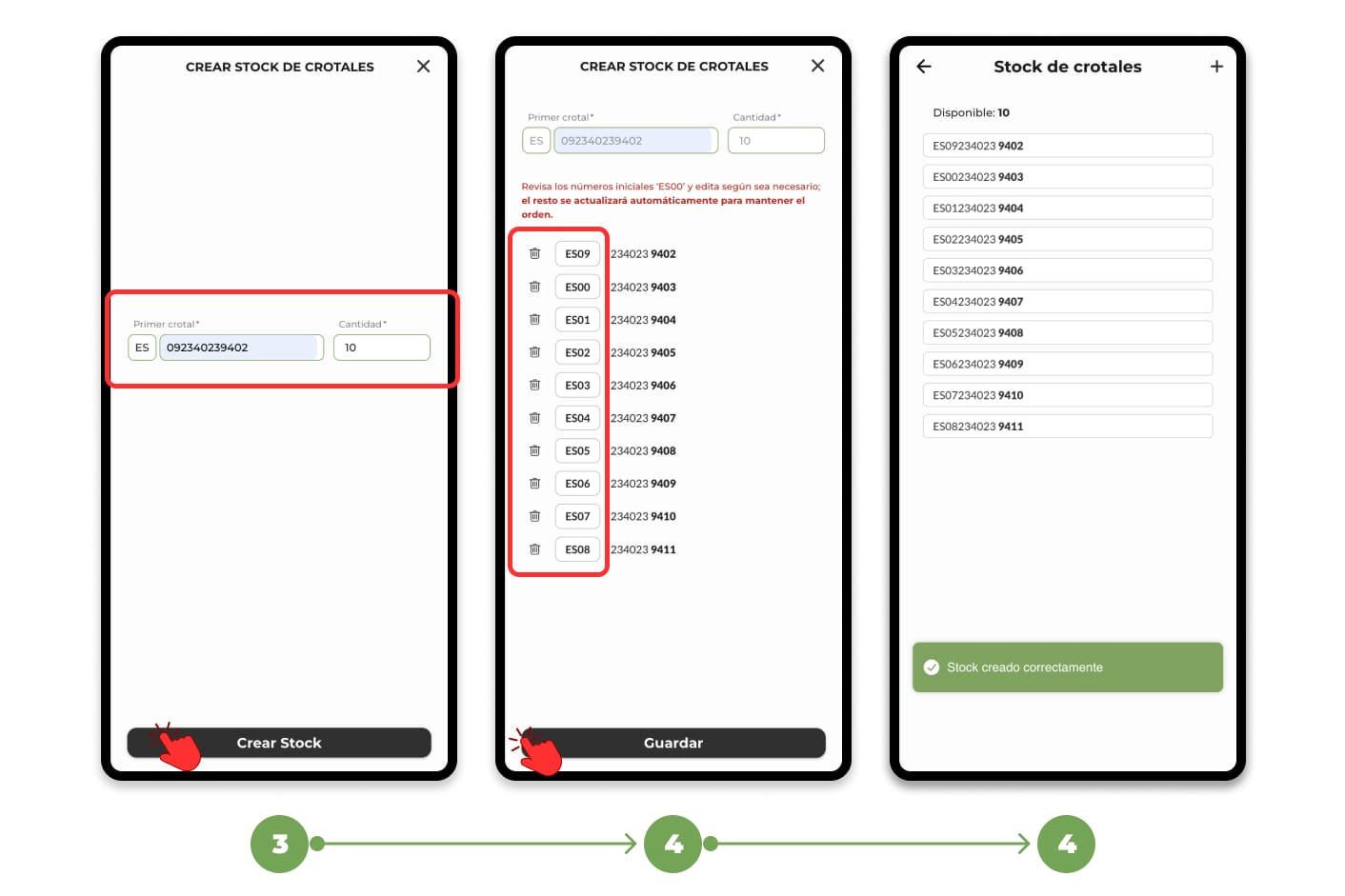
- Quantity: Specify the total number of ear tags you have. Click on "Generate" once you have completed these two fields.
4. The app will automatically generate a list in numerical order, starting from the initial number you entered. If necessary, you can edit the first numbers of the list, and the rest of the ear tags will be automatically rearranged to follow the correct order.
Click on "Save" once you have reviewed and confirmed the list. With this, you will have successfully registered your new stock of ear tags.
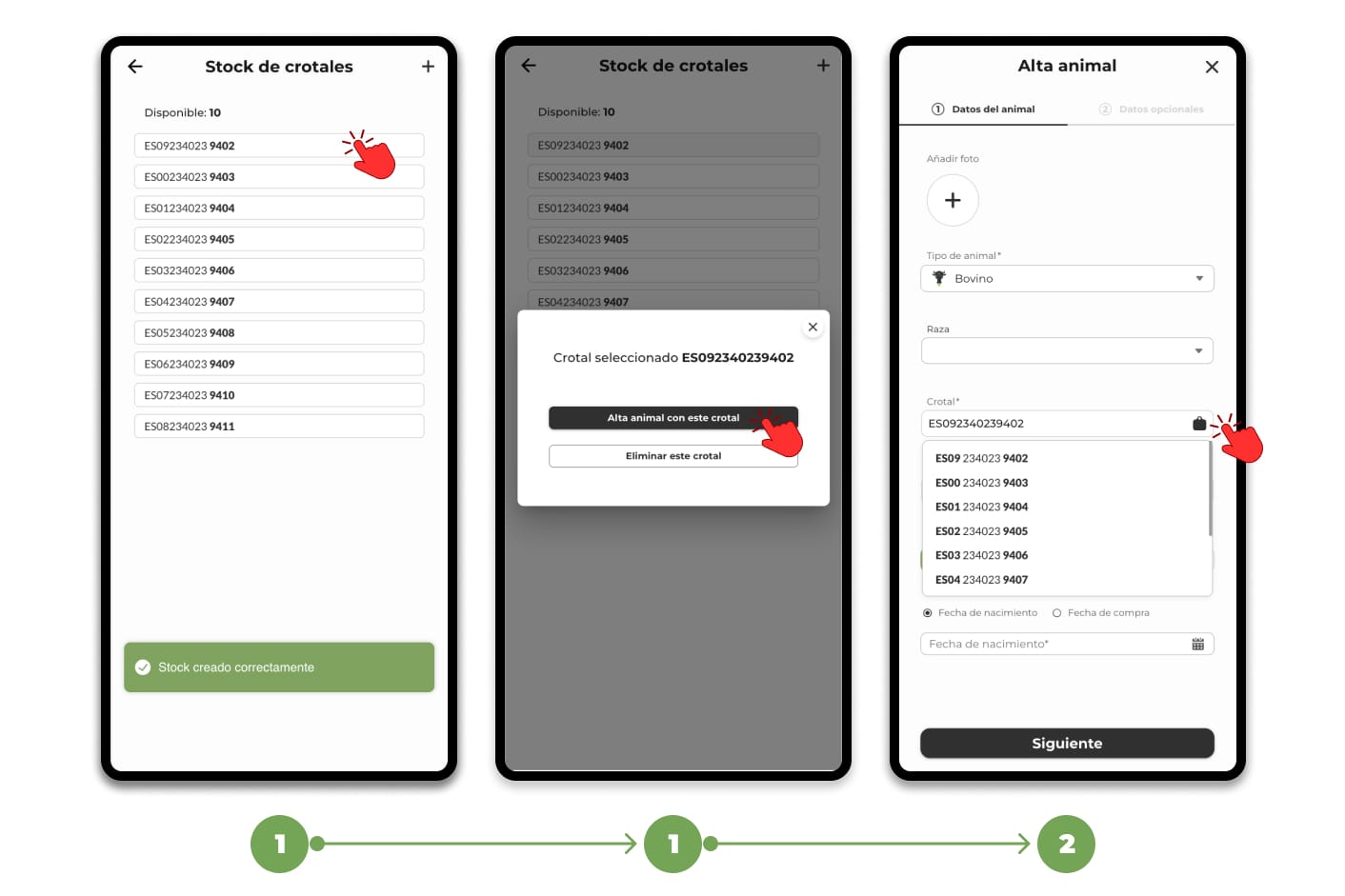
You can now assign ear tags directly to the animals. To do this:
1. Select an ear tag from the list and open the registration form with the selected ear tag already noted in the form
or
2. From an animal registration form, click on the ear tag icon and choose the one you need.