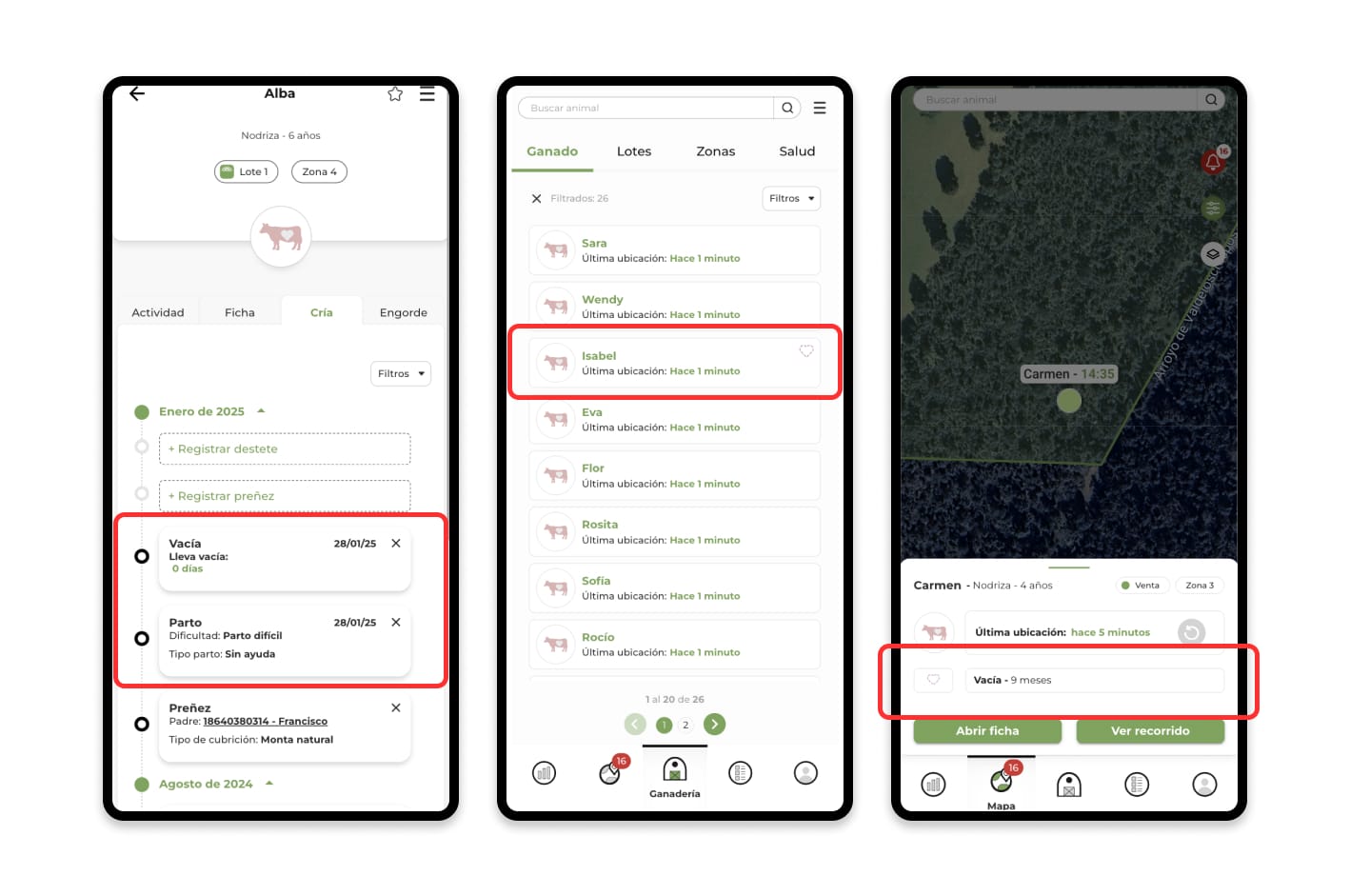
The Empty event is a key tool for monitoring and managing the days a nurse is pregnant-free, helping you quickly identify which animals need care to better plan mating or insemination. Although this event is created automatically after registering a stillborn birth or abortion, you can also record it manually.
Log an emptying event from the animal card
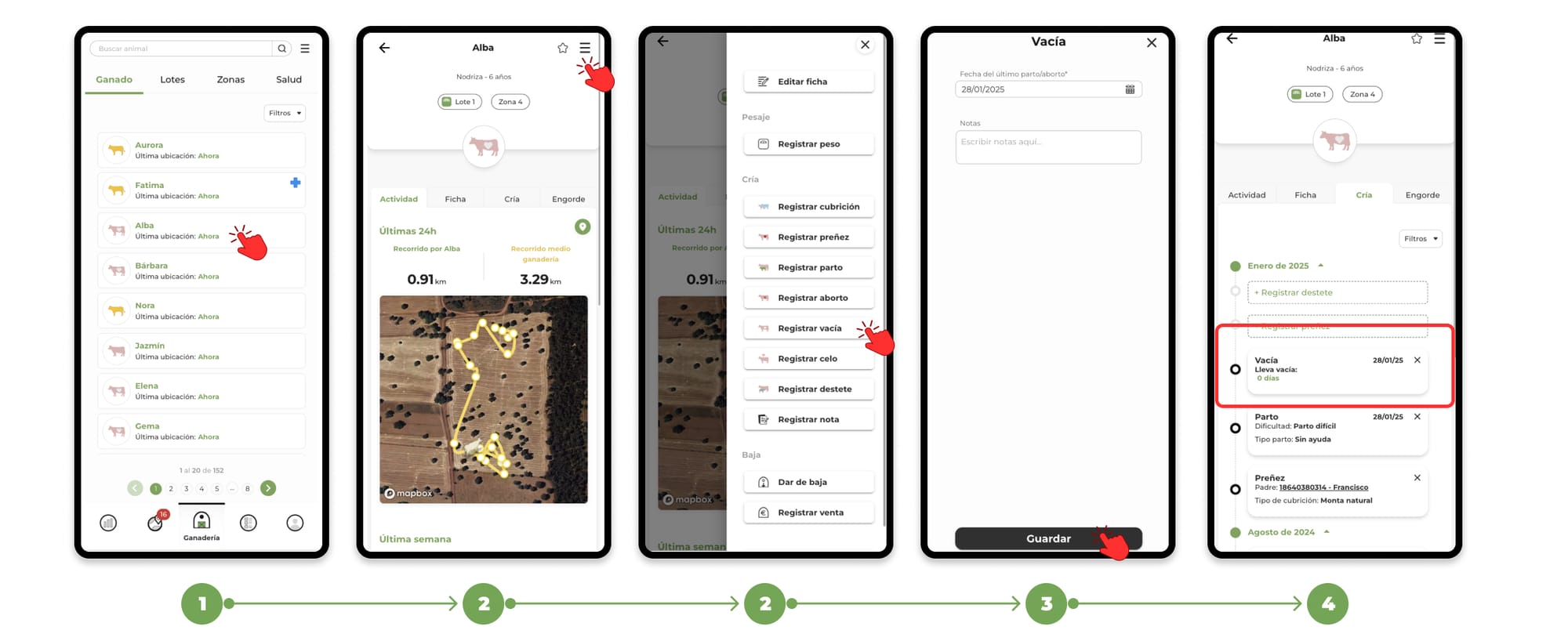
1. Go to the "Livestock" section and Search for the animal you want to register the event for and select its file.
2. Within the animal's file, click on the menu located in the upper right corner. In the drop-down menu, select the "Register Empty" option.
3. Clicking on Register Empty will open the form to add the event.
4. Fill in the necessary data and press "Save" to finish the registration. You will be able to see the events recorded in the "Breeding" section of the animal's file.
How the empty event works
- When you register a stillbirth or abortion, the app automatically generates an Empty event (white heart with purple border) on the animal's file.
- The Empty event is automatically closed when a pregnancy is recorded, updating the animal's status and ending this period in its history.
- The app issues a notice in the task schedule when a wet nurse has been empty for more than 3 months.
To learn more about the task schedule, click here.