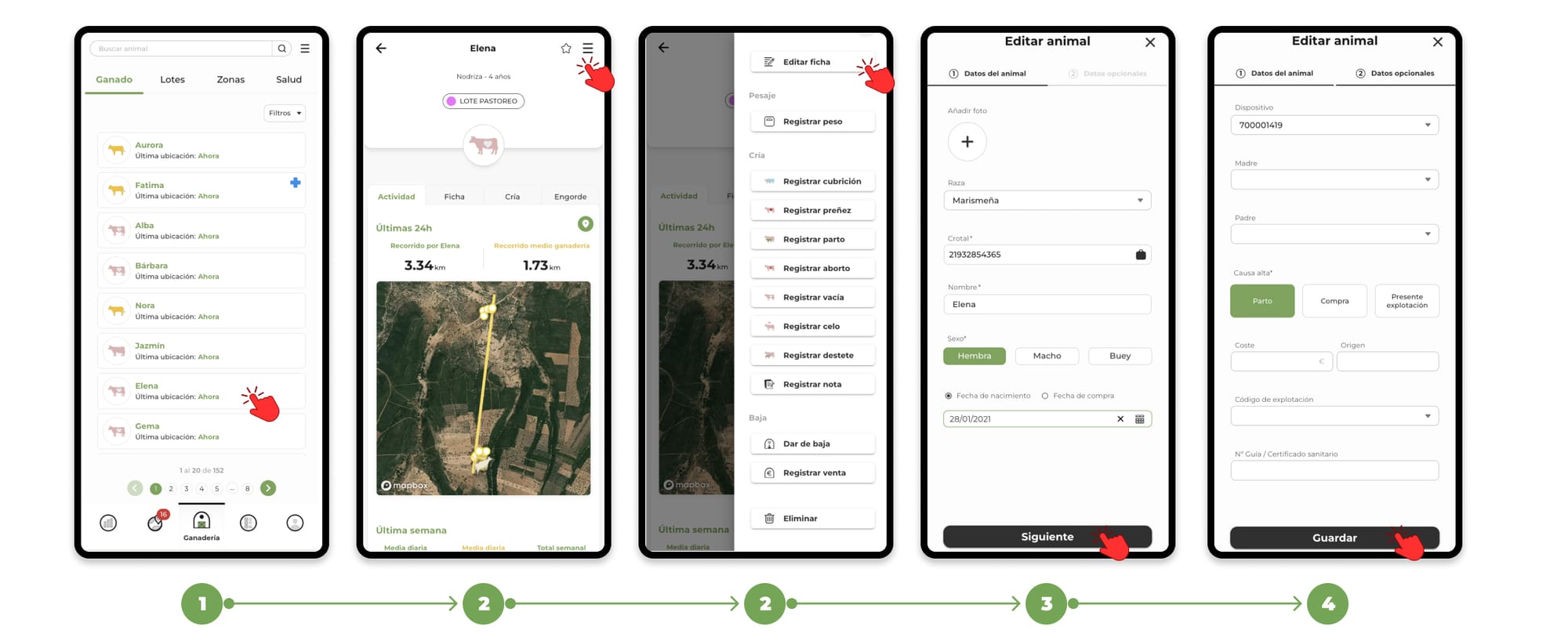
- Go to the "Livestock" section and select the animal you want to edit or add the data to.
- On the card, click on the menu located in the top right corner and select the "Edit card" option.
- The same form used for the animal's registration will open, but this time with the animal's data completed with the information previously entered.
- Here you can edit or add the data you need.
- Finally, tap "Save" to record your changes.