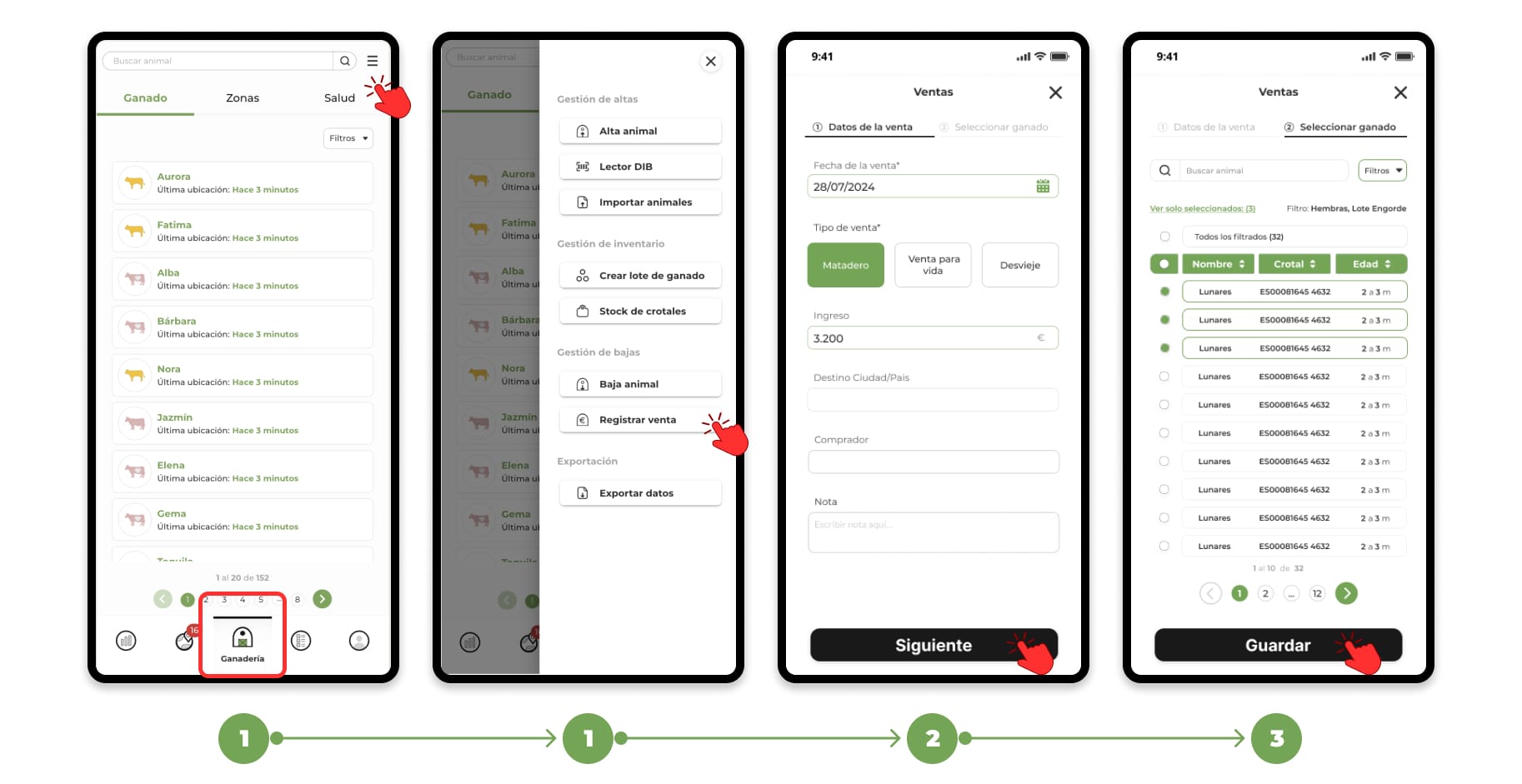
Register sale of several animals at once
1. Go to the "Livestock" section and click on the "Menu" button located in the upper right corner. From the drop-down menu, select the "Record sales" option.
2. A form divided into two steps will open:
- Step 1: Select the sale date and fill in the details you need related to the sale.
- Step 2: Select the animals you want. You can do this manually, use the alias/ear tag finder or use the filters.
3. Once the form has been completed, click "Save" to finish the registration of the sale of the selected animals.
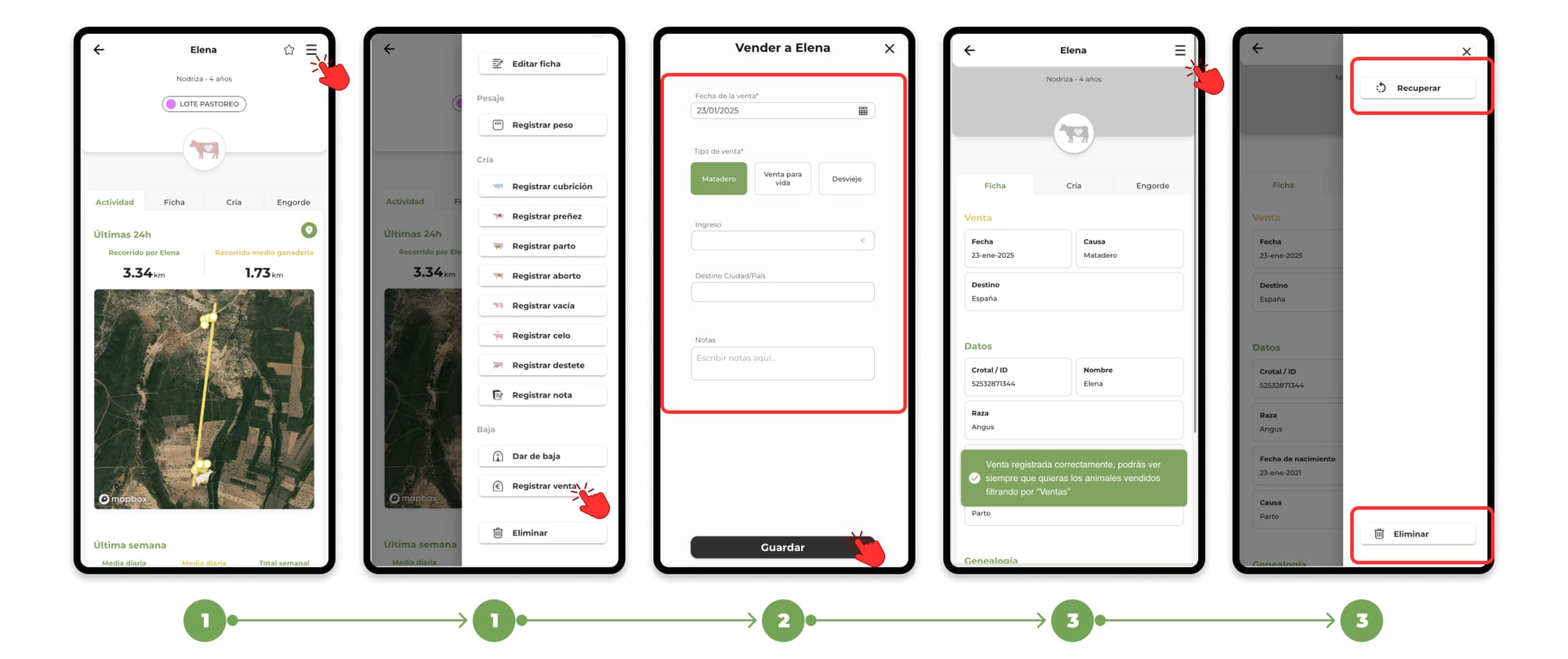
Register sale of an individual animal
1. Access the main file of an animal from the list of animals of the farm or from the map and press the "Menu" button located in the upper right corner. From the drop-down menu, select the option "Register sale".
2. When you click on Register sale, a form will open where you can enter the date ofthe sale and other data related to the sale. Once you have completed the form, click "Save" to finish.
3. From the profile of an animal registered as a sale, you have the option to recover the animal, in case you have registered it as a sale unintentionally or also delete it definitively.
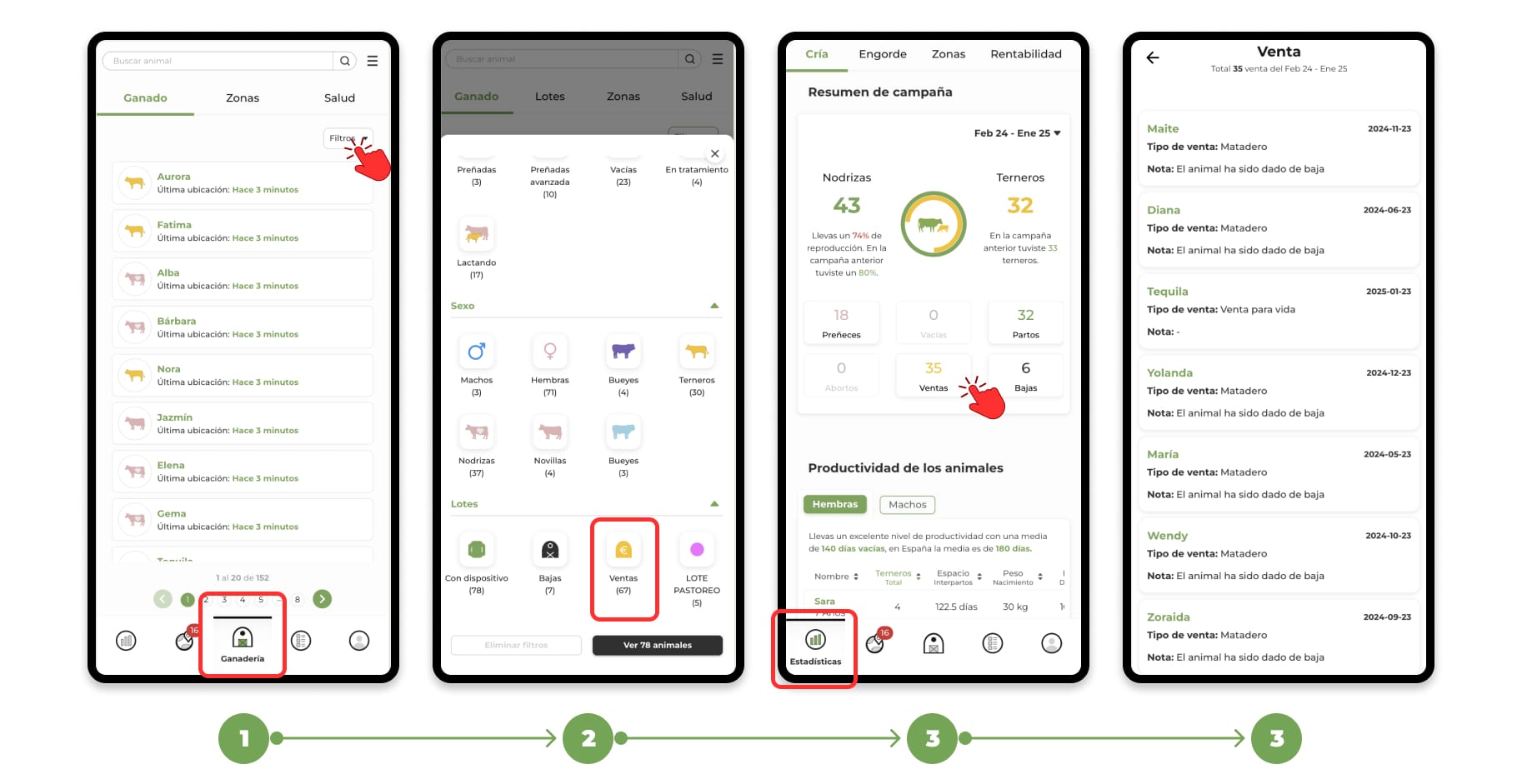
How to view animals registered as sale
Animals registered for sale will be available in the "Livestock" section:
- Use the filters available in the animal list.
- Select the "Sales" option to display all the animals that have been decommissioned.
- Your total sales and list will be reflected in your campaign insights.