

The app offers you filters to locate groups of animals quickly and easily in the lists, map and forms. With this tool, you can optimise the search, monitoring and recording of information about your livestock. Here's how to use them:
1. Access to filters
- In the lists, maps, and forms, click the "Filters" button to display the available options.
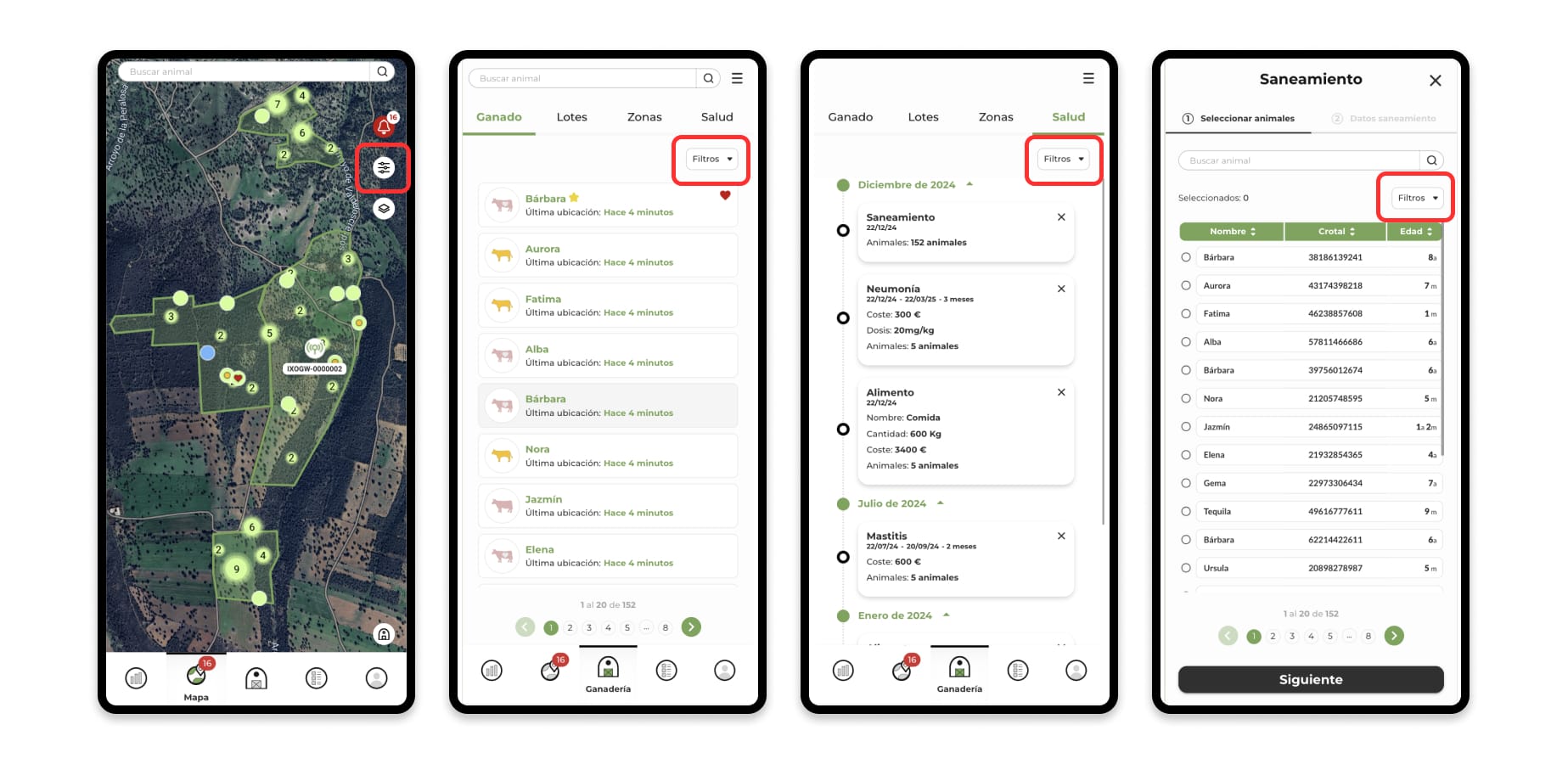
- The filters are organized into categories for ease of use.
- You can combine multiple filters at once for more specific searches.
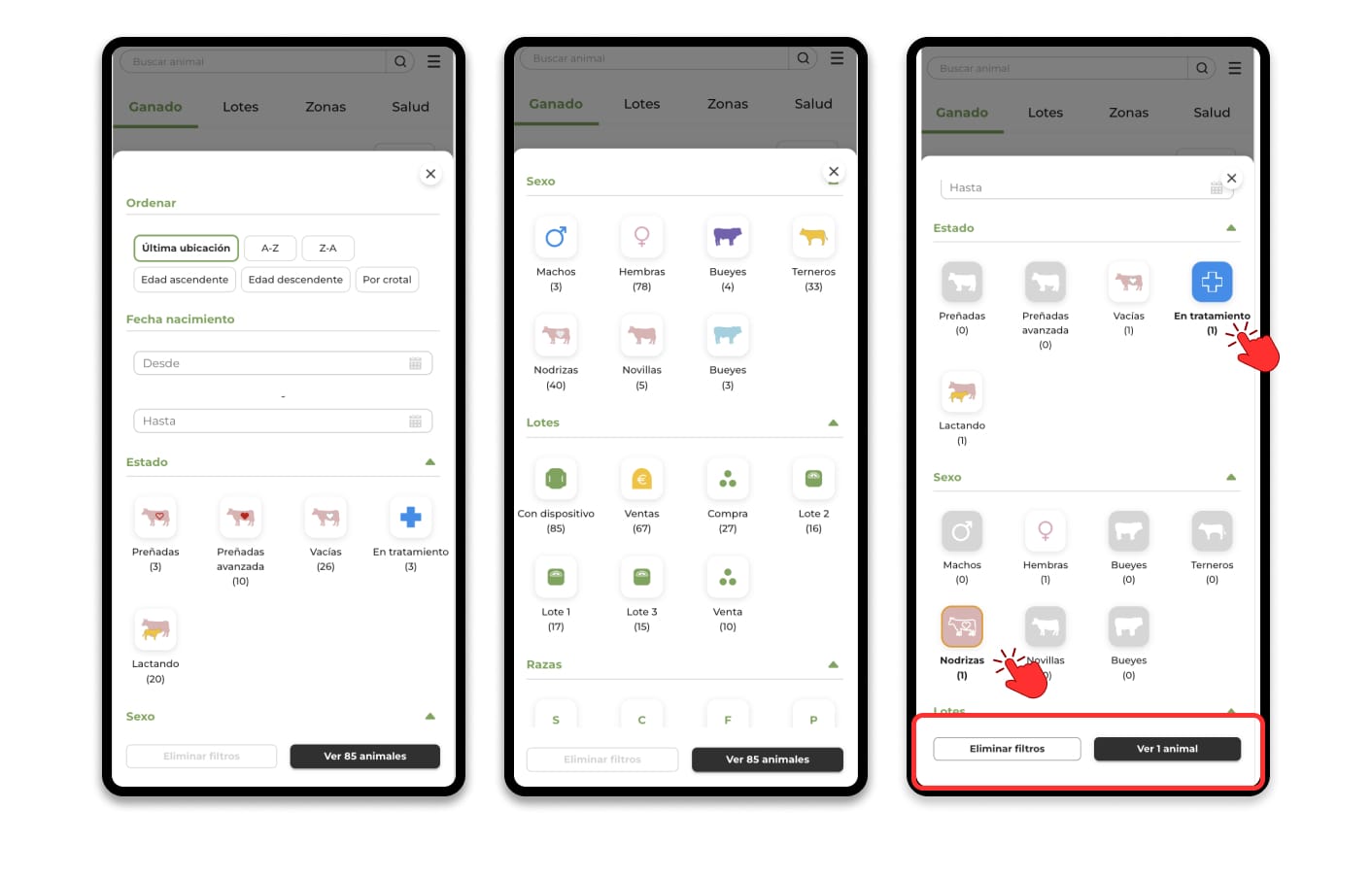
2. Main Categories of Filters
Some of the filters available include:
- Animal status: Find pregnant animals, in heat, with treatments, among other states.
- Sex and stage: Look for animals according to their gender (males, females) or stage (calf, heifer, nurse, etc.).
- Batches: Filter by batches created by you.
- Breed: Identifies animals of specific breeds.
- Date of birth range: Locate animals according to the period of birth.
- Farm: If you manage multiple farms, filter by each farm.
among others, according to the information available in your account.
Apply filters
- Check the options that apply in each category.
- Combine multiple categories for more accurate results.
- Example: Find pregnant females of a specific breed within a particular batch.
Remove filters
- To see all the animals again, click on "Filters" again and select the "Remove filters" option.
- This will ensure that the results are not restricted by active filters.
Benefits of filters
- Time saving: Quickly find specific groups of animals.
- Better management: Facilitates tracking, decision-making, and data recording.
Accessibility: Filters are available in the lists, map, and forms of the app.