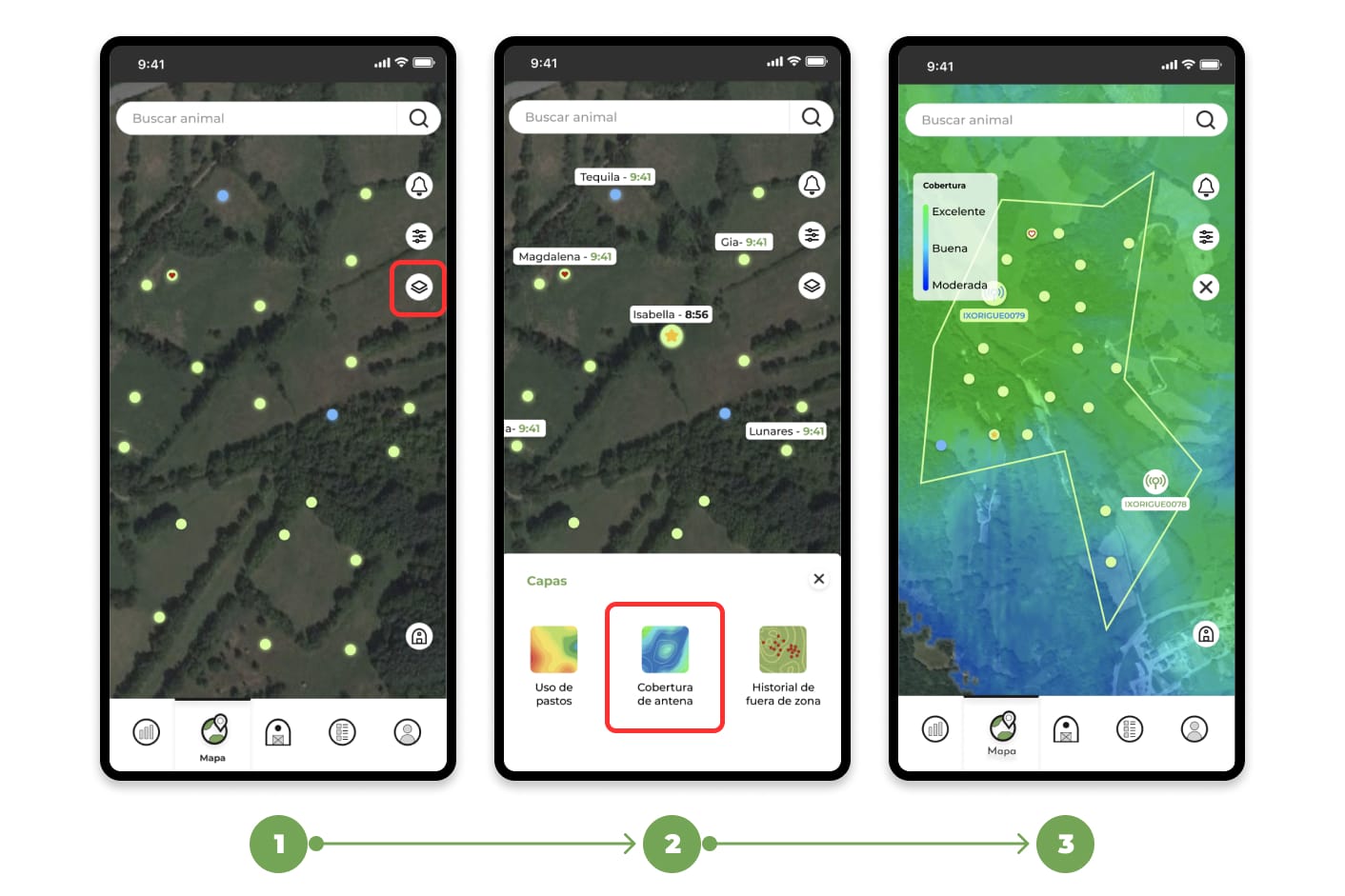
1. Go to the "Map" section and click on the layers button.
2. A menu with several options will be displayed; choose the layer called "Antenna Coverage".
3. Once the Antenna Coverage layer is selected, you can explore the map to visualize both the coverage and the location of the antennas.
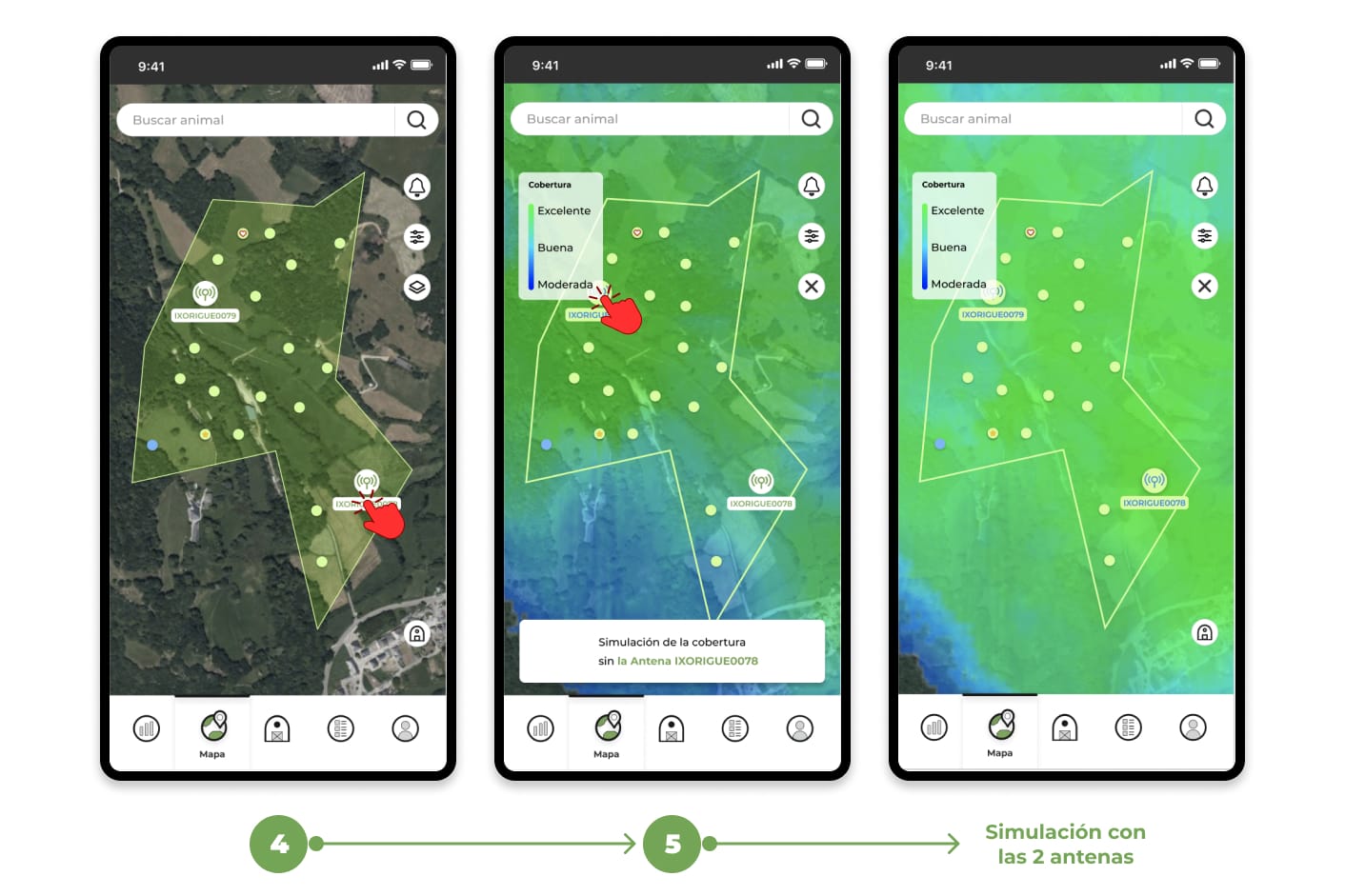
4. You can also tap on an antenna icon directly on the map to turn its coverage layer on or off.
5. If you have more than one antenna, you can toggle the coverage display for one or both antennas by tapping on their respective icons, toggling each one on or off as needed.