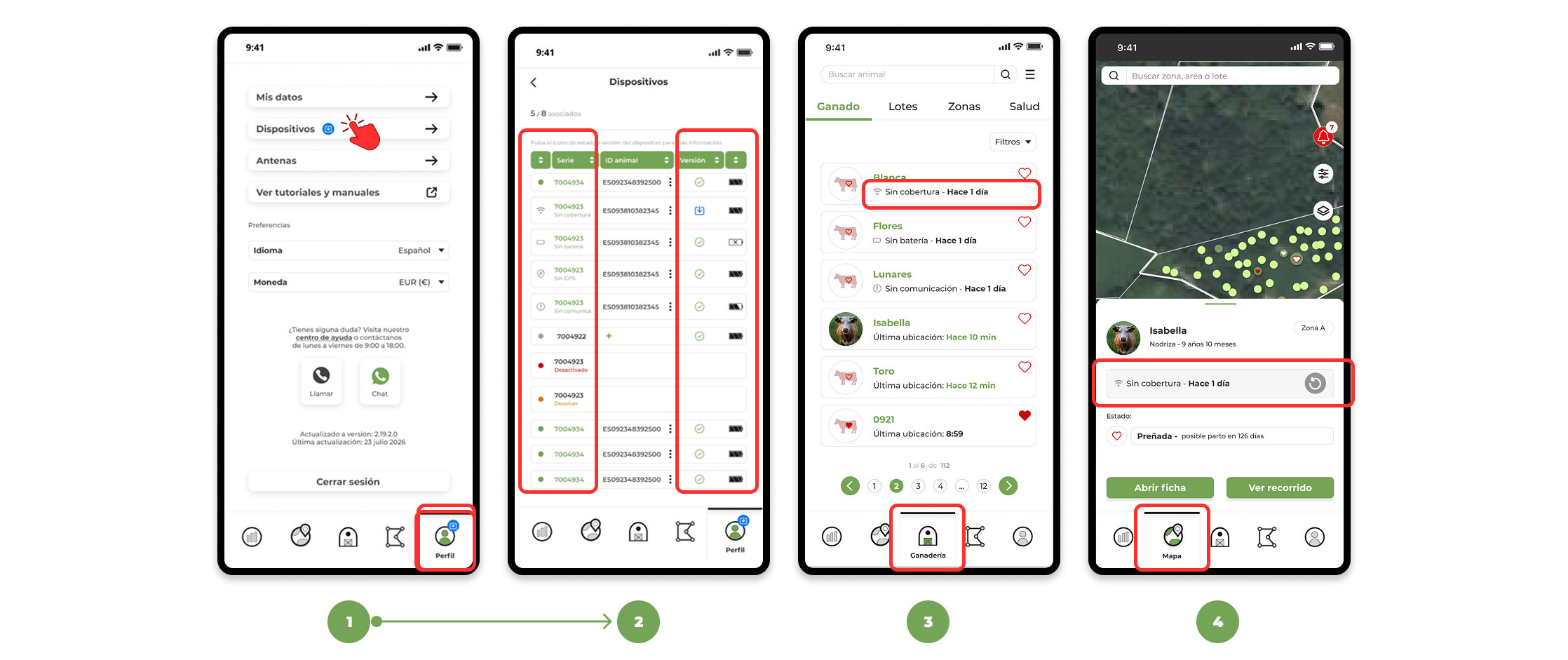
To view the status of devices in the app:
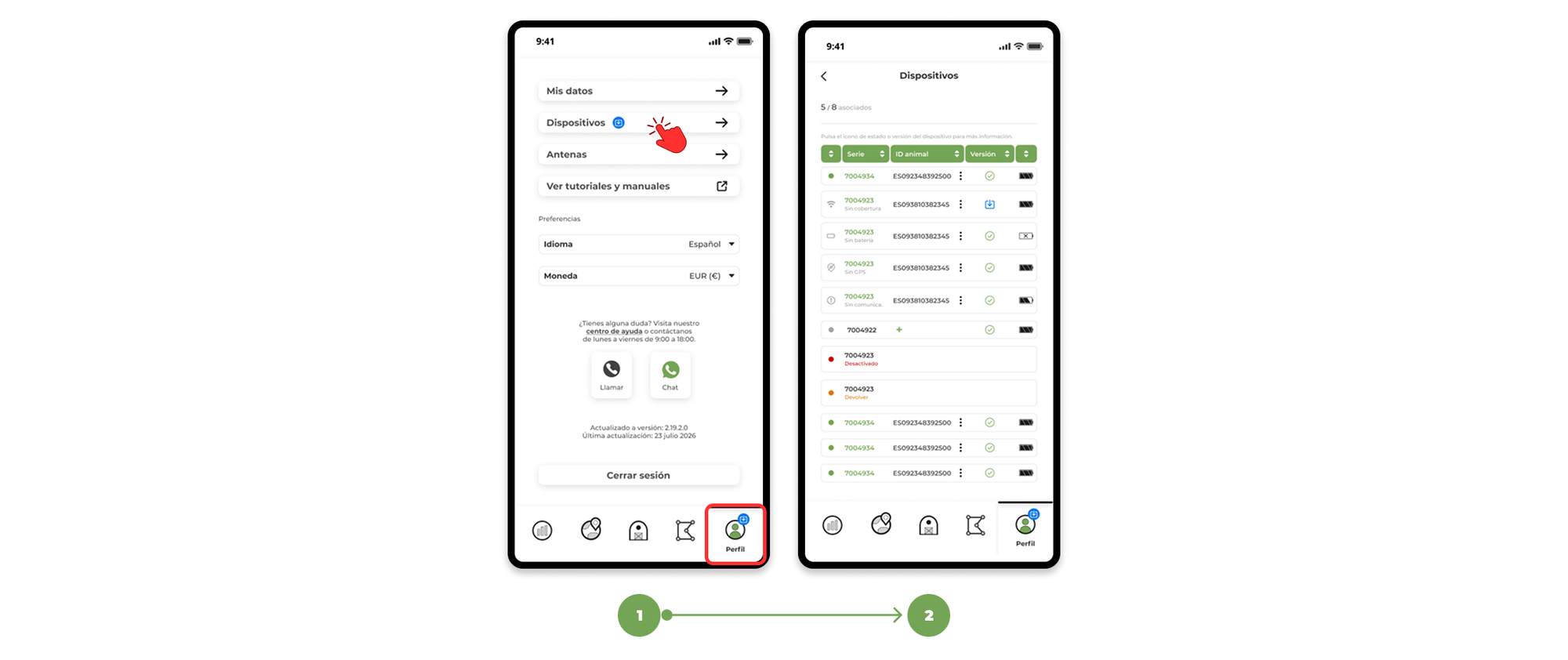
1. Go to the profile menu and enter the Devices tab .
2. Here you will see the full list of devices assigned to your farm, with information on:
- Device status.
- Whether it is assigned to an animal or not.
- Battery level.
What Device States Mean
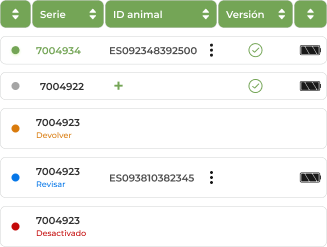
- Green → Functioning correctly and associated with an animal.
- Gray → Not assigned to any animal or disabled.
- Orange → Device marked for picking and pending
Shipping to production. - Blue → Device marked for inspection in case a restart or inspection is necessary for possible damage.
- Red → Device deactivated for which the maintenance fee is not currently being paid.
- → icons indicate problems with:
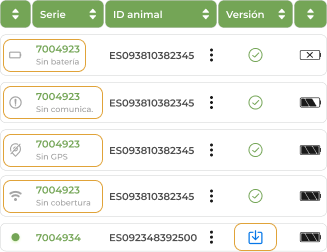
- No battery → The battery life of the device has come to an end and needs to be recovered. Contact the support department to arrange for the device to be replaced.
- No communication → The device is not sending a signal. Check for any visible bumps or damage. If everything seems correct, contact support and our team will help you resolve it.
- No GPS → The device is connected but is not sending its position. It may have the collar incorrectly placed or it may be indoors or among many trees. In many cases it resolves when the animal moves or the device is repositioned.
- If the device does not manage to send its position after 48 hours, you know that the animal has the device correctly placed, has no damage and is together with others that are being located, it would be necessary to contact the support department to check it.
- No → coverage The device is outside the range of the antenna's coverage. The device should communicate again when the animal moves to an area with a better signal.
- If the device does not manage to send its position after 48 hours, it is not damaged and it is together with others that are communicating, it would be necessary to contact the support department to check it.
- New firmware version available → Updates the device to improve its performance and ensure optimal operation with the latest improvements.
Where to see the status of a device
In addition to theDevices tab , the status of each device is also displayed in:
3. List of animals.
4. Animal file on the map.