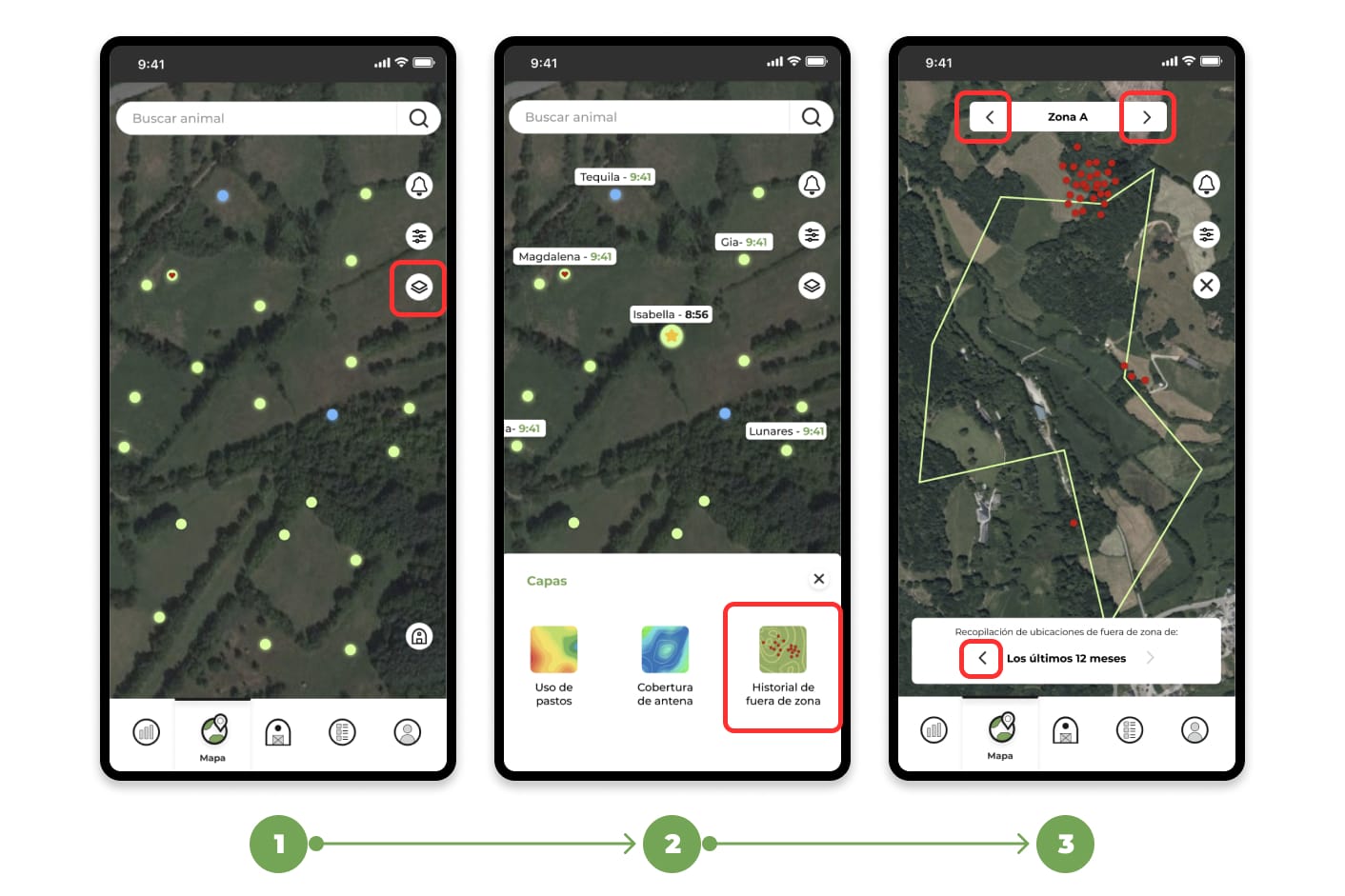
1. Go to the "Map" section and click on the layers button.
2. A drop-down menu will appear with several options; select the "Out-of-Zone History" layer.
3. Once this layer is activated, you will be able to explore the map to see all the points where your animals have left the delimited area.
In addition, you can adjust the history period (last 12 months, last month, or last week) using the arrows below in the white box. If you have multiple zones, you can view the history of all of them simultaneously or navigate between them using the arrows at the top.