

The fattening statistics screen gives you a summarized and organized view of the fattening status of your farm. If you keep proper record of weighings, this tool will allow you to make data-driven decisions to optimize animal growth.
In addition, if you have created batches, you can check the statistics of both the selected batch and the total of the herd.
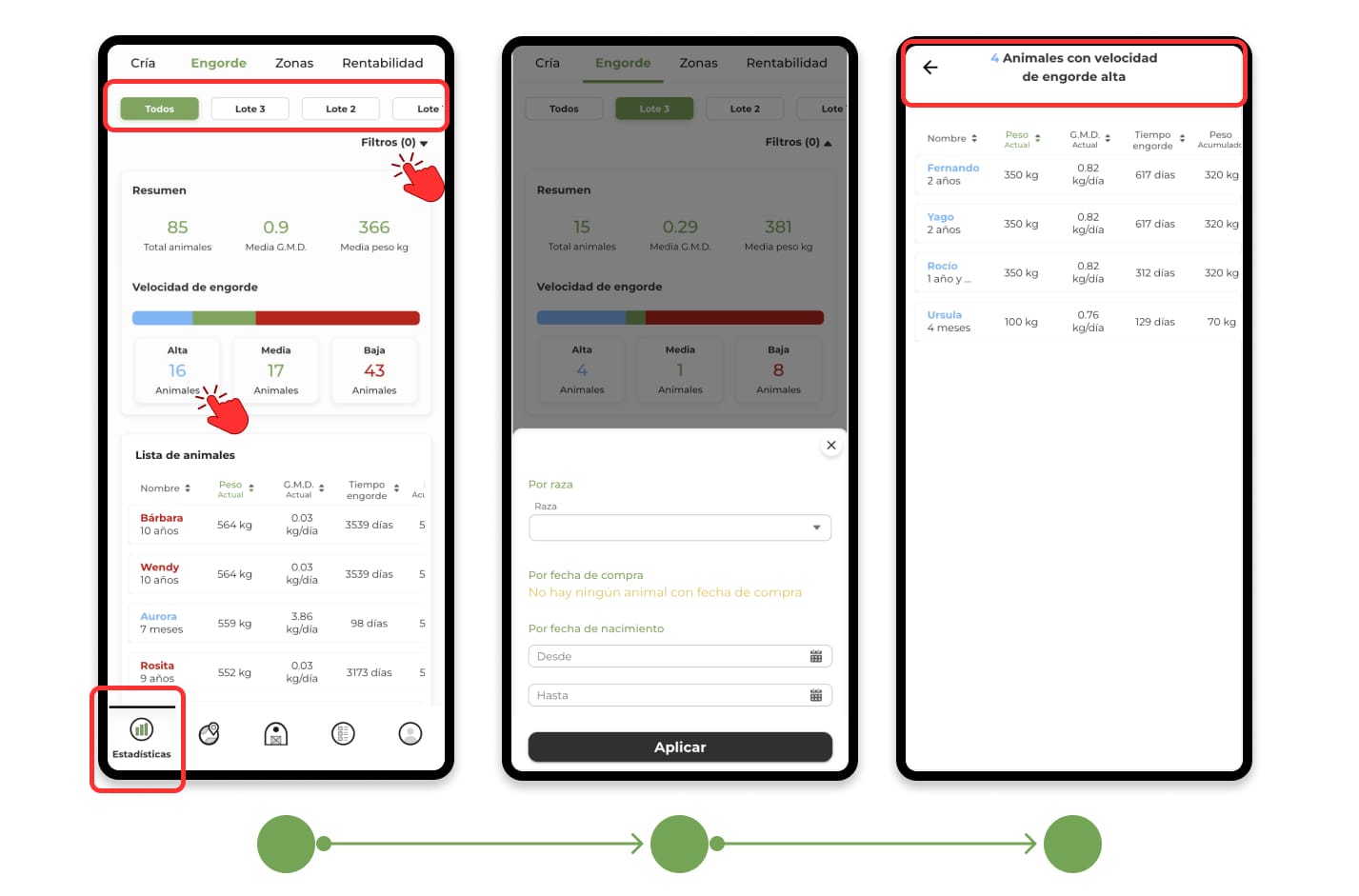
Summary
At the top of the screen you'll find an overview, including:
- Total number of animals (in the entire livestock or in the selected lot).
- Average Daily Gain (G.M.D).
- Average weight of the animals.
Fattening speed
Animals are grouped into three categories according to their fattening speed:
- Fattening tall (fast).
- Medium fattening (in the average of the batch).
- Gain weight low (slowly).
By clicking on any of these groups, you will be able to see a detailed list of the animals within that category.
Interactive Fattening Table
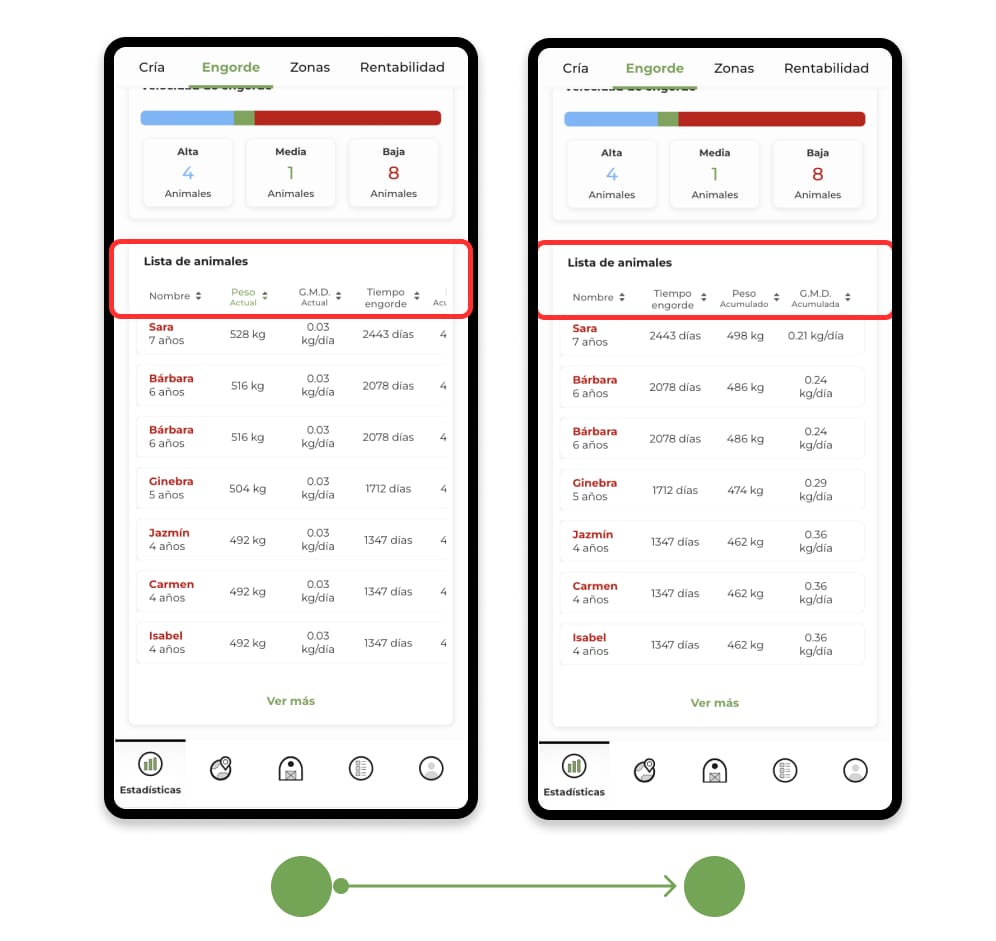
At the bottom of the screen, you will find an interactive table where you can analyze the performance of your animals.
- If you are viewing the total of the livestock, all the animals with weighings will appear.
- If you have selected a batch, only the animals in that batch with weighings will be displayed.
This table allows you to sort and filter the data to visualize the information in a clearer and more useful way.
- Current weight of the animal.
- Current G.M.D.
- Fattening time
- Weight accumulated during the follow-up period.
- Cumulative G.M.D.
You can arrange the animals in ascending or descending order according to each criterion, to improve fattening efficiency.
Guide and help
If you still don't know how to record this data, we recommend you review the tutorials available in the Fattening section. Click here to access the tutorials folder.